In this section we are going to learn about different loops in PHP and use a loop in displaying the information from a JSON file. I mean we are going to create a project in which we are going to get the information stored in “movies.json” file created in section 4 and then loop through the JSON file using PHP. So let’s learn about loops and how to extract data from a json file using PHP in this PHP Loops tutorial.
- To start our project let’s create a new folder named Loops in the htdocs folder in the xampp folder in C drive.
- Open a new notepad++ file and save it as index.php in the newly created folder named Loops in htdocs folder.
- Open this project in browser by just writing localhost/Loops in the address bar. You will see the following output:
- Let’s start with PHP loops.
- FOR LOOP
- Let us try one example. Write the following code in index.php document:
- Here, we are dealing with PHP, so have included the code within
<?php?>
tag.
- For loop has a variable $i initialized to 0 having condition $i<=10 and incrementing $i with every iteration.
- The statement echo displays a string “Number ” with the value of $i variable concatenated with it using a period(.) in every iteration till the condition is satisfied.
- Brake tag is used for a line brake.
- The process of displaying will continue till the condition is true. Once the condition becomes false, the loop will terminate.
- Now just reload the page and see the output as shown below:
- WHILE LOOP
- Syntax for while loop is show below:
- Let us try the same example shown above using while loop. Write the following code in index.php document:
- Here, we have initialized $i variable to zero(0) initially.
- Next we have given the condition $i<=10 in the while statement.
- The statement echo inside the while block will display the string “Number ” with the value of $i as it changes in every iteration.
- The statement $i++; is used to increment the value of $i after displaying it. But remember if you forget to increment/decrement its value, the loop will become an infinite loop. This will happen because the value of $i will remain constant and it will always satisfy the condition and will always return true.
- Now reload the browser and see the output, it is shown below:
- FOREACH LOOP
- Syntax for a foreach loop is shown below:
- Let us try it with an example. Write the following code in index.php document:
- Here, we have declared an array named $people. We want to just display the names in the array using foreach loop.
- The foreach loop contains array name i.e. $people, as keyword and a variable $person for traversing the array $people.
- The variable $person fetches one value from the array and then auto-increments itself to point to the next value in the array with every iteration.
- We have displayed the array contents using echo statement.
- Now reload the browser and see the output. The output is shown below:
- Now we have learned the loops, so let us turn to the next part of our project i.e. looping through a JSON file using PHP.
- For this copy the movies.json file created in some of the previous chapters of section 4 “XML,JSON and AJAX” and paste in our Loops folder created for this project in htdocs file.
- Since we want to display data in a systematic way we need to use html in this project.
- So write the following HTML code in index.php document. You can comment all the loop examples taken above.
- Comments in PHP are :
- // — single line comment
- /* —-*/ — multiline comment
- HTML code is as follows:
- Your page will look like this:
- Now to show the information on the webpage we need to grab the contents of the movies.json file. So write the following code above the statement
<!DOCTYPE html>
:
- Here, we have not given the full path of movies.json file because our index.php file and movies.json file are in the same folder.
- Due to the above code we will get all the data from the movies.json file and it will be stored in the variable $jsondata.
- If we are working with a website and we want data from a URL, we can use the URL in place of the file name.
- We got the data from the JSON file and stored it in the variable $jsondata. Next thing we want to do is decode the JSON data so that we could parse it with php. So write the following statement below the statement written in step 7 inside the
<?php?>
tag:
- This statement will decode the JSON data and store it in the variable $json.
- Now we have the decoded data with us. So to represent it using php and html write the following code in the
<body>---</body>
tags.
- Here, we are representing the information in an un-ordered list.
- The whole information is contained in a div tag with id “container”. It will be easy to apply styling to the information.
- We have used PHP to display the decoded information stored in the variable $json.
- foreach loop is used to display the contents of the array.
- The title of the movie is displayed in an h4 heading tag and the details of the movie viz. year, genre and director are displayed in the li tags.
- Output after writing the above code is shown below:
- Now as we have displayed all the information, we will apply some styling to it. Write the following code in the head section of the page:
- Here, we have styled the h1, h4, li tags and container id.
- Due to the text-align:center; style applied to the h1 tag, the heading My Favourite Movies is aligned to centre.
- Next each movie title is given the margin of zero pixels, padding of 5 pixels from all sides and a gray background color; as it is in h4 tag.
- Next the bullets of each list item are removed using the statement list-style:none and a padding of 5 pixels is given from left side.
- Next the id container is styled with width of 600 pixels. This will club all the information within the width of 600 pixels.
- A margin with value autois given to the container div so that the contents of the container div are always shown at the centre.
- The styling overflow:hidden; is used to hide any overflown data.
- Output of the styled webpage is shown below:
fig 1
Loops in PHP have the same syntax as we used in javascript.
-
Syntax for a for loop is shown below:
for(initialization;condition;increment/decrement)
{
	Statement(s);
}
<?php
for($i=0;$i<=10;$i++)
{
	echo 'Number '.$i.'<br/>';
}
?>
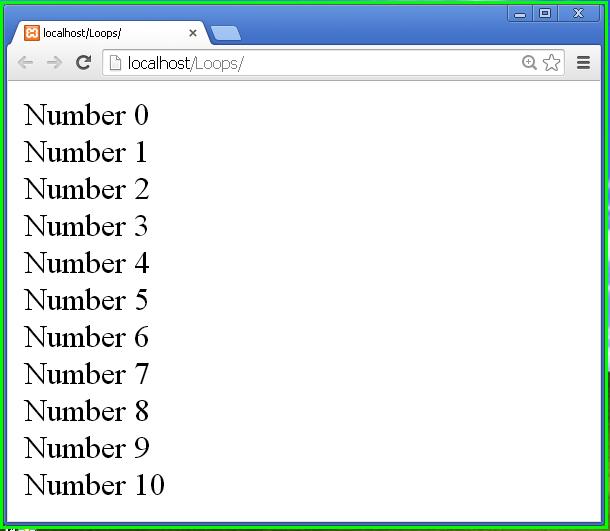
fig 2
Variable initialization;
while(condition)
{
	Statement(s);
	Increment/decrement;
}
<?php
$i=0;
while($i<=10)
{
	echo 'Number '.$i.'<br/>';
	$i++;
}
?>
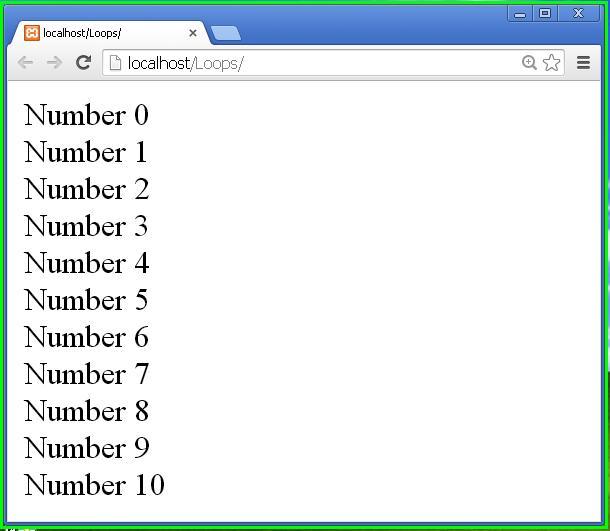
fig 3
foreach(Variable_pointing_to_array as variable_traversing_through_array)
{
	Statement(s);
}
<?php
$people=array('Robbin','Michael','Jeorge','Kevin');

foreach($people as $person)
{
	echo $person.'<br/>';
}
?>
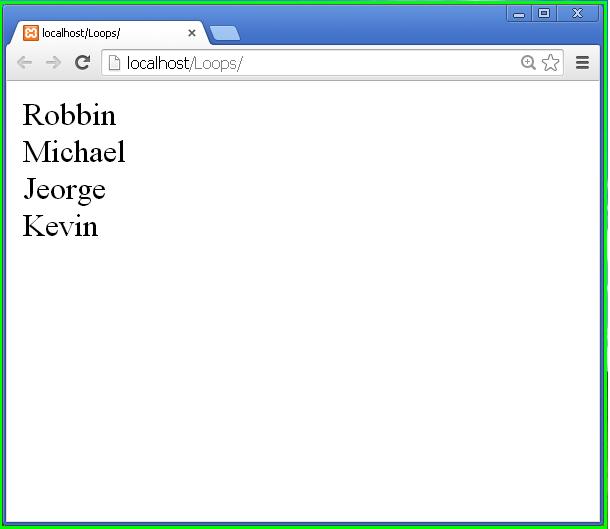
fig 4
<!DOCTYPE html>
<html>
<head>
<title>My Movies</title>
</head>
<body>
</body>
</html>

fig 5
<?php
$jsondata=file_get_contents("movies.json");
?>
$json=json_decode($jsondata,true);
<body>
<div id="container">
<h1>My Favourite Movies</h1>
<ul>
    <?php
         foreach($json['movies'] as $key=>$value)
	 {
		echo '<h4>'.$value['title'].'</h4>';
		echo '<li>Year: '.$value['year'].'</li>';
		echo '<li>Genre: '.$value['genre'].'</li>';
		echo '<li>Director: '.$value['director'].'</li>';
	 }
    ?>
</ul>
</div>
</body>
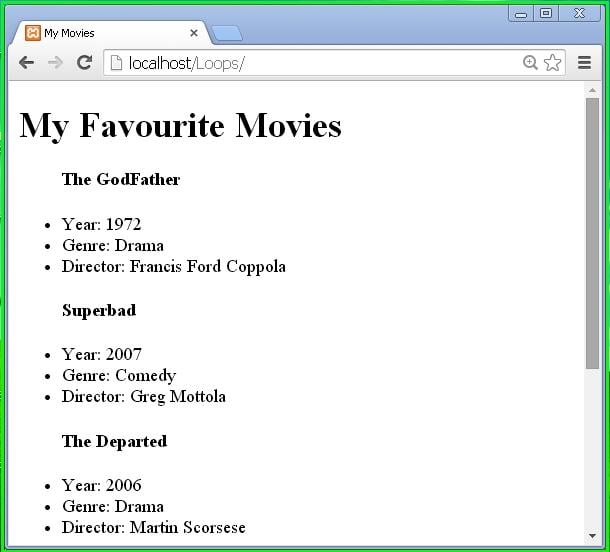
fig 6
<style>
	h1
	{
		text-align:center;
	}

	h4
	{
		margin:0;
		padding:5px;
		background:#f4f4f4;
	}

	li
	{
		list-style:none;
		padding-left:5px;
	}

	#container
	{
		width:600px;
		margin:auto;
		overflow:hidden;
	}
</style>
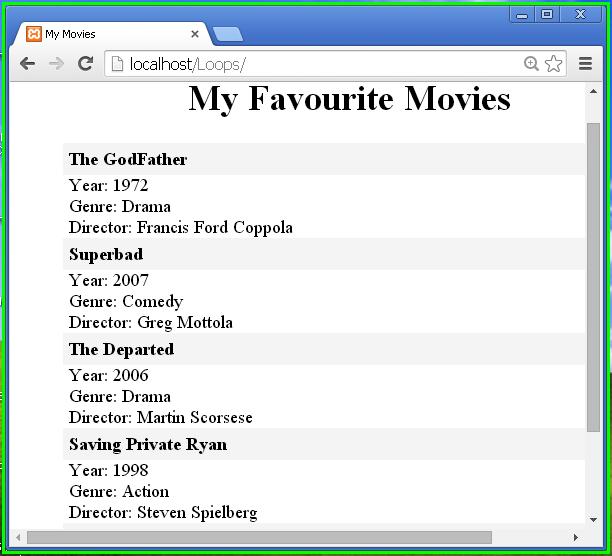
fig 7
Thus we finished with our PHP loops and a task of grabbing JSON file data and displaying it using PHP in this PHP Loops tutorial.
About the Author