
JavaScript development has evolved far beyond traditional desktop tools. Today, developers are not just looking for the best JavaScript IDE, but also powerful online JavaScript IDEs and JavaScript online compilers that allow them to write, run, and debug code directly from a browser.
Many developers specifically search for an HTML CSS JavaScript online IDE to quickly build and test frontend applications without setting up a local environment.
Whether you’re building a full-stack application or quickly testing a script, choosing the right development environment can significantly impact your productivity. From feature-rich offline IDEs to lightweight browser-based tools, there are now dozens of options available for every type of developer.
In this guide, we’ll explore the best JavaScript IDEs, including both offline and online IDEs for HTML, CSS, and JavaScript, along with a clear comparison of their features, use cases, and pricing. We’ll also break down the difference between an IDE, a code editor, and a JavaScript online compiler, so you can choose the right tool based on your workflow.
Read More: JavaScript vs Python: The Competition Of The Giants!
What is a JavaScript IDE?
A JavaScript IDE (Integrated Development Environment) is a software application that provides a complete environment for writing, testing, and debugging JavaScript code.
Unlike basic tools, a JavaScript IDE combines multiple development features into a single interface, helping developers streamline their workflow and improve productivity.
Key features of a JavaScript IDE:
- Code editor with syntax highlighting and auto-completion
- Debugger for identifying and fixing errors
- Build tools & compiler support
- Version control integration (Git)
- Extensions and plugins for customization
For example, tools like Visual Studio Code or WebStorm are widely considered among the best JavaScript IDEs because they offer powerful features for both frontend and backend development.
Modern IDEs also support multiple programming languages such as HTML, CSS, and even backend technologies, making them ideal for full-stack development.
IDE vs Code Editor vs JavaScript Online Compiler
This is where most beginners get confused — and this section is crucial for ranking because it aligns perfectly with search intent like “javascript online compiler” and “online ide for html css javascript”.
What is a Code Editor?
A code editor is a lightweight tool used primarily for writing and editing code.
It focuses on speed and simplicity while offering essential features like:
- Syntax highlighting
- Basic auto-completion
- File navigation
Popular examples include tools like Sublime Text and Notepad++.
Best for:
- Quick edits
- Lightweight development
- Developers who prefer minimal setup
What is an IDE?
An IDE (Integrated Development Environment) is a complete development solution that goes beyond just writing code.
It includes:
- Advanced debugging tools
- Built-in terminal
- Code refactoring
- Project management features
Best for:
- Large-scale applications
- Full-stack development
- Teams and professional workflows
What is a JavaScript Online Compiler?
A JavaScript online compiler allows you to write and run JavaScript code directly in your browser without installing any software.
These tools are often part of an online JavaScript IDE, but sometimes they are simpler platforms focused only on executing code.
Key capabilities:
- Run JavaScript online instantly
- No setup or installation required
- Ideal for testing snippets or learning
Best for:
- Beginners learning JavaScript
- Quick code testing
- Interview practice
Key Differences Between Code Editor, IDE, & JavaScript Online Compiler Simplified
| Feature | Code Editor | IDE | JavaScript Online Compiler |
|---|---|---|---|
| Setup Required | Yes | Yes | No |
| Features | Basic | Advanced | Minimal |
| Debugging | Limited | Advanced | Limited |
| Runs Code | No (needs setup) | Yes | Yes (in browser) |
| Best Use Case | Editing | Full development | Quick testing |
Final Takeaway
- If you want full control and advanced features → go for a JavaScript IDE
- If you prefer simplicity → use a code editor
- If you want to run JavaScript online instantly → choose a JavaScript online compiler or online IDE
Best JavaScript IDE (Offline) (UPDATED- 2026)
1. Visual Studio Code
Type: Source Code Editor
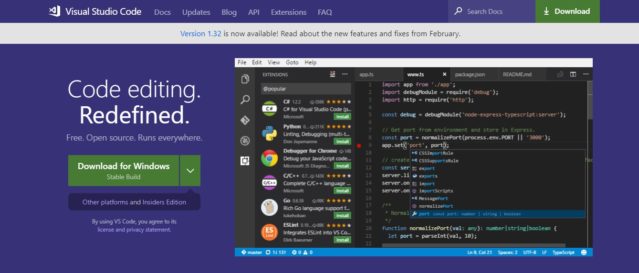
Often people confuse it with Visual Studio but be very clear, Visual Studio Code is different than Visual Studio. It is a source code editor & Visual Studio is an IDE. According to various surveys, it is one of the most used text editors for different programming languages.
This editor is created by Microsoft and is based on the Electron platform which can operate on Linux and macOS systems too. Similar to Visual Studio, it is also equipped with the IntelliSense feature which helps developers with hints, code suggestions and parameter descriptions.
VSC also comes with a debugger which has the features like setting breakpoints, call stack and watch variables. It also provides a feature called Peek which can expand the definition of any function. Features like TaskRunner, monitoring changes made in the file, running commands like commit/publish/push and others make it one of the most suitable code editor for JavaScript.
This code editor also comes with built-in Git support and CLI. Lastly, apart from JavaScript, it also supports more than 30 programming languages like PHP, C#, Ruby, HTML5 and others.
Best for: Full-stack development, frontend + backend
Why it stands out: Free, fast, and extremely flexible
2. WebStorm
Type: IDE
It is a dedicated IDE for CSS, HTML and JavaScript which works with all the platforms including Linux, Windows and macOS. This IDE was created by JetBrains, the team behind the IntelliJ IDEA. WebStorm is one of the most frequently used IDE for JavaScript-based developments.
Also called the smartest JavaScript IDE, it is packed with hundreds of exceptional features. Intelligent code completion, refactoring, error identifications, in-built debugger, code evaluation (without even exiting the IDE), error reports and built-in NodeJS application are some of its few features. Above all, it also includes spy-js which really sets WebStorm apart from all its competitors. This allows you to trace the code for preventing actions that can later create havoc. With all these features loaded, this IDE comes with a price, however, they give you a free 30 days trial period for hands-on experience.
Best for: Large-scale and enterprise projects
Why it stands out: Deep JavaScript intelligence
3. Visual Studio
Type: IDE
Visual Studio was initially released in 1997 and is another leading tool for JavaScript development. It is mainly used for developing computer programs for the Windows platform. This Integrated Development Environment can generate both native and managed code.
With features like code completion, code refactoring, class designer, code profiler, database schema designer, web designer and others, this IDE is a complete development tool for JavaScript. Visual Studio comes with built-in support for JavaScript and has an in-built debugger. You can even extend its capabilities by adding hundreds of plugins that are already available.
Best for: Enterprise applications
Why it stands out: Powerful ecosystem
4. Sublime Text
Type: Source Code Editor
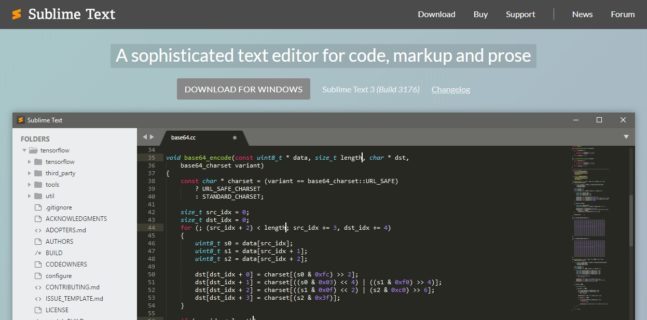
It is an open-source text editor which is developed by Jon Skinner and Will Bond. Sublime Text was released as a cross-platform tool that was written in C++ and Python. Its latest version transforms this tool as a pseudo IDE with a high degree of customization.
Significant speed, clutter-free interface, enhanced pane-management, Go to the definition and Go to features are some of its significant features. Furthermore, you can use the Babel plugin (syntax highlight for ReactJS and ES6 code), DocBlockr, JSFormat, SideBar, SublimeLinter, and SideBar Enhancements.
Best for: Lightweight coding and quick edits
5. IntelliJ IDEA
Type: Java-specific IDE
This IDE was initially released in January 2001 with the goal of maximizing developer productivity. IntelliJ IDEA is one of the most beloved IDEs for JavaScript-related development and also supports a number of other programming languages other than Java and JavaScript.
Its ergonomic design offers ease-of-use to the user and one of the coolest features of this IDE is that it automatically adds all the tools that are relevant to your context. It is capable of automating repetitive programming tasks, advanced code completion, static code analyzer and provides a number of smart code assistance features. There is also an integrated Version Control.
Best for: Developers working across multiple languages
6. Eclipse

Type: Java-specific IDE
Initially released in November 2001, Eclipse is one of the big three JavaScript IDEs with an extensible plugin system. To use it for JavaScript or any other programming language, you need to install specific programming languages.
With this Integrated Development Environment tool, you get a remarkable combination of stability, performance, and robustness. Within this IDE, you can automate and reproduce identical workspaces by setting up the Oomph project.
In the recent few years, significant efforts have been made by its developers to make it more JavaScript-friendly which is clearly visible with the enhancement of performance in the JS Development tools. With this IDE, you can also build Docker images and containers with the Docker CLI as it supports a new Docker UI.
Automated error reporting is one of its amazing features which increases your efficiency by several folds. With this feature, Eclipse automatically sends the found bug to eclipse.org. Moreover, all or at least most of the download packages for Eclipse is integrated with Git.
Best for: Developers needing flexibility
7. NetBeans
Type: IDE
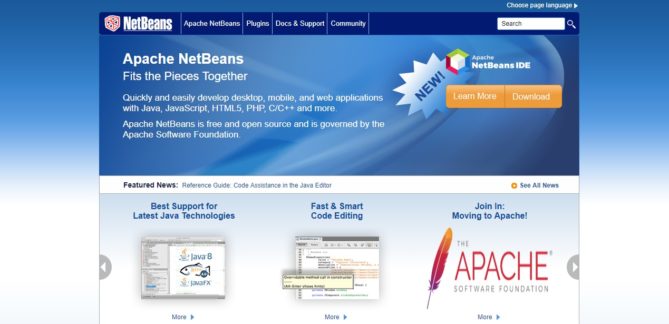
Released in 1997, it is a dedicated IDE for Java development. Other than that, NetBeans provides a powerful Integrated Development Environment for JavaScript too. This cross-platform IDE also allows you to develop applications using modules or modular software components.
With NetBeans, you get smart code completion, built-in Git support, Mercurial, Semantically and syntactically code highlighting, Subversion and other features. Within this IDE, you can easily modify the workspace, you can drag and reposition tabs in the application frame, you can customize the buttons in the toolbar and can also set own keyboard shortcuts.
Best for: Beginners and intermediate developers
8. PhpStorm
Type: PHP-specific IDE
It was initially released in 2009 and is a cross-platform IDE that was developed mainly for PHP-related development. Despite this, it offers some really cool features to JavaScript developers. This IDE was built on top of IntelliJ IDEA and similarly to IntelliJ IDEA, its functions can be extended by plugins.
Along with zero-configuration debugging, you also get automated refactoring, syntax highlighting, on-the-fly code analysis, and error prevention. For enhancing the quality of the code, PhpStorm also comes with several code inspection tools. These can easily verify the code after it is written offering quick fixes. You can press “Alt + Enter” together which will display all the options available for each inspection. There are also in-built tools for testing and profiling and with some tools, you can also work with databases and SQL for a project.
9. Vim
Type: Text Editor
It was created as a standalone application with a GUI and CLI. It is a free and open-source text editor that can be used for a variety of platforms. It was initially released for Amiga but is now also utilized for JS.
The best part about this editor is that it is highly customizable via different plugins which are written in vimscript or VimL. It comes with a comprehensive integrated help system, limited-IDE-like features, mouse interaction support, tabbed windows, spell checking, syntax highlights and persisting undo/redo history. With Vim, you can edit archived files over FT, SSH, and HTTP network protocols and it also allows you to define personalized key mappings.
10. Notepad++
Type: Text Editor
It is an open-source, lightweight, and fast text editor that you can use for Windows. Generally, Notepad++ is a classical editor with which you can code for almost all the programming languages. This editor has become one of the most basic tools for every front-end developer and is primarily written in C++.
This tool supports multi-file opening, provides an auto-correction suggestion,s and comes with syntax highlighting. Because of its multi-file opening feature, you can very easily switch from one file to another file. And credit to its lightweight nature, you can run this on any system without any difficulties.
Best Online JavaScript IDE & JavaScript Online Compilers (Run Code in Browser)
With the rise of cloud development, many developers now prefer online IDEs for HTML, CSS, and JavaScript that allow them to write and run code instantly without installation.
These tools also act as JavaScript online compilers, making them perfect for quick testing, collaboration, and learning.
1. CodeSandbox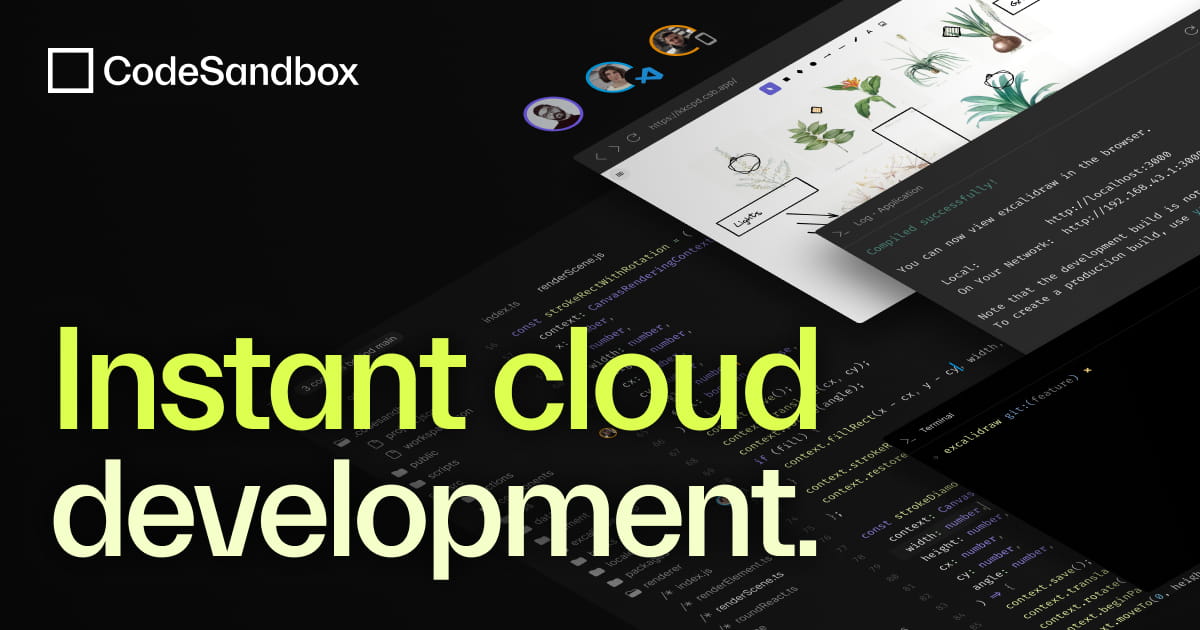
Type: Online JavaScript IDE
CodeSandbox is one of the most powerful online IDEs for HTML, CSS, and JavaScript, especially popular among frontend developers working with modern frameworks.
It allows you to create full-fledged web applications directly in the browser with zero setup. With pre-configured templates for React, Vue, Angular, and Node.js, developers can instantly start building projects without worrying about environment configuration.
One of the standout features of CodeSandbox is its live preview and hot reloading, which reflects code changes instantly. It also integrates seamlessly with GitHub, allowing you to import repositories and collaborate in real-time.
Key Features:
- Instant development environment setup
- Live preview with hot reloading
- Built-in support for React, Vue, Angular
- GitHub integration and sharing
- Real-time collaboration
Best for: Frontend developers and rapid prototyping
Why it stands out: Zero setup + real-time collaboration + framework-ready
2. Replit
Type: Online IDE + JavaScript Online Compiler
Replit is an all-in-one JavaScript online compiler and IDE that allows you to write, run, and deploy applications directly from your browser.
Unlike many browser-based tools, Replit supports backend development as well, making it suitable for full-stack projects. It provides a complete development environment with a built-in terminal, package manager support, and database integrations.
Its multiplayer collaboration feature allows multiple developers to code together in real time, similar to Google Docs.
Key Features:
- Run JavaScript online instantly
- Supports multiple programming languages
- Multiplayer real-time collaboration
- Built-in terminal and deployment support
- Hosting and database integrations
Best for: Beginners, students, and full-stack prototyping
Why it stands out: Combines compiler + IDE + hosting in one platform
3. StackBlitz
Type: Online IDE
StackBlitz is a next-generation online JavaScript IDE that runs entirely in the browser using WebContainers — a technology that simulates a Node.js environment without needing a backend server.
This makes it incredibly fast and close to a local development experience. It is especially popular among Angular developers but also supports React, Vue, and other modern frameworks.
One of its biggest advantages is that projects load almost instantly, eliminating the typical delays seen in cloud IDEs.
Key Features:
- WebContainer-based architecture (no server dependency)
- Lightning-fast project startup
- Works like a local VS Code environment
- Supports modern frameworks
- Offline capabilities in browser
Best for: Advanced frontend development and modern web apps
Why it stands out: Near-local performance inside the browser
4. JSFiddle
Type: JavaScript Online Compiler
JSFiddle is a simple yet effective JavaScript online compiler designed for quickly testing and sharing code snippets.
It provides a minimal interface where developers can write HTML, CSS, and JavaScript in separate panels and instantly see the output. This makes it extremely useful for debugging small issues or demonstrating concepts.
JSFiddle also allows easy sharing via unique URLs, making it a favorite among developers for collaboration and community discussions.
Key Features:
- Instant JavaScript execution in browser
- Separate panels for HTML, CSS, and JS
- Easy sharing via URL
- Supports external libraries (like jQuery, React)
- Lightweight and fast
Best for: Quick testing, debugging, and demos
Why it stands out: Simplicity and instant execution
5. CodePen
Type: Online IDE
CodePen is a highly popular online IDE for HTML, CSS, and JavaScript, widely used for frontend experiments, UI components, and creative coding.
It is known for its strong developer community where users can share their work (called “Pens”), explore others’ projects, and get inspiration.
The platform provides a live preview environment where changes are reflected instantly, making it ideal for designing and testing UI elements.
Key Features:
- Live preview for frontend code
- Community-driven platform
- Pre-built UI components and templates
- Supports preprocessors like Sass and Babel
- Easy embedding and sharing
Best for: UI/UX developers and frontend experiments
Why it stands out: Community + design-focused development
6. AWS Cloud 9
Type: Cloud IDE
AWS Cloud9 is a cloud-based JavaScript IDE that provides a complete development environment directly in the browser.
It comes with a built-in terminal, debugger, and editor, making it suitable for full-stack development. Since it is integrated with AWS, developers can directly deploy applications to cloud services like EC2, Lambda, and more.
It also supports real-time collaboration and multiple programming languages.
Key Features:
- Full-featured cloud IDE
- Built-in terminal and debugger
- AWS integration for deployment
- Real-time collaboration
- Supports multiple languages
Best for: Cloud-based application development
Why it stands out: Deep AWS integration
7. Codeanywhere
Codeanywhere is a flexible online IDE for JavaScript and other programming languages, designed for developers who want to work from anywhere.
It allows you to connect remote servers via FTP or SSH and work directly on live environments. The platform also supports integration with cloud storage services like Google Drive and Dropbox.
Its DevBoxes provide pre-configured development environments, reducing setup time significantly.
Key Features:
- Cloud-based development environments (DevBoxes)
- FTP/SSH connectivity
- Integration with cloud storage
- Built-in terminal and debugger
- Git and version control support
Best for: Remote development and distributed teams
Why it stands out: Work from anywhere with server access
Comparison of Best JavaScript IDE, Online IDEs & Compilers
| Feature | Visual Studio Code | WebStorm | Replit | CodeSandbox | StackBlitz | JSFiddle | CodePen |
|---|---|---|---|---|---|---|---|
| Type | Code Editor | IDE | Online IDE + Compiler | Online IDE | Online IDE | Online Compiler | Online IDE |
| Platform | Desktop | Desktop | Browser | Browser | Browser | Browser | Browser |
| Setup Required | Yes | Yes | No | No | No | No | No |
| Ease of Use | Easy | Moderate | Very Easy | Easy | Easy | Very Easy | Easy |
| Performance | High | Very High | Moderate | Moderate | High | High | High |
| Debugging | Advanced | Advanced | Limited | Basic | Basic | No | Limited |
| Collaboration | Extensions | Team tools | Real-time | Real-time | Limited | Sharing only | Community sharing |
| Framework Support | All (via extensions) | Excellent | Broad | Strong (React/Vue) | Strong (Angular/React) | Limited | Frontend-focused |
| Backend Support | Yes | Yes | Yes | Limited | Limited | No | No |
| Offline Access | Yes | Yes | No | No | No | No | No |
| Best For | Full-stack dev | Enterprise apps | Beginners + quick apps | Frontend dev | Modern web apps | Quick testing | UI/UX design |
| Pricing | Free | Paid | Free + Paid | Free + Paid | Free | Free | Free + Paid |
Final Verdict
- If you want maximum performance and flexibility, tools like Visual Studio Code and WebStorm are ideal.
- If you want to run JavaScript online instantly, platforms like Replit and JSFiddle are better choices.
- For frontend-focused development, CodeSandbox, StackBlitz, and CodePen offer the best experience.
Best JavaScript IDE by Use Case
Not every developer needs the same tool. The best JavaScript IDE depends on your workflow, experience level, and the type of applications you are building.
Below are the best tools categorized based on real-world use cases.
1. Best JavaScript IDE for Beginners
If you are just starting with JavaScript, using a JavaScript online compiler or browser-based IDE is the best option.
Replit is an excellent choice because it allows you to run JavaScript online without installation. It provides a simple interface, built-in hosting, and real-time execution, making it ideal for learning and experimentation.
2. Best JavaScript IDE for Professional Developers
For experienced developers working on real-world projects, Visual Studio Code is one of the best JavaScript IDEs available today.
It offers a powerful combination of performance, flexibility, and extensibility. With thousands of extensions, built-in Git support, and advanced debugging tools, it is suitable for both frontend and backend development.
3. Best JavaScript IDE for Enterprise Development
For large-scale and complex applications, WebStorm stands out as a premium JavaScript IDE.
It provides deep code intelligence, advanced debugging capabilities, and built-in tools that help manage large codebases efficiently. This makes it ideal for teams and enterprise-level development.
4. Best Online JavaScript IDE for Frontend Development
CodeSandbox is one of the most powerful online IDEs for HTML, CSS, and JavaScript.
It allows developers to build and test frontend applications instantly with support for modern frameworks like React, Vue, and Angular. The live preview feature makes it perfect for rapid UI development.
5. Best JavaScript Online Compiler for Quick Testing
If your goal is to quickly test or debug code snippets, JSFiddle is a great choice.
It is a lightweight JavaScript online compiler that allows instant execution of code directly in the browser. It is widely used for testing small scripts and sharing examples.
6. Best IDE for UI/UX and Creative Frontend Work
CodePen is widely used by developers and designers for building UI components and experimenting with frontend code.
It offers a live preview environment along with a strong community where you can explore and share projects.
7. Best Cloud-Based JavaScript IDE
For developers working on cloud-based applications, AWS Cloud9 provides a complete browser-based development environment.
It includes a built-in terminal, debugger, and direct integration with cloud services, making it ideal for scalable application development.
How to Choose the Right JavaScript IDE?
With so many options available, selecting the right JavaScript IDE or online compiler can feel overwhelming. However, the right choice depends on a few key factors such as your experience level, project requirements, and workflow preferences.
1. Understand Your Development Needs
The first step is to identify what kind of development you will be doing.
If you are working on simple scripts or learning JavaScript, a JavaScript online compiler is sufficient. However, if you are building complex applications, you will need a full-featured JavaScript IDE.
2. Consider Online vs Offline Tools
One of the biggest decisions is whether to use an offline IDE or an online JavaScript IDE.
- Offline IDEs provide better performance, advanced debugging, and full control over your environment.
- Online IDEs allow you to run JavaScript online instantly, without installation, making them ideal for quick testing and collaboration.
3. Evaluate Features and Tools
Different tools offer different capabilities. Before choosing, consider the features you need:
- Debugging tools
- Version control (Git integration)
- Framework support (React, Angular, Vue)
- Collaboration features
For example, professional developers may prefer advanced IDEs, while beginners may prioritize ease of use.
4. Performance and Speed
If you are working on large applications, performance becomes critical. Desktop IDEs generally offer better speed and stability compared to browser-based tools.
However, modern platforms like StackBlitz are closing this gap with near-local performance.
5. Ease of Use and Learning Curve
Some IDEs come with a steep learning curve, while others are beginner-friendly.
If you are new to JavaScript, it is better to start with a simple interface and gradually move to more advanced tools as your skills improve.
6. Budget and Pricing
Another important factor is cost.
- Free tools like Visual Studio Code, JSFiddle, and CodePen are sufficient for most developers.
- Premium IDEs like WebStorm offer advanced features but come with a subscription cost.
Frequently Asked Questions (FAQs)

1. What is the best JavaScript IDE in 2026?
The best JavaScript IDE depends on your use case and experience level.
- For most developers, Visual Studio Code is considered the best JavaScript IDE due to its flexibility, extensions, and performance.
- For enterprise-level development, WebStorm is often preferred because of its advanced debugging and deep JavaScript intelligence.
- If you are looking for a best JavaScript IDE free, Visual Studio Code is the top choice.
For browser-based development, tools like Replit and CodeSandbox are among the best online JavaScript IDEs available today.
2. Which is the best online JavaScript IDE?
The best online JavaScript IDE depends on what you want to build:
- Replit → Best all-in-one JavaScript IDE online + compiler
- CodeSandbox → Best for frontend frameworks (React, Vue, Angular)
- StackBlitz → Best for high-performance browser-based development
If your goal is to find the best online IDE for JavaScript, these platforms provide a complete development environment without installation.
3. What is a JavaScript online compiler?
A JavaScript online compiler is a browser-based tool that allows you to write and run JavaScript code instantly without installing any software.
It is often part of an online JavaScript IDE, but simpler tools like JSFiddle focus mainly on executing code quickly.
These tools are ideal for:
- Beginners learning JavaScript
- Developers testing snippets
- Quick debugging and experimentation
4. What is the difference between a JavaScript IDE and an online compiler?
A JavaScript IDE is a full-featured development environment with debugging tools, extensions, and project management capabilities.
A JavaScript online compiler, on the other hand, is designed mainly for running code quickly in the browser.
In short:
- IDE → Full development environment
- Online compiler → Quick execution tool
Modern tools like Replit combine both, acting as a JavaScript IDE online + compiler.
5. Which is the best free IDE for HTML, CSS, and JavaScript?
If you are looking for the best free IDE for HTML, CSS, JavaScript, here are the top options:
- Visual Studio Code → Best offline free IDE
- CodeSandbox → Best online IDE for HTML, CSS, JavaScript
- Replit → Best for running full-stack apps in browser
These tools are widely considered the best IDE for HTML CSS JavaScript free, offering powerful features without cost.
6. Which IDE is best for HTML, CSS, JavaScript, and PHP?
If you need an IDE for HTML CSS JavaScript PHP, here are the best choices:
- Visual Studio Code → Highly flexible with extensions
- PhpStorm → Best for PHP-heavy development
- WebStorm → Strong JavaScript support with backend capabilities
These are considered the best IDE for HTML CSS JavaScript PHP for full-stack developers.
Conclusion
Choosing the right JavaScript IDE or JavaScript IDE online can significantly impact your development speed, efficiency, and overall coding experience.
If you are working on large-scale applications or professional projects, offline tools like Visual Studio Code and WebStorm remain the best JavaScript IDEs due to their powerful features, flexibility, and performance.
On the other hand, if your goal is to run JavaScript online instantly, then using a JavaScript online compiler or an online IDE for HTML, CSS, and JavaScript like Replit, CodeSandbox, or StackBlitz is the better choice. These tools eliminate setup time and allow you to start coding directly from your browser.
For developers looking for the best free IDE for HTML, CSS, JavaScript, there are plenty of options available today that offer enterprise-level features without any cost.
Ultimately, the best IDE for HTML, CSS, JavaScript or even PHP depends on your workflow:
- Use a JavaScript IDE for full-scale development
- Use a code editor for lightweight tasks
- Use a JavaScript online compiler or online IDE for quick testing and learning
With the rise of cloud development, online JavaScript IDEs and compilers are becoming just as powerful as traditional tools, making them an essential part of modern development workflows.
People Are Also Reading:
- JavaScript vs Python: The Competition Of The Giants!
- JavaScript Programming Language: Technologies’ Very Own Mt Everest
- BEST C/C++ IDEs & EDITORS in 2026 FOR LINUX REVEALED!
- 15 Things That Programmers Can Do To Stay Fit!
- pix2pix GAN: Bleeding Edge in AI for Computer Vision
- DataOps: A Product of the Machine Learning Era
- Can AI Transform Cybersecurity?
- How Smart Contract can Make our Life Better?
About the Author



I like to use and recommend CodeLobster IDE.