

In this series, we are going to learn Linux Shell Scripting. Shell Scripting is a very important skill that UNIX/Linux administrators can never go without.
– Admins?! UNIX and Linux admins?! Isn’t it a scripting language for developers to use?!
No, actually it’s not. Shell Scripting means writing scripts (programs) for the UNIX/Linux Shell. So, let me (before you ask another question) tell you what Linux Shell is.
The computer system consists of two main components: Hardware and Software. The Hardware is the machinery; the circuitry: the electrical, electronic, magnetic, and optical parts that together constitutes the solid part of the computer system. On the other hand, the Software is the soul of the computer system; it is the part that acts as interface between the hard machine and the humans. It acts like a translator that translates the machine language (electric currents, voltage levels, electronic signals, etc.) to the form that the human user can understand and feel comfort to deal with.
The software itself is divided into layers. The one closest to the hardware is called the Kernel. The kernel is the core of the operating system. It is a software that contains the necessary modules (drivers) needed to communicate with the hardware. The layer above the kernel is called the Shell (which is the star of our series). The shell is also a software program that accepts user’s inputs (commands), interprets them, executes them, and presents the output results back to the user.
So, what are Shell Scripts?
A Shell Script is a collection of Linux commands to be executed in sequence. The commands are written and stored in an ordinary ASCII (text) file. When the script is to be executed, the shell reads the file contents, interprets and executes them as if they were typed on the shell command prompt.
Why Shell Scripts?
As being set of Linux commands, a shell script can be used to achieve one or more tasks. For example, a script could be written to start a database, shutdown a database, start backup, check whether a specific service is up, and if not it could start it. So many other tasks can be done using shell scripts. In general, when a specific task is frequently needed, it is wise to write a script that can do it for you. This is much better than having to remember, and type the commands every time the task is needed (which is both silly and error-prone job). Writing shell scripts half-automates the administration tasks, saves the administrator’s time, and minimizes typos effects.
Shell Scripts Combined with Cron Jobs
Crontab job is a UNIX/Linux tool that helps system administrators schedule jobs to run at specific times on periodic basis.
Together, crontab jobs and shell scripts can fully-automate many administration and monitoring tasks. For instance, the weekly backup that run every Saturday at midnight, the purging of old log files that takes place on the first of every month, and the system monitoring utility that checks the CPU, memory, file systems, paging space utilizations every 10 minutes, and notifies the admin by email, all considered typical usages for the shell scripts combined with crontab job automation.
* * * * * *
– Okay… Okay, let’s now start writing shell scripts.
Sir, who are you?!
– Are you kidding?! Don’t you know me?! We are learning Linux Shell Scripting together!!
Aha, nice to meet you sir. But, I can’t see any Linux Shells with you?!
– Linux Shells?! With me?! Are you kidding again?!
Have you ever seen a civil engineer without his T-ruler, or yellow helmet?!
– What do you mean?!
Bring your tools and follow me!!!
* * * * * *
Preparing Your Tools
Before writing shell scripts (which are by definition collections of Linux commands), we must be first aware of how to use the Linux shell, and how to type and execute commands in. And the most important is to have rich knowledge of Linux commands.
In this context, I will assume you know how to login to your Linux box using your credentials (username and password). After successful login, you should be given a command prompt (the shell). This is where commands are written, and their results are seen.

What Types of Shell are Available?
There are several types of shells in use. Of those types, the most commonly-used are:
- The Bourne Shell, which is the default shell in many UNIX operating systems.
- The Bourne Again Shell (Bash). This is the de facto standard shell for almost all Linux Distributions, like Red Hat, CentOS, Fedora, Ubuntu, etc.
- The Korn Shell (ksh).
In this series, we will use the Bash shell.
Basic Commands
The following table lists some of the basic useful Linux commands that every Linux admin should master, with short definition for each:
| Command | Function / Description |
| ls | List the contents of a directory.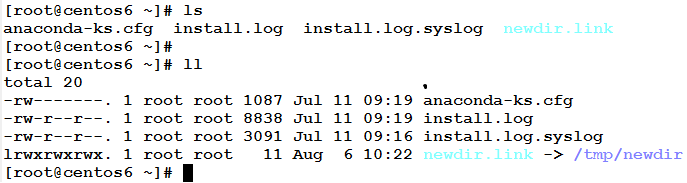
|
| pwd | Print Working Directory.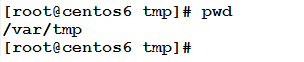
|
| cd | Change Directory
|
| cat | Concatenate and Print the contents of file(s)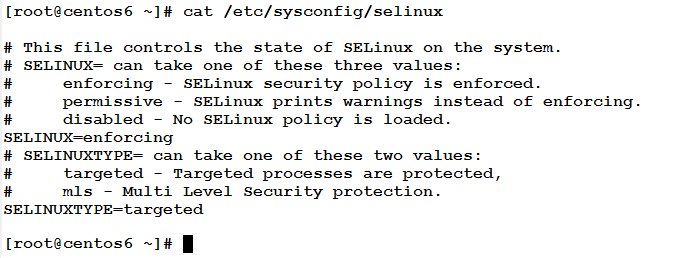
|
| tac | Concatenate and Print the contents of file(s) in reverese.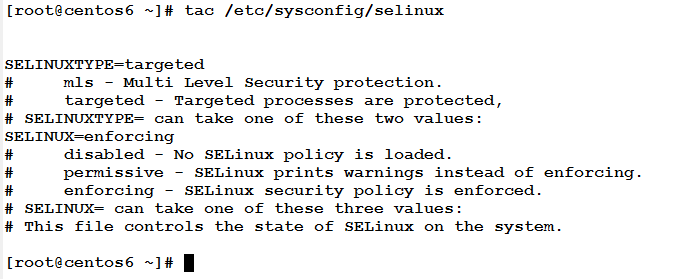
|
| rev | Reverse the lines of file(s)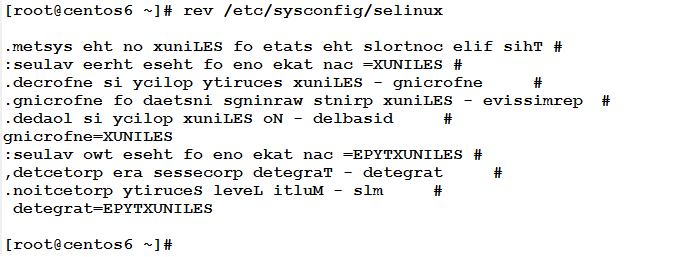
|
| man | Display the Manual Page for a command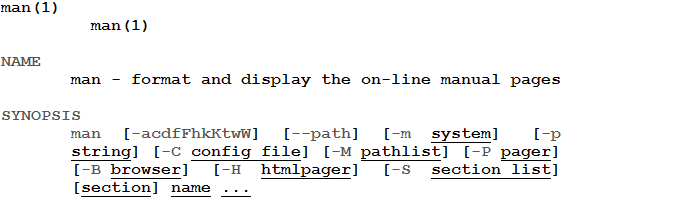
|
| cp | Copy file(s) or directory(ies)
|
| mv | Move or Rename file or directory
|
| rm | Remove file(s) or directory(ies)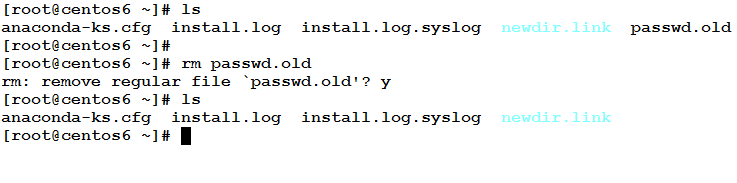
|
| mkdir | Make directory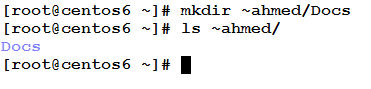
|
| rmdir | Remove “an empty” directory
|
| date | Print or Set the system date and time.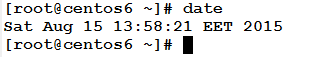
|
| touch | Change file(s) timestamps. If the file(s) don’t exist, it will be created.
|
| more | Print file contents one screen at a time.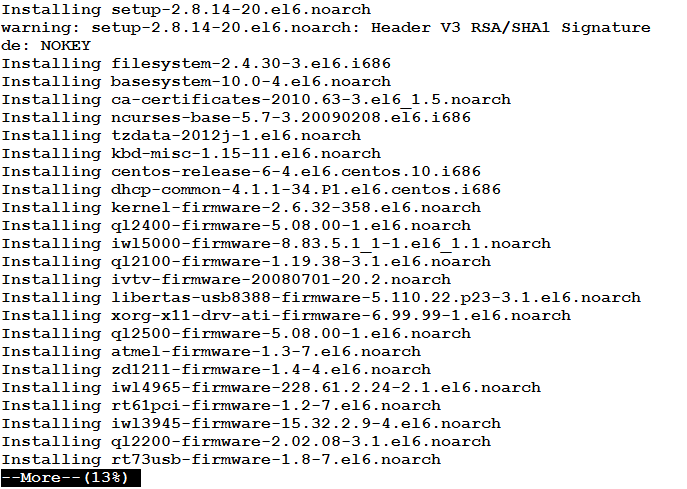
|
| less | Similar to more , but allows both forward and backward movement in the file.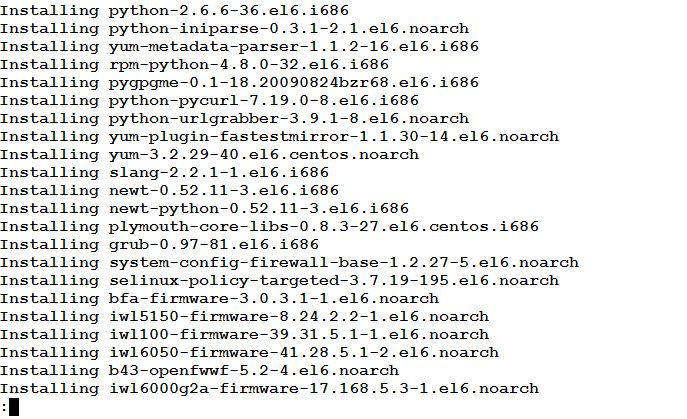
|
| seq | Print a sequence of numbers between Start and End.
|
| echo | Print line(s) of text to the standard output (screen).
|
| cal | Display the Calendar (of month or entire year)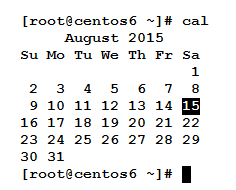 
|
| clear | Clear the terminal screen. |
* * * * * *
In this article, we had an introduction to Shell Scripting. We have learned that Shell Scripting is a necessary skill for any UNIX/Linux system admin. Together, Shell Scripts and Crontab jobs can help automate many administration tasks. We have seen that several types of shells are available. As a system admin, you must possess a rich knowledge of Linux commands; because they are your toolbox.
I hope you enjoy learning this series with us.
About the Author



hi i need one help. kindly help me in writing small schell script.
i have one file which contains,
define service{
use system-disk-wmware
host_name1 suresh
host_name SJPVMW03
service_description SYSTEM-DISK-SJP_DELL_EQLOGIC_ISCSI_Tier1_Vol5
contact_groups GMC,TICKET-NO-RECOVERY,SJP_VMWARE_SERVERS,GBS_Infra_Windows_Support_L1,WW_FlexVirtual_Admin
check_command fs_vmfs_vmware!”/vmfs/volumes/SJP_DELL_EQLOGIC_ISCSI_Tier1_Vol5″!90!95
_WARNINGTHRESHOLD Disk usage is above 90%
_CRITICALTHRESHOLD Disk usage if above 95%
_RESOLUTIONTEAM GBS Infra Windows Support L1
}
define service{
use vmware-cpu
host_name TPIVMW02
service_description VMW_CPU
contact_groups GMC,TICKET-NO-RECOVERY,TPI_Infra_Server,WW_FlexVirtual_Admin,GBS_Infra_Windows_Support_L1
check_command fs_cpu_vmware!90!95
_CRITICALSEVERITY 2
host_number 5
_RESOLUTIONTEAM GBS Infra Windows Support L1
}
define service{
use system-disk-generic
host_name HKDUD323
service_description SYSTEM-DISK-/usr
contact_groups Global_Infra_Unix_Support_-_L2,GMC,TICKET-RECOVERY
check_command fs_disk_utilization!/usr!10!5
_CRITICALSEVERITY 3
_WARNINGTHRESHOLD <10%
_CRITICALTHRESHOLD infile
{
awk -F: ‘BEGIN{ sl=”use”}
$1~sl && head == 1 { head=0; exit 0}
$1~sl && head == 0 { head=1; }
head == 1 {
gsub(/^[ \t]+/,””,$1); # remove leading spaces
gsub(/[ \t]+$/,””,$1); # remove trailing spaces
gsub(/[ \t]+$/,””,$1);
printf( “%s\t”, $1)
}
‘ infile
#echo
awk -F: ‘BEGIN { sl=”use”}
$1~sl { printf( “%s\n”, “”) }
{
gsub(/^[ \t]+/,” “,$2); # remove leading spaces
gsub(/[ \t]+$/,” “,$2); # remove trailing spaces
printf( “%s\t”,$2);
}
‘ infile
echo
} | column -t -s “$(printf ‘%b’ ‘\t’)”
if run the output
# ./test.sh myfile.csv ‘host_name|use’
use host_name1 host_name
system-disk-wmware suresh SJPVMW03
vmware-cpu TPIVMW02
system-disk-generic HKDUD323
if the above output, host_name colums is printing in host_name1
but i need to print,
use host_name1 host_name
system-disk-wmware suresh SJPVMW03
vmware-cpu N/A TPIVMW02
system-disk-generic N/A HKDUD323
if string not found in a line within a define services means, it should print N/A in that column
#!/bin/ksh
read cikey
echo $cikey>output.txt
h1=`cut -d: -f1 output.txt`
u1=`cut -d: -f2 output.txt`
d1=`cut -d: -f3 output.txt`
con $h1 </dev/null
su – $u1 </dev/null
db2 list active databases
db2 connect to $d1
db2 list tablespaces show detail|grep -i state
db2 terminate
p1=`cat /etc/services|grep -i ^$u1|grep -o [0-9][0-9][0-9][0-9][0-9]`
echo $p1
exit
EOF1
EOF
i am trying to assign output of filter to p1 but when i ran the script shell script is not showing any output.please let me know what is the mistake