As your eCommerce business grows, complexity grows with it. What once worked — spreadsheets, manual stock updates, and disconnected accounting tools — starts breaking under pressure. Order volumes increase. Inventory moves across warehouses. Finance needs cleaner reporting. And suddenly, small data mismatches begin costing real money.
If you’re running your store on Magento, you already have a powerful commerce engine. But without proper ERP integration, your backend operations can quickly become the bottleneck to growth. Inventory discrepancies lead to overselling. Delayed syncs slow fulfillment. Manual reconciliation drains your team’s time. This is where experienced Magento Development Services partners play a critical role — not just building storefront features, but architecting stable ERP connections that support long-term scale.
In this guide, we’ll break down three critical pillars every founder should understand: data mapping, sync cadence, and failure handling. Because scaling profitably isn’t just about driving more sales — it’s about building operational systems that can handle them.
What Does Magento–ERP Integration Actually Mean?
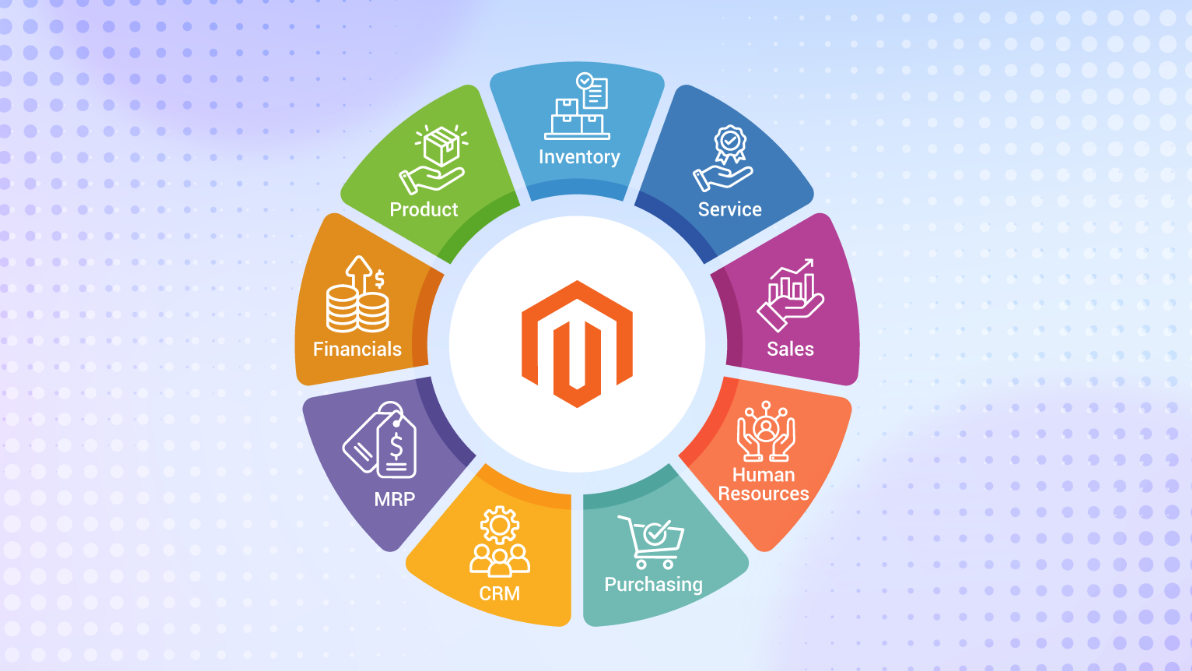
At its core, Magento–ERP integration means connecting your online store with your backend business system so both platforms operate as one unified ecosystem. If your store runs on Magento, it manages your storefront experience—products, customers, carts, and orders. Your ERP system, on the other hand, handles finance, inventory, procurement, warehousing, and reporting. Integration ensures that data flows automatically between these two systems without manual intervention. In many cases, businesses also rely on complementary qr code generator tools to simplify data access, track assets, and enable faster interaction between physical operations and digital systems.
For growing businesses, this connection becomes critical. When a customer places an order, the details instantly move into the ERP for invoicing, inventory deduction, and fulfillment processing. When stock levels change in the warehouse, the updated quantity reflects on your storefront. Customer data, pricing rules, tax configurations, and shipping updates stay synchronized across platforms.
Whether you use enterprise-grade systems like SAP ERP, Oracle NetSuite, or Microsoft Dynamics 365, the goal remains the same: create a single source of truth. Instead of juggling spreadsheets or reconciling mismatched reports, your operations run on accurate, real-time data. For founders, this isn’t just a technical setup—it’s the backbone of scalable, stress-free growth.
To achieve this seamless connection and smooth operations, hiring Magento developers with experience in ERP integrations is crucial. They ensure that your systems work as a unified ecosystem, minimizing errors and maximizing efficiency.
Data Mapping: The Foundation of a Successful Integration
If ERP integration is the engine, data mapping is the wiring. It determines whether your systems communicate clearly — or constantly misinterpret each other.
For eCommerce founders, this is not a technical footnote. It directly affects revenue accuracy, inventory reliability, and financial reporting.
What Is Data Mapping (In Simple Terms)?
Data mapping is the process of matching information in Magento with the corresponding fields inside your ERP system.
Think of it like translating two languages.
For example:
- Magento SKU → ERP Item Code
- Magento Order ID → ERP Sales Order Number
- Customer Email → ERP Customer Record
- Shipping Method → ERP Fulfillment Method
If these fields don’t align correctly, your systems won’t “understand” each other.
Example:
If Magento calls a product “SKU-RED-XL” but your ERP expects “RED-XL-001,” inventory updates may fail. That can lead to overselling or stock discrepancies.
Good mapping ensures:
- Orders flow cleanly
- Inventory updates correctly
- Financial data posts accurately
- No manual correction is required later
Why Founders Should Care About Data Mapping
Many founders assume mapping is purely technical. It isn’t. It directly affects core business functions.
- Financial Accuracy: Incorrect tax codes or pricing fields can distort revenue reporting. That affects forecasting and compliance.
- Inventory Integrity: If warehouse codes or stock fields don’t align, inventory numbers drift. This causes overselling, backorders, and unhappy customers.
- Operational Efficiency: Poor mapping increases reconciliation work. Your operations team ends up fixing errors manually.
- Customer Experience: Incorrect shipping or order statuses damage trust. Customers don’t care about integrations — they care about delivery.
In short, data mapping protects margin, reputation, and scalability.
Common Data Mapping Challenges
As your business grows, mapping complexity increases. Here’s where founders often face friction:
- Different SKU Structures: Your ERP might use structured item codes, while Magento allows flexible SKUs. Alignment requires standardization.
- Tax and Pricing Logic Differences: Magento may calculate tax at checkout, while your ERP applies tax rules differently. Misalignment causes invoice discrepancies.
- Multi-Warehouse Inventory: If you operate multiple fulfillment centers, each location must map correctly to ERP warehouse codes. One mismatch can distort stock levels.
- Custom Product Attributes: Size, color, bundles, subscriptions — custom attributes must map cleanly, or they won’t reflect correctly in ERP reports.
- Currency and International Operations: If you sell globally, currency fields, exchange rates, and regional tax codes must be mapped carefully.
Sync Cadence: Real-Time vs Scheduled Sync — What’s Right for Your Business?
As a founder, this is not a “technical configuration” decision. It directly impacts customer experience, cash flow visibility, and operational stability. The way your Magento store exchanges data with your ERP defines how quickly your business reacts to change.
Let’s break it down clearly.
What Is Sync Cadence?
Sync cadence refers to how often data moves between Magento and your ERP system.
Every time an order is placed, inventory changes, a refund is processed, or a shipment is created, that information needs to flow between systems. The frequency of this movement determines your sync cadence.
There are two common approaches:
- Real-time sync: Data updates instantly (or within seconds).
- Scheduled (batch) sync: Data updates at fixed intervals (e.g., every 5, 15, or 60 minutes).
Think of it this way:
- Real-time sync is like a live conversation.
- Batch sync is like sending periodic summary emails.
When Real-Time Sync Makes Sense
Real-time synchronization is ideal when operational speed directly impacts revenue or customer satisfaction.
It typically makes sense if you:
- Sell High-Volume or Fast-Moving Inventory: If products sell quickly, inventory must update instantly. A delay of even a few minutes can lead to overselling.
- Run Flash Sales or Limited Drops: Time-sensitive promotions require precise inventory accuracy. Real-time sync prevents stock discrepancies.
- Sell Across Multiple Channels: If you’re selling on marketplaces, retail POS systems, and your Magento store simultaneously, real-time updates help maintain a unified stock view.
- Have Complex Pricing or Promotions: If pricing rules change frequently and depend on ERP logic, real-time ensures consistency.
- Need Immediate Financial Visibility: For founders monitoring daily cash flow, real-time order posting into ERP provides accurate reporting.
However, real-time sync comes with trade-offs:
- Higher infrastructure requirements
- Greater API usage
- More complex error handling
- Slightly higher implementation cost
When Scheduled (Batch) Sync Works Better
Batch syncing updates data at defined intervals — every 10, 30, or 60 minutes, or even once per day.
For many growing businesses, this is more than sufficient.
It works well if you:
- Have Moderate Order Volume: If you process 30–80 orders per day, syncing every 15–30 minutes may be completely adequate.
- Operate in B2B Models: B2B businesses often don’t require second-by-second inventory precision. Orders may also go through approval workflows.
- Have ERP Performance Constraints: Some ERP systems aren’t optimized for continuous real-time API calls. Batch syncing reduces system strain.
- Want Lower Integration Costs: Batch processes are generally simpler to build, test, and maintain.
- Can Tolerate Small Sync Delays: If a 15-minute delay won’t materially affect your operations, batch syncing offers a cost-efficient solution.
Failure Handling: What Happens When Systems Don’t Sync?
Integration failures are not “if” problems — they’re “when” problems. The real question isn’t whether your Magento–ERP integration will face issues. It’s whether your system is designed to absorb them without hurting revenue, customer trust, or operations.
Let’s break it down from a business perspective.
Why Integration Failures Happen
Even well-built integrations between Magento and your ERP can fail temporarily. Common causes include:
- API timeouts during high traffic spikes
- Server overload during flash sales
- ERP maintenance windows or scheduled downtime
- Incorrect data formats (missing tax codes, invalid SKUs, mismatched currencies)
- Network interruptions
- Version updates in either system
For example, if a product in Magento has a custom attribute that doesn’t exist in your ERP, the order may fail to sync. One small mismatch can block an entire transaction.
Failures are normal in distributed systems. What matters is how gracefully they’re handled.
Business Risks of Poor Failure Handling
If failures aren’t properly managed, the consequences quickly become operational and financial:
- Overselling products because the inventory didn’t sync
- Incorrect invoices due to tax or pricing mismatch
- Shipment delays occur when warehouse systems don’t receive orders
- Refund errors when returns don’t update accounting
- Customer dissatisfaction due to fulfillment confusion
The worst part? These issues often surface days later during reconciliation — when damage control becomes expensive.
What Good Failure Handling Looks Like
A robust integration anticipates problems and contains them automatically. Here’s what “good” looks like:
- Automated Retry Mechanisms: If an order fails to sync, the system retries automatically instead of requiring manual re-entry.
- Queue-Based Architecture: Orders are placed in a processing queue rather than sent instantly one-by-one. If the ERP is temporarily unavailable, the queue holds the data safely.
- Detailed Error Logs: Clear, readable logs showing exactly why a sync failed — not vague technical messages.
- Real-Time Alerts: Admins or operations managers receive notifications if failure thresholds are crossed.
- Idempotency Protection: Prevents duplicate orders or duplicate invoices during retries.
- Manual Override Options: Your operations team can push or re-sync specific records without developer intervention.
Questions to Ask Before Signing a Contract
Before committing to an integration partner, founders should ask direct, business-impact questions:
- What happens if an order fails to sync?
- Is there an automatic retry system? How many attempts?
- How are failed transactions tracked and monitored?
- Who gets notified when errors occur?
- Can we manually reprocess failed orders?
- What’s the SLA for fixing integration issues?
- How do you prevent duplicate orders or invoices?
Hidden Costs of Poor Magento–ERP Integration
When integration is weak, the damage rarely shows up immediately. It leaks silently through operations, finance, and customer experience.
- Manual reconciliation hours: Teams spend days matching orders between Magento and the ERP instead of focusing on growth.
- Inventory mismatches: Overselling or underselling products leads to refunds, cancellations, and negative reviews.
- Revenue leakage: Incorrect tax, shipping, or discount data can distort financial reporting and reduce margins.
- Delayed fulfillment: If orders don’t sync properly, warehouse teams operate with outdated information.
- Customer support overload: Support teams deal with “Where is my order?” and refund issues caused by backend sync failures.
Signs Your Business Is Ready for ERP Integration
ERP integration is not just for enterprises. It becomes necessary when operational complexity starts outpacing manual processes.
- Consistently processing 100+ orders per day: Spreadsheets and manual updates stop being sustainable.
- Multi-channel selling: Managing inventory across websites, marketplaces, and retail creates sync challenges.
- Multiple warehouses or fulfillment partners: Real-time inventory visibility becomes critical.
- Growing SKU catalog: Product variations increase mapping complexity.
- Expanding into B2B or wholesale: Custom pricing tiers demand tighter backend control.
Final Thoughts
Magento–ERP integration isn’t just about connecting two systems. It’s about building operational discipline that supports scale. As your store grows, manual workarounds start costing more than proper integration ever would. Missed inventory updates, reconciliation delays, and accounting errors quietly eat into margins.
When your Magento store runs in sync with your ERP, decisions become data-driven, fulfillment becomes predictable, and reporting becomes reliable. That stability allows you to focus on expansion—new markets, new products, new channels.
In the long run, integration isn’t a technical upgrade. It’s infrastructure for sustainable growth.
About the Author