Today we will learn sending email with all its variations in this PHP Email tutorial.
- PHP provides a very easy way to send email using a mail() function.
- Automated email’s that are received when we create a new account on a site etc, can also be send using mail() function.
- This mail() function takes 5 parameters:
- to: this parameter is mandatory. It specifies the recipient’s email address(s).
- subject: this parameter is mandatory. It specifies the subject of the email.
- message: this parameter is mandatory. It specifies the actual message body. In PHP the message should not exceed 70 characters.
- headers: this parameter is optional. It specifies additional headers like From, Content type, Cc, Bcc, etc. These headers should be separated with \r\n.
- parameters: this parameter is optional. It specifies the additional parameters.
- The variations that an email can have are listed below:
- Email with a simple plain text.
- Email with HTML content.
- Email with attachments.
- But to send email using PHP you need a working email server that you have permission to use. For UNIX machines often Sendmail is used and for windows machines a SMTP directive is to be set in the php.ini file to point to the mail server.
- Email with a simple plain text:
- Let us try sending a simple text message accepted by user in the email. For that we have to create a HTML form to accept the email-id to whom he wish to send the email, subject of the email and message of the email.
- Then we will send the message using mail() function of php.
- To demonstrate it, create a new folder named email in the htdocs folder in xampp folder. Open a new notepad++ document and save it as index.php in this newly created email folder.
- So let us first see the code for the form for sending email:
<html>
<head>
<title>Send Email</title>
<style>
	#design{
			border:magenta solid 5px;
			border-radius:20px;
			color:purple;
			font-weight:bold;
	}
	h1{
		color:purple;
		margin-left:100px;
		padding:10px;
	}
	label{
		margin-left:20px;
		display:inline-block;
		width:60px;
	}
	.shift{
		margin-left:20px;
	}
	.style{
		margin-left:20px;
		color:purple;
		font-weight:bold;
		border:magenta solid 1px;
	}
	input{
		border:magenta solid 1px;
	}
	textarea{
		border:magenta solid 1px;
	}
	.error{
		color:red;
	}
	.sent{
		padding:20px;
		color:red;
		font-weight:bold;
	}
</style>
</head>
<body id="design">
<h1>Compose Mail</h1>
<?php
	if(!empty($errors))
	{
		foreach($errors as $err)
			echo $err;
	}
?>
<form method="post" action="<?php echo $_SERVER["PHP_SELF"];?>">
<label for="mail_to">To:</label>
<input type="text" name="mail_to" value="<?php if(isset($_POST["mail_to"])) echo $_POST["mail_to"];?>"/>*<br>
<label for="sub">Subject:</label>
<input type="text" name="sub" value="<?php if(isset($_POST["sub"])) echo $_POST["sub"];?>"/>*<br>
<label for="msg">Message:</label>*<br>
<textarea class="shift" name="msg" rows="8" cols="40" ></textarea>
<input type="submit" value="SEND MAIL" name="send" class="style" />
</form>
</body>
</html>
<?php
	if(!empty($errors))
	{
		foreach($errors as $err)
			echo $err;
	}
?>
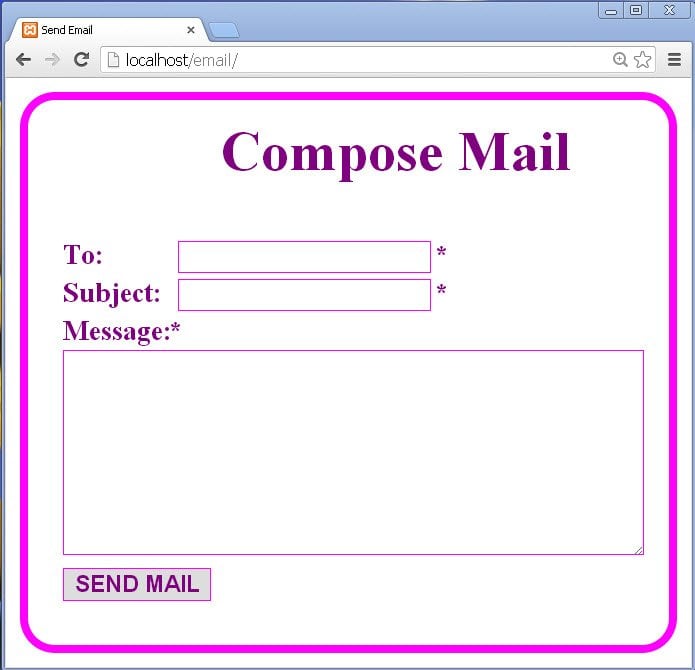
fig 1
<?php

function clear()
{
	$_POST["mail_to"]="";
	$_POST["sub"]="";
	$_POST["msg"]="";
}
$satisfy=true;
if(isset($_POST["send"]))
{
	$mail_to=$_POST["mail_to"];
	$mail_from="[email protected]";
	$mail_sub=$_POST["sub"];
	$mail_msg=wordwrap($_POST["msg"],70);

	$mail_header="From: ".$mail_from."\r\n";
	$mail_header.="Reply-to:".$mail_from."\r\n";
	$errors=array();

	if(empty($mail_to))
	{
		$errors[]='<p class="error">* The email-id of recipient is compulsory.</p>';
		$satisfy=false;
	}
	else
	{
		if(!preg_match('/^[A-Za-z0-9._%-]+@[A-Za-z0-9.-]+\.[A-Za-z]{2,4}$/',$mail_to))
		{
			$errors[]='<p class="error">* The recipients email is not in proper format.</p>';
			$satisfy=false;
		}
	}

	if(empty($mail_sub))
	{
		$errors[]='<p class="error">* Subject of the mail is compulsory.</p>';
		$satisfy=false;
	}

	if(empty($mail_msg))
	{
		$errors[]='<p class="error">* Message cannot be null.</p>';
		$satisfy=false;
	}

	if($satisfy==true)
	{
		$mail_send=mail($mail_to,$mail_sub,$mail_msg,$mail_header);
		if($mail_send==true)
		{
		echo '<p class="sent">** Your message has been sent successfully!</p>';
		clear();
		}
		else
		{
		echo '<p class="sent">** Your message has not been sent!</p>';
		}
	}

}
?>
function clear()
{
	$_POST["mail_to"]="";
	$_POST["sub"]="";
	$_POST["msg"]="";
}
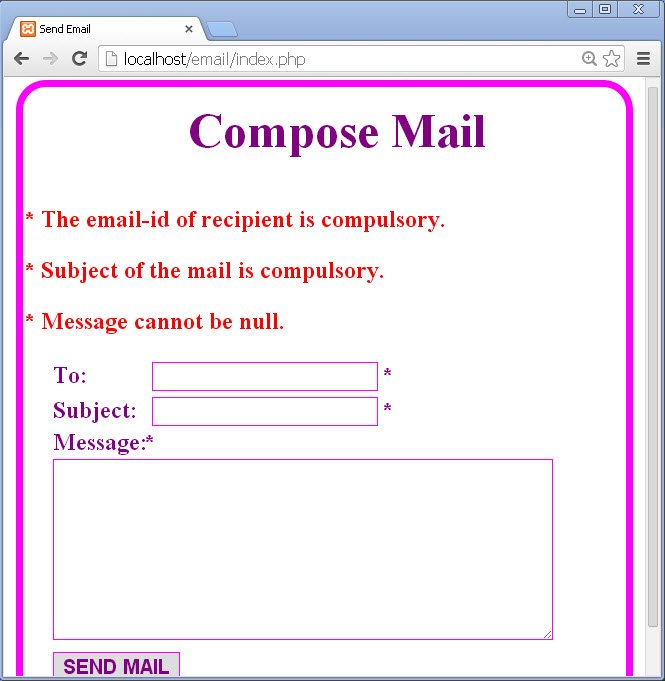
fig 2
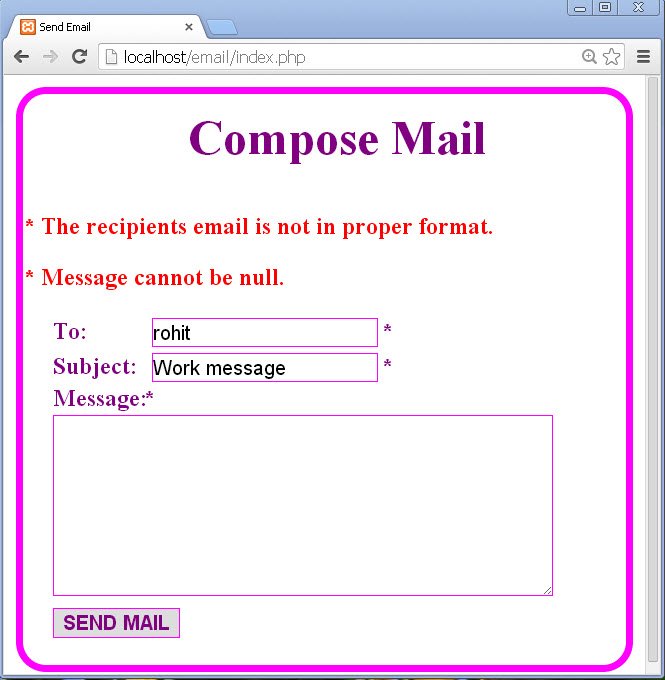
fig 3
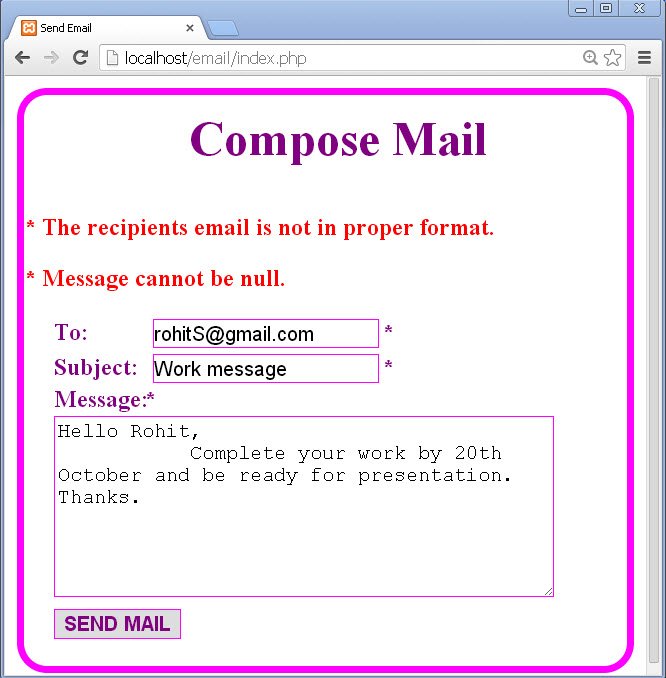
fig 4
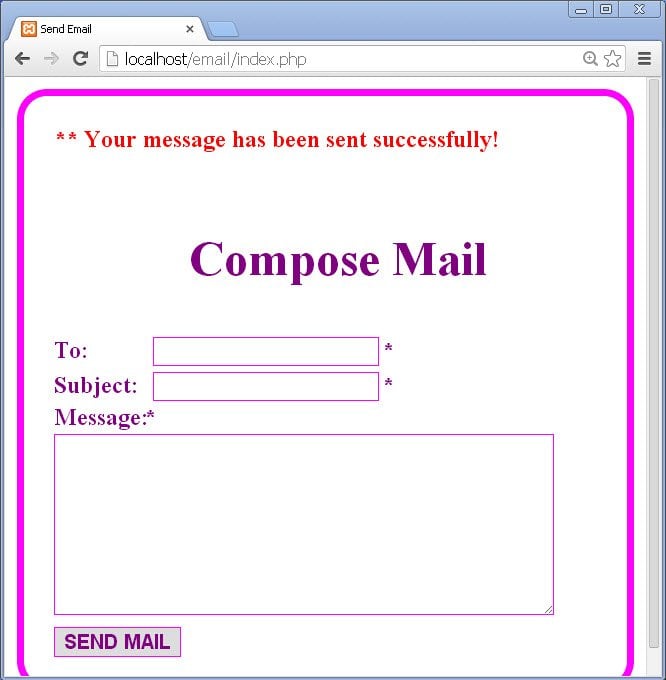
fig 5
- When we send a text message using PHP, all the contents will be treated as text.
- In the text messages, HTML tags are also treated as a simple text.
- But PHP provides the option to send the HTML messages as actual HTML messages.
- For this we need to provide the proper content-type of the message.
- Write the following code in index.php page:
<html>
<head>
<title>Send Email</title>
<style>
	#design{
			border:magenta solid 5px;
			border-radius:20px;
			color:purple;
			font-weight:bold;
	}
	h1{
		color:purple;
		margin-left:60px;
		padding:10px;
	}
</style>
</head>
<body id="design">
<h1>Compose Mail</h1>
<?php
	//sending Email with HTML content
	$mail_to="[email protected]";
	$mail_from="[email protected]";
	$mail_sub="Wishing happy diwali.";
	$mail_msg="<h1>Wish you and your family a very happy diwali.</h1>";
	$mail_msg.="<strong>May this festival of lights and colours fill your life with glowing lights and colours.</strong>";
	$mail_header="From: ".$mail_from."\r\n";
	$mail_header.="Reply-to:".$mail_from."\r\n";
	$mail_header.="MIME-Version:1.0 \r\n";
	$mail_header.="Content-type: text/html \r\n";

	$mail_send=mail($mail_to,$mail_sub,$mail_msg,$mail_header);

	if($mail_send==true)
	{
		echo '<p class="sent">** Your message has been sent successfully!</p>';
	}
	else
	{
		echo '<p class="sent">** Your message has not been sent!</p>';
	}
?>
</body>
</html>
- We send mails with mixed contents such as text, html and attachments.
- To allow transmission of this mixed content, the multipart/mixed content-type is to be specified in the header.
- Next thing is the content of attachments is to be encoded and then is to be splitted into chunks for transmission.
- Let us write the following code in index.php file to demonstrate mail with attachment:
<html>
<head>
<title>Send Email</title>
<style>
	#design{
			border:magenta solid 5px;
			border-radius:20px;
			color:purple;
			font-weight:bold;
	}
	h1{
		color:purple;
		margin-left:60px;
		padding:10px;
	}
</style>
</head>
<body id="design">
<h1>Compose Mail</h1>

<?php
	//sending email with attachment
	$mail_to="[email protected]";
	$mail_from="[email protected]";
	$mail_sub="details of function used to send email.";
	$mail_msg="Respected Sir,";
	$mail_msg.="I have sent a text file that contains the details of the function used to send email using PHP.";
	$mail_msg.="Thanks.";

	//read the text that is to be attached

	$fp=fopen("mail.txt","r");
	if(!$fp)
	{
		echo "<br>Failed to attach.";
	}
		//read the file
		$attachment=fread($fp,filesize("mail.txt"));
//encode the read data for safe transit
		$encode_attachment=base64_encode($attachment);
		//split it into chunks
		$attachment_in_chunks=chunk_split($encode_attachment);

		$unique=md5(time());

	//adding information to mail header
	$mail_header="From: ".$mail_from."\r\n";
	$mail_header.="Reply-to:".$mail_from."\r\n";
	$mail_header.="MIME-Version:1.0 \r\n";
	$mail_header.="Content-type:multipart/mixed \r\n";
	$mail_header.="boundary=$unique \r\n";
	$mail_header.=--$unique."\r\n";

	//header for text message
	$mail_header.="Content-type: text/plain \r\n";
	$mail_header.=$mail_msg."\r\n";
	$mail_header.=--$unique."\r\n";

	//header for attachment
	$mail_header.="Content-type: multipart/mixed\r\n";
	$mail_header.="filename: mail.txt\r\n";
	$mail_header.=$attachment_in_chunks."\r\n";
	$mail_header.=--$unique--."\r\n";

	//send email

	$mail_send=mail($mail_to,$mail_sub,"",$mail_header);
	if($mail_send==true)
	{

		echo '<p class="sent">** Your message has been sent successfully!</p>';
	}
	else
	{
		echo '<p class="sent">** Your message has not been sent!</p>';
	}
?>
</body>
</html>
- First read the file using file handling and store the content in a variable.
- Now encode the content in the variable using base64_encode() function.
- After encoding it, break it into chunks for easy transmission.
$mail_send=mail($mail_to,$mail_sub,"",$mail_header);
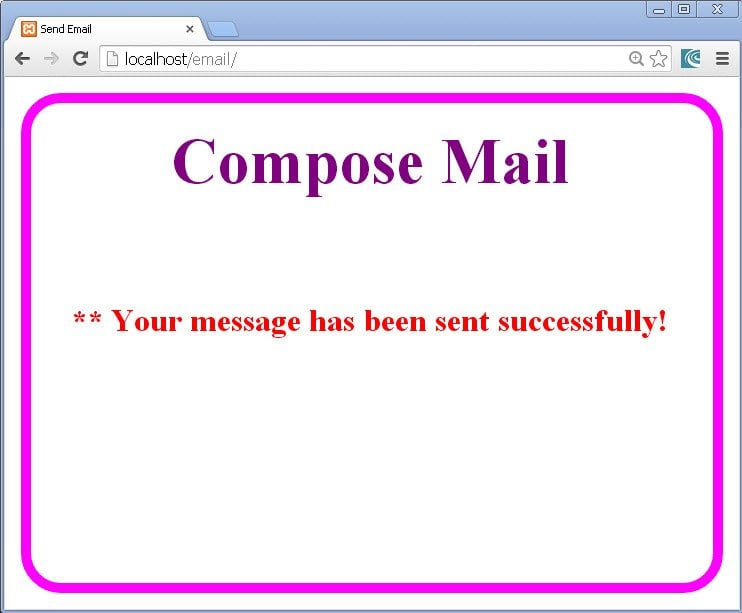
fig 6
This was all about sending email. We learned all types of email in a very simple way in this PHP Email tutorial.
About the Author