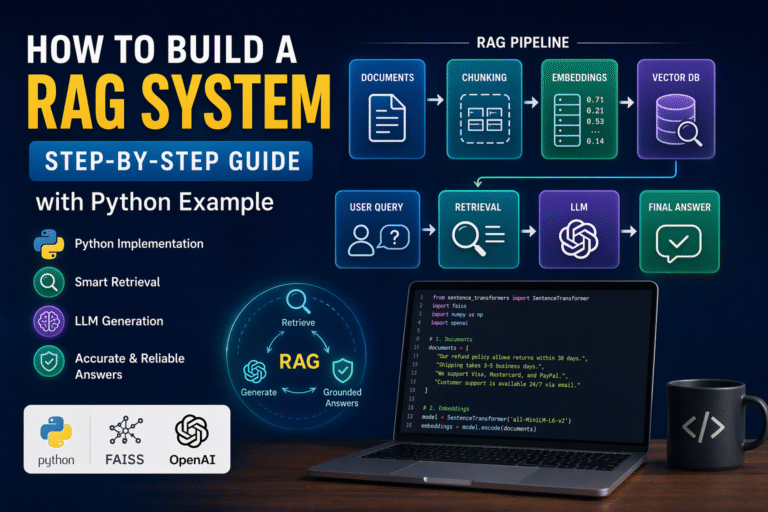
Artificial intelligence assistants can write code, debug applications, and explain complex concepts, but they cannot safely interact with your local files, databases, APIs, or development tools on their own. The model context protocol (MCP) solves this limitation by providing a secure, standardized communication layer between AI applications and external resources. In this MCP Servers Explained guide, you’ll learn how a model context protocol server works, why the anthropic model context protocol is rapidly becoming an industry standard for LLM integration, and how to build a fully functional Python server from scratch. Every section includes practical explanations and copy ready code so you can follow along immediately using python programming, GitHub MCP projects, Docker MCP deployments, and real API development workflows.
Introduction: Why MCP Servers Are Becoming Essential
Imagine asking your AI assistant to analyze sales data stored in a local SQLite database, update a GitHub issue, and generate a report from internal company files. The assistant understands the request but cannot directly access those resources because every application exposes data differently. Developers often end up writing custom integrations for every new tool, creating security risks and maintenance headaches.
The model context protocol (MCP) changes that by introducing a universal standard for AI connectivity. Instead of building separate integrations for every application, developers can create a single model context protocol server that securely exposes tools, resources, and prompts to AI clients. As the official MCP documentation describes it, MCP is the “USB-C port for AI applications,” giving AI systems a consistent way to connect with external data and services.
The anthropic model context protocol has gained rapid adoption across the AI ecosystem, with platforms such as Claude MCP, Cursor MCP Servers, and numerous open source MCP servers integrating the standard. As AI agents become more capable, organizations are increasingly adopting tool-enabled workflows that connect LLMs with APIs, databases, and enterprise systems through secure LLM integration.
# Simple MCP server entry point
from mcp.server.fastmcp import FastMCP
mcp = FastMCP("Developer Assistant")
if __name__ == "__main__":
    mcp.run()
Whether you’re building filesystem MCP, Docker MCP, Playwright MCP, Context7 MCP, Blender MCP, or enterprise API development workflows with model context protocol enterprise authorization, understanding MCP is quickly becoming an essential skill for modern Python developers.
What Is an MCP Server?
The easiest way to understand the model context protocol (MCP) is to imagine a secure service desk inside an office. Visitors cannot walk into every room or access confidential files directly. Instead, they go to the service desk, which checks permissions, accepts requests, and safely provides approved information or performs approved actions.
An MCP server works the same way for AI applications. Instead of allowing an AI model unrestricted access to your computer, APIs, or databases, a model context protocol server acts as a trusted middle layer. It tells the AI what resources it can read, what tools it can use, and how those actions should be executed. This standardized approach is why the mcp model context protocol is becoming the preferred solution for secure LLM integration, API development, and enterprise automation.
For example, an AI assistant may ask an MCP server to read a project file, query a database, or call an external API. The server validates the request, performs the action if allowed, and returns only the required result.
from mcp.server.fastmcp import FastMCP

mcp = FastMCP("My First MCP Server")

if __name__ == "__main__":
    mcp.run()
This same architecture powers many Claude MCP, Cursor MCP Servers, GitHub MCP, Filesystem MCP, Docker MCP, Playwright MCP, Context7 MCP, and other open source MCP servers that developers use daily.
MCP Server Meaning in Simple Words
An MCP server is a program that exposes tools, resources, and prompts to AI applications using the model context protocol (MCP).
Think of it as a translator between an AI model and your software. The AI does not need to know how every API or database works because the model context protocol server provides a common language.
A typical Python MCP server might expose a calculator, a filesystem reader, and an API endpoint.
from mcp.server.fastmcp import FastMCP

mcp = FastMCP("Utility Server")

@mcp.tool()
def add(a: int, b: int) -> int:
    """Add two numbers."""
    return a + b
The AI discovers this tool automatically and can call it whenever appropriate, making python programming for AI agents much simpler.
MCP Host vs MCP Client vs MCP Server
Every anthropic model context protocol application contains three primary components that work together.
| Component | Simple Meaning | Example |
| MCP Host | AI app the user talks to | Chat app or coding assistant such as Claude Desktop |
| MCP Client | Connector inside the host | Client session managing the connection |
| MCP Server | Program exposing capabilities | Python server with tools, resources, and prompts |
The workflow is straightforward:
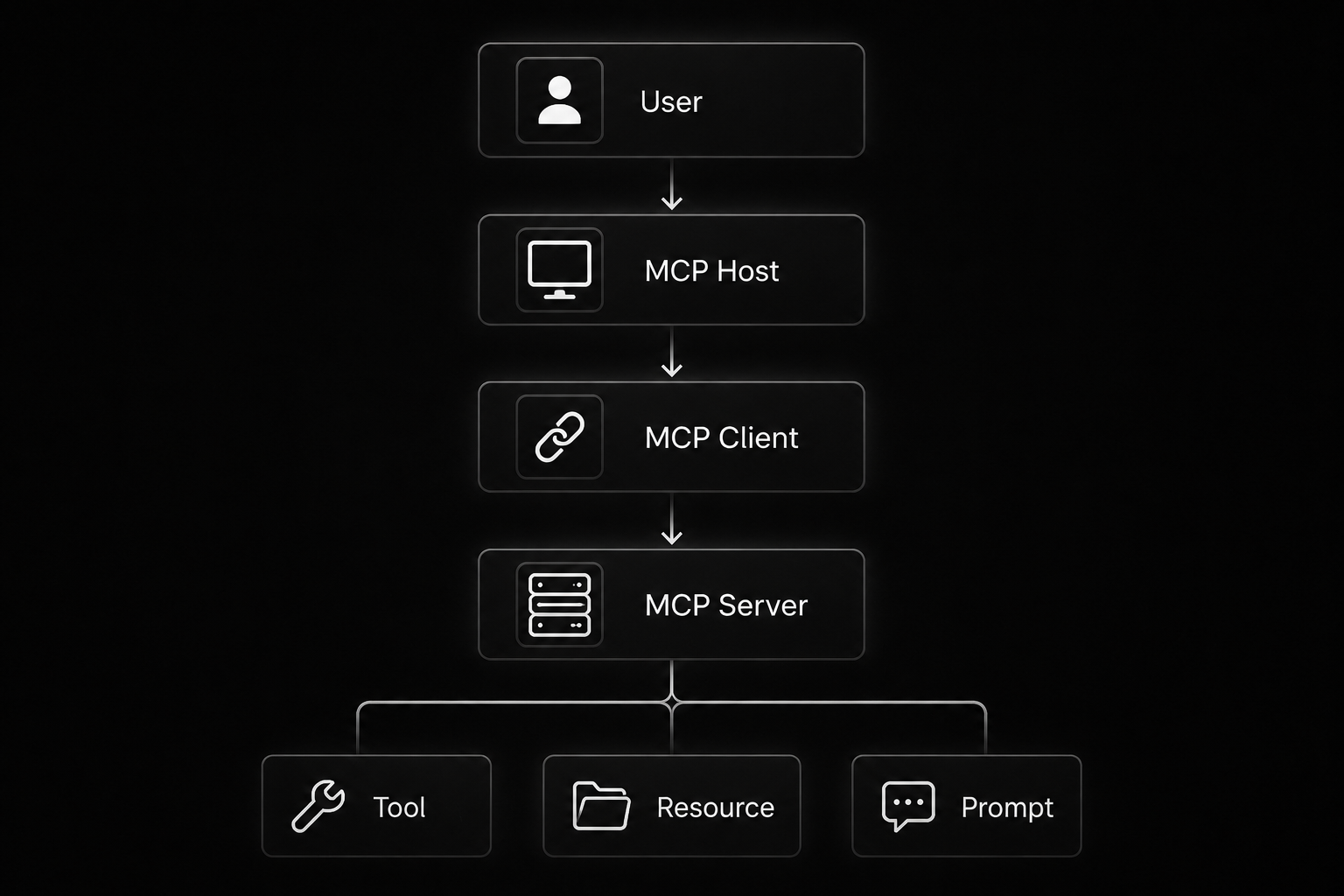
Whether you’re building one of the best MCP servers, integrating Blender MCP, deploying an MCP Gateway, implementing model context protocol enterprise authorization, or creating custom enterprise tools, every MCP solution follows this same architecture. Understanding these three roles is the foundation for building scalable AI systems with the model context protocol (MCP).
How MCP Servers Work Behind the Scenes
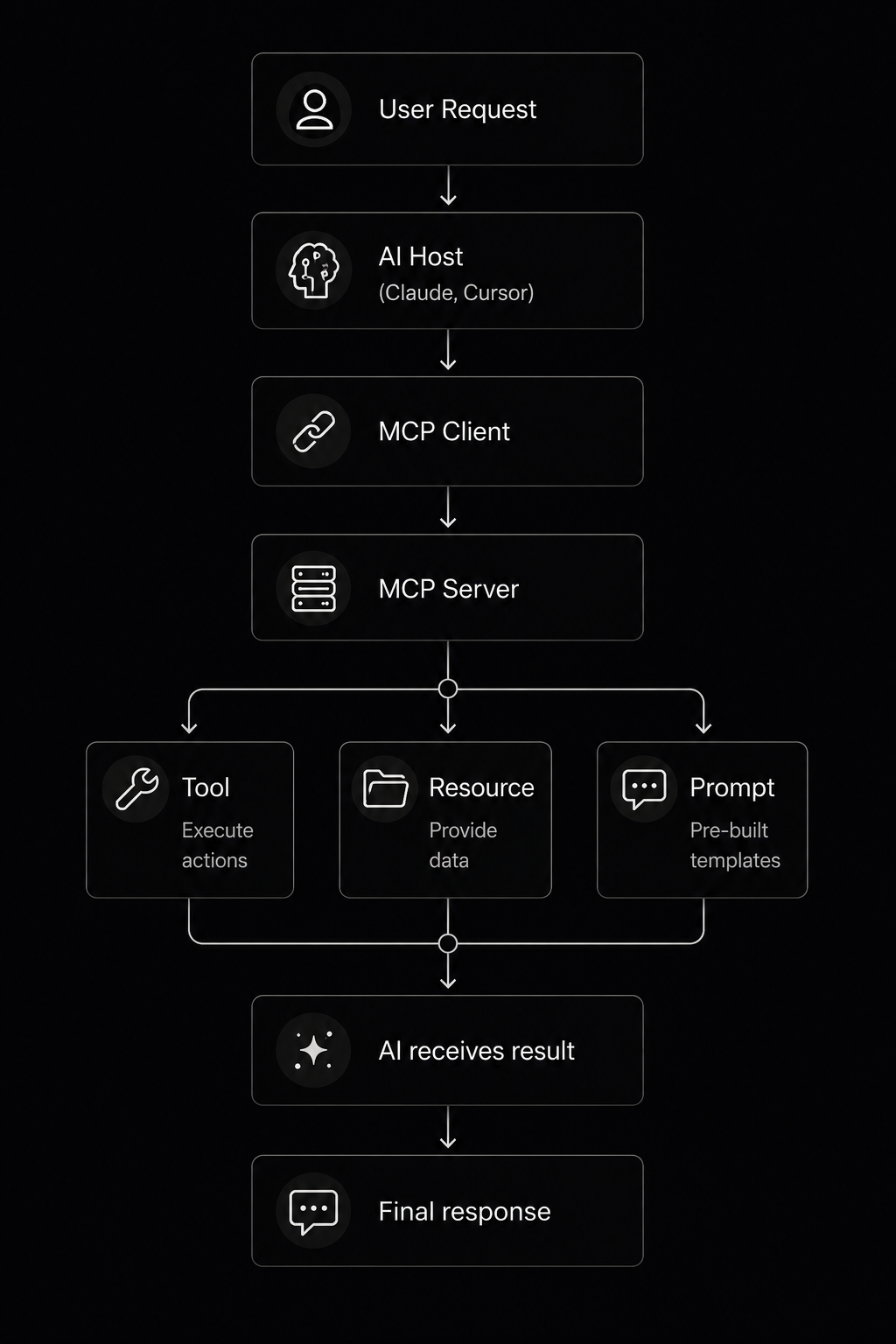
Behind every successful model context protocol (MCP) interaction is a simple but structured workflow. Suppose you ask an AI assistant, “Find all Python files in my project and summarize them.” The AI first understands your request but does not immediately access your computer. Instead, the MCP Host checks which capabilities are available through the connected model context protocol server. The MCP Client then sends a standardized request to the server. The server verifies permissions, executes the requested tool or reads the required resource, returns the result, and the AI uses that information to generate its final response. This workflow makes LLM integration predictable, secure, and reusable across Claude MCP, GitHub MCP, Cursor MCP Servers, and other open source MCP servers.
from mcp.server.fastmcp import FastMCP

mcp = FastMCP("Workflow Demo")

@mcp.tool()
def get_project_name():
    return "MCP Tutorial"
if __name__ == "__main__":
    mcp.run()
Tools, Resources, and Prompts
Every model context protocol (MCP) server exposes three core building blocks.
| MCP Feature | What It Does | Example |
| Tool | Performs an action | Add numbers, fetch API data |
| Resource | Shares readable data | Local note, config, document |
| Prompt | Reusable instruction | Debugging checklist |
Example implementations in python programming:
from mcp.server.fastmcp import FastMCP

mcp = FastMCP("Components Demo")

@mcp.tool()
def add(a: int, b: int):
    return a + b

@mcp.resource("notes://welcome")
def welcome_note():
    return "Welcome to the Model Context Protocol."

@mcp.prompt()
def debug_prompt():
    return """

Read the error.
Find the root cause.
Suggest a fix.
Verify the solution.
"""
These reusable components are the foundation of filesystem MCP, Playwright MCP, Context7 MCP, Blender MCP, and enterprise API development workflows.
Local MCP Servers vs Remote MCP Servers
There are two common ways to run a model context protocol server.
Local MCP servers usually communicate over stdio, making them ideal for development. They run directly on your computer, are easy to debug, and can safely access local files or development tools.
python server.py
Remote MCP servers communicate over network protocols such as HTTP or similar transports. They are better suited for shared services, cloud deployments, Docker MCP, MCP Gateway, and model context protocol enterprise authorization, where multiple users or applications need centralized access.
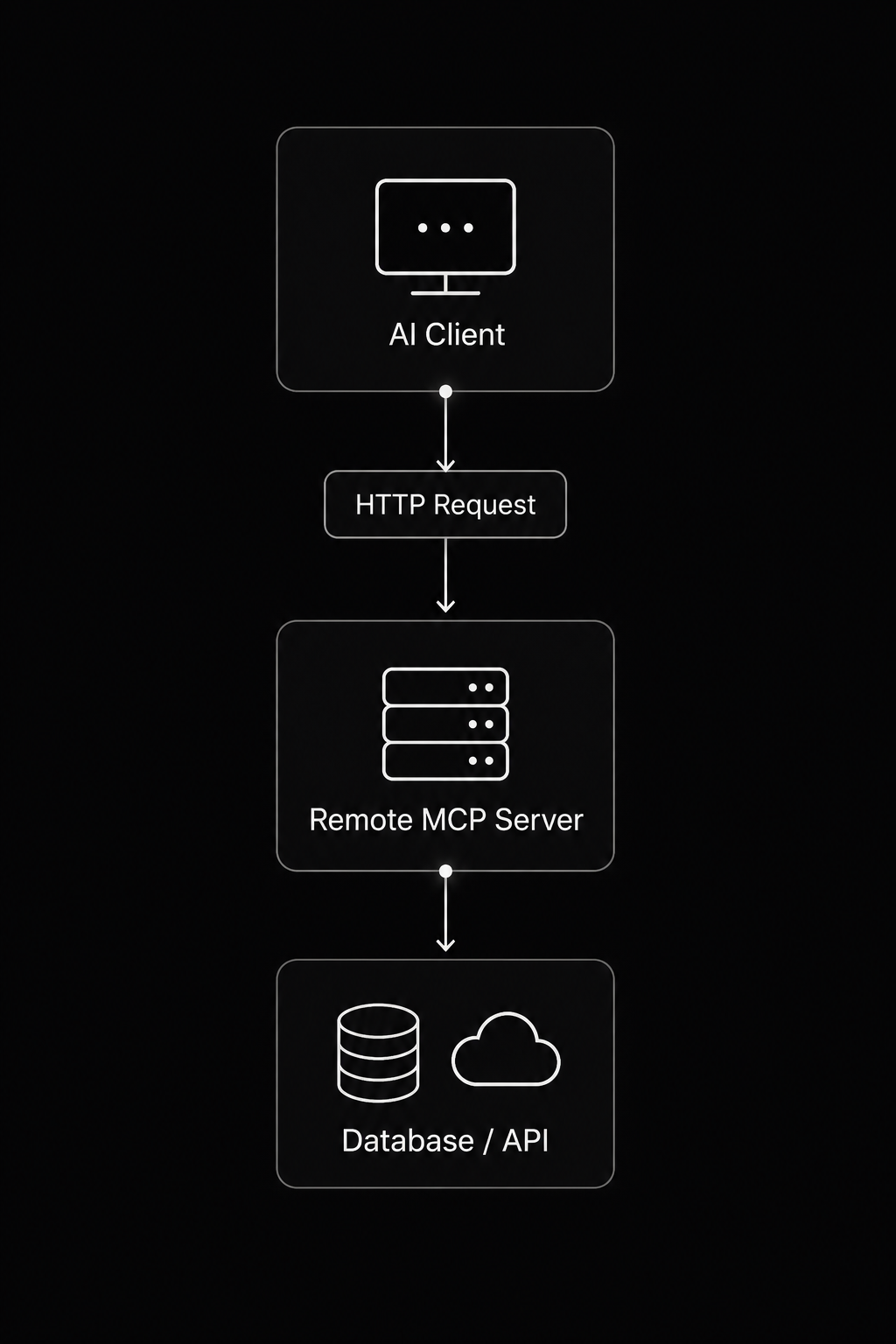
For beginners, start with a local model context protocol (MCP) server. Once you’re comfortable building and testing tools, moving to remote deployments for production becomes much easier.
Why Use Python to Build Your First MCP Server?
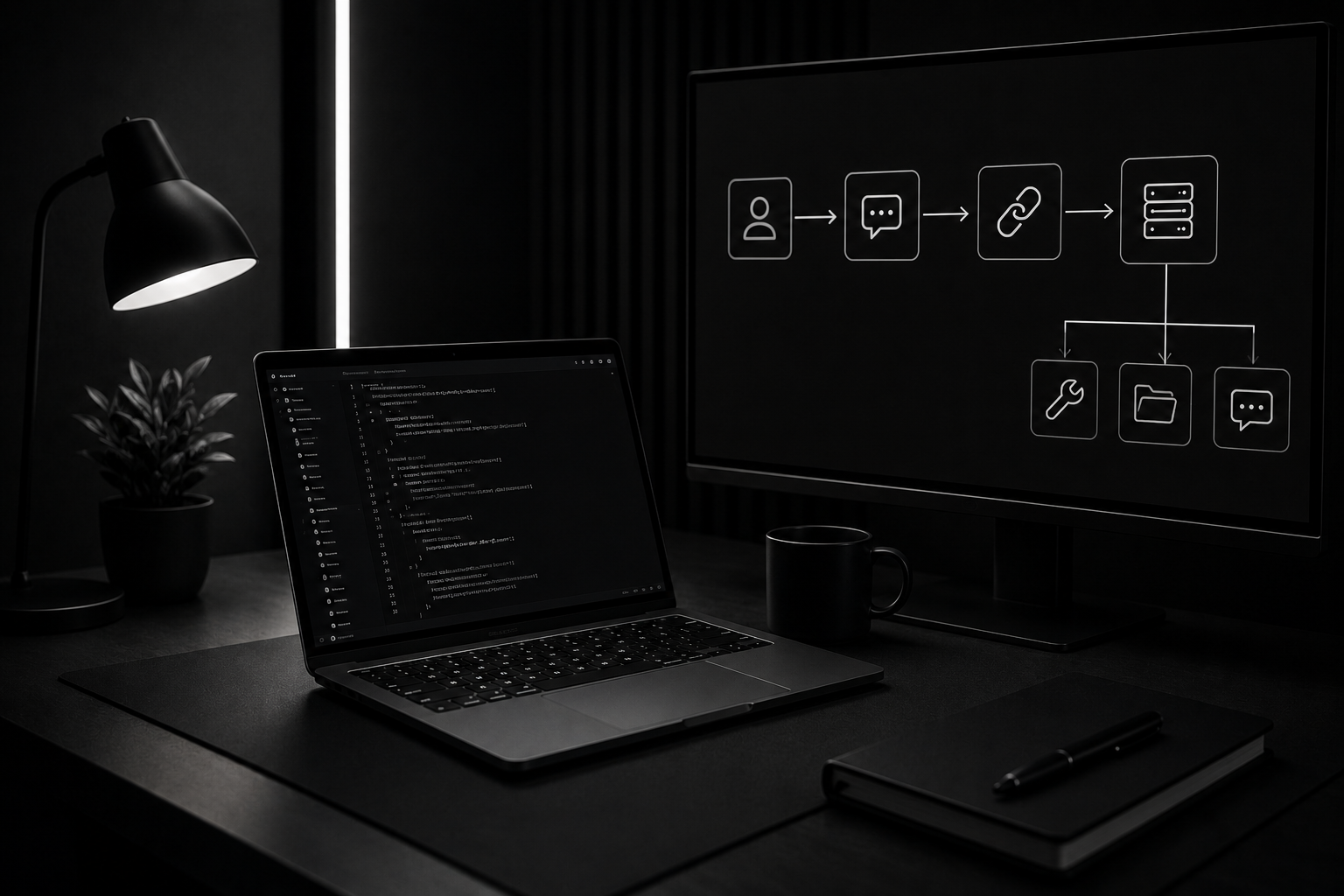
If you’re building your first model context protocol (MCP) project, Python programming is the best place to start. Python combines readable syntax with a massive ecosystem of libraries, allowing you to prototype a model context protocol server in minutes instead of hours. Whether you’re creating GitHub MCP integrations, filesystem MCP tools, or enterprise API development workflows, Python offers mature packages for web APIs, databases, automation, AI, and data processing. Its popularity within the anthropic model context protocol ecosystem also means you’ll find plenty of examples, tutorials, and open source MCP servers to learn from.
from mcp.server.fastmcp import FastMCP

mcp = FastMCP("Python MCP")

@mcp.tool()
def hello(name: str):
    return f"Hello, {name}!"
mcp.run()
Best Python Use Cases for MCP Servers
Python makes it easy to build practical MCP tools that solve real developer problems.
Common use cases include:
- File readers for filesystem MCP
- CSV search and data filtering
- REST API wrappers
- Report generators
- SQL and NoSQL database helpers
- GitHub automation
- Developer workflow utilities
- Docker and deployment assistants
import csv

def search_csv(file_name, keyword):
    with open(file_name) as file:
        reader = csv.DictReader(file)
        return [row for row in reader if keyword.lower() in str(row).lower()]
Typical workflow:
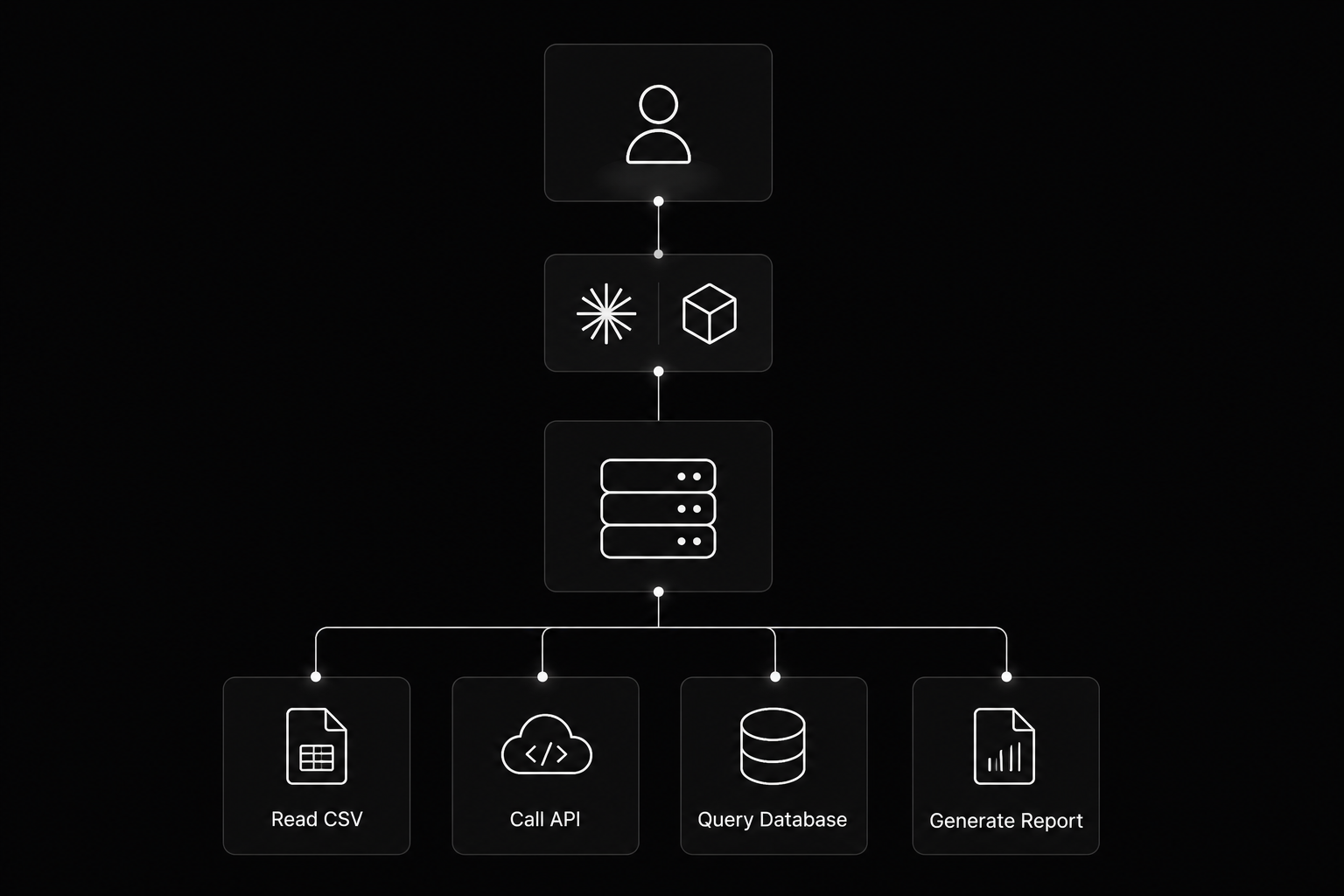
These same patterns power many top MCP servers, Playwright MCP, Docker MCP, Context7 MCP, and Blender MCP projects.
Industry Facts and Stats
Python continues to dominate AI development. GitHub’s Octoverse report identified Python as the leading language for AI repositories and one of the fastest-growing languages on the platform.
Developer adoption of AI is also accelerating. Stack Overflow’s 2025 Developer Survey found that 84% of developers already use or plan to use AI tools, while Python adoption continues to rise because of its strength in AI, backend development, and automation.
As organizations expand LLM integration and implement model context protocol enterprise authorization, Python remains the preferred language for building secure, scalable, and production-ready best MCP servers.
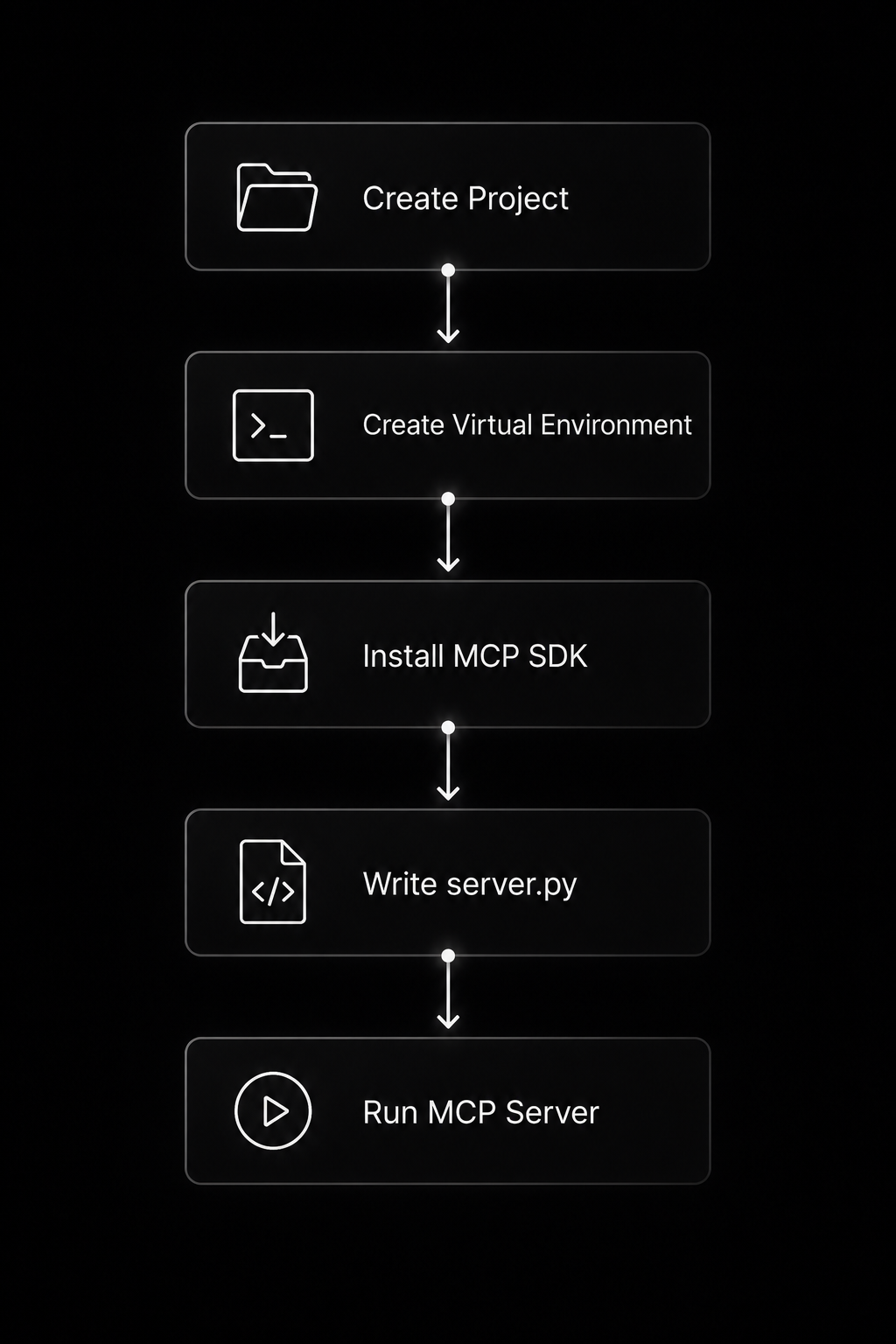
Step 1: Set Up Your Python MCP Project
Before building a model context protocol (MCP) server, prepare a clean development environment. This beginner-friendly setup works for Claude MCP, GitHub MCP, Cursor MCP Servers, and most open source MCP servers. You’ll need Python 3.10 or later, a code editor such as VS Code, Git (optional but recommended), and a terminal. Keeping your project isolated with a virtual environment prevents dependency conflicts and makes future deployment with Docker MCP or enterprise API development much easier.
Project workflow:
Create a Project Folder
Start with a clean project directory.
Windows PowerShell
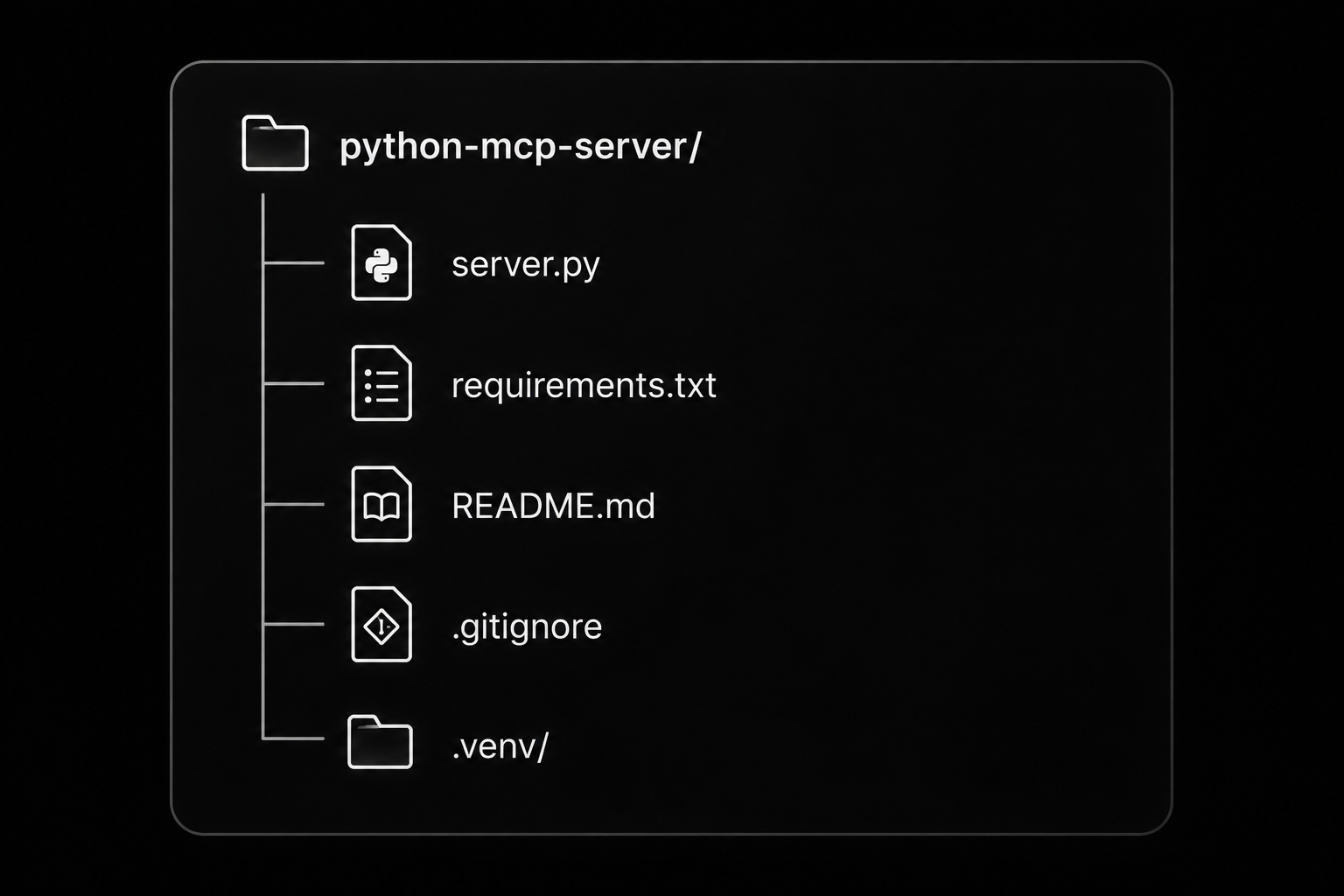
mkdir python-mcp-server
cd python-mcp-server

New-Item server.py -ItemType File
New-Item README.md -ItemType File
New-Item requirements.txt -ItemType File
macOS / Linux
mkdir python-mcp-server
cd python-mcp-server

touch server.py README.md requirements.txt
Recommended structure:
Create a Virtual Environment
A virtual environment keeps your python programming dependencies isolated.
Windows PowerShell
python -m venv .venv

.\.venv\Scripts\Activate.ps1
macOS
python3 -m venv .venv

source .venv/bin/activate
Linux
python3 -m venv .venv

source .venv/bin/activate
Verify the installation:
python --version
pip --version
Install the MCP Python SDK
Install the SDK for your model context protocol server.
Using pip:
pip install mcp
Pin a stable version for production projects:
pip install "mcp==1.10.0"
Using uv:
uv init

uv add mcp
Or install a specific version:
uv add "mcp==1.10.0"
Save your dependencies:
pip freeze > requirements.txt
Your project is now ready to build LLM integration, filesystem MCP, Playwright MCP, Context7 MCP, Blender MCP, MCP Gateway, and other model context protocol enterprise authorization workflows using a production-ready Python foundation.
Step 2: Build the Smallest Working MCP Server
Now it’s time to build your first model context protocol (MCP) application. This example creates a minimal model context protocol server with one tool and one resource. Even though it’s simple, it demonstrates the same architecture used by Claude MCP, GitHub MCP, Cursor MCP Servers, and many open source MCP servers.
Workflow:
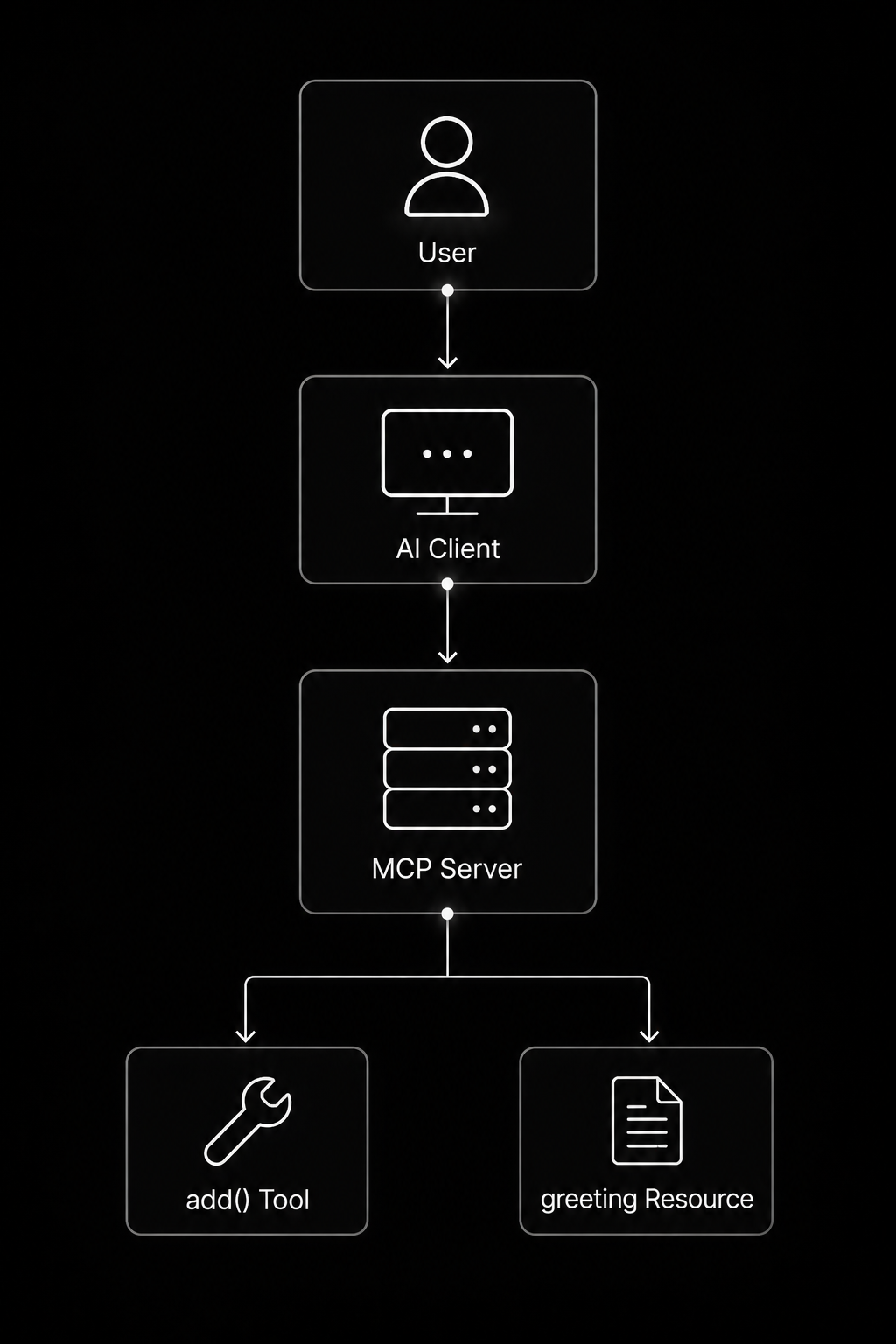
Once this server is running, any compatible MCP client can discover its capabilities automatically without additional integration code.
Create server.py
Replace the contents of server.py with the following code.
from mcp.server.fastmcp import FastMCP

# Create an MCP server
mcp = FastMCP("My First MCP Server")

# -------------------------
# Tool
# -------------------------

@mcp.tool()
def add(a: int, b: int) -> int:
    """
    Add two numbers.
    """
    return a + b

# -------------------------
# Resource
# -------------------------

@mcp.resource("greeting://welcome")
def greeting() -> str:
    return """
Welcome to your first Model Context Protocol (MCP) Server.

Available capabilities:
- add(a, b)
- greeting resource

Happy coding!
"""

# -------------------------
# Start server
# -------------------------

if __name__ == "__main__":
    mcp.run()
The add function performs an action, making it a Tool. The greeting function returns readable content, making it a Resource. These are the two most common building blocks used in LLM integration, filesystem MCP, Playwright MCP, Context7 MCP, and enterprise API development.
Run the MCP Server
Activate your virtual environment and start the server.
python server.py
If you’re using uv:
uv run server.py
You should see the process start without errors. The server waits for a compatible MCP client to connect through the configured transport (typically stdio during local development). No web page opens because the model context protocol server is listening for MCP requests rather than HTTP traffic.
Development workflow:
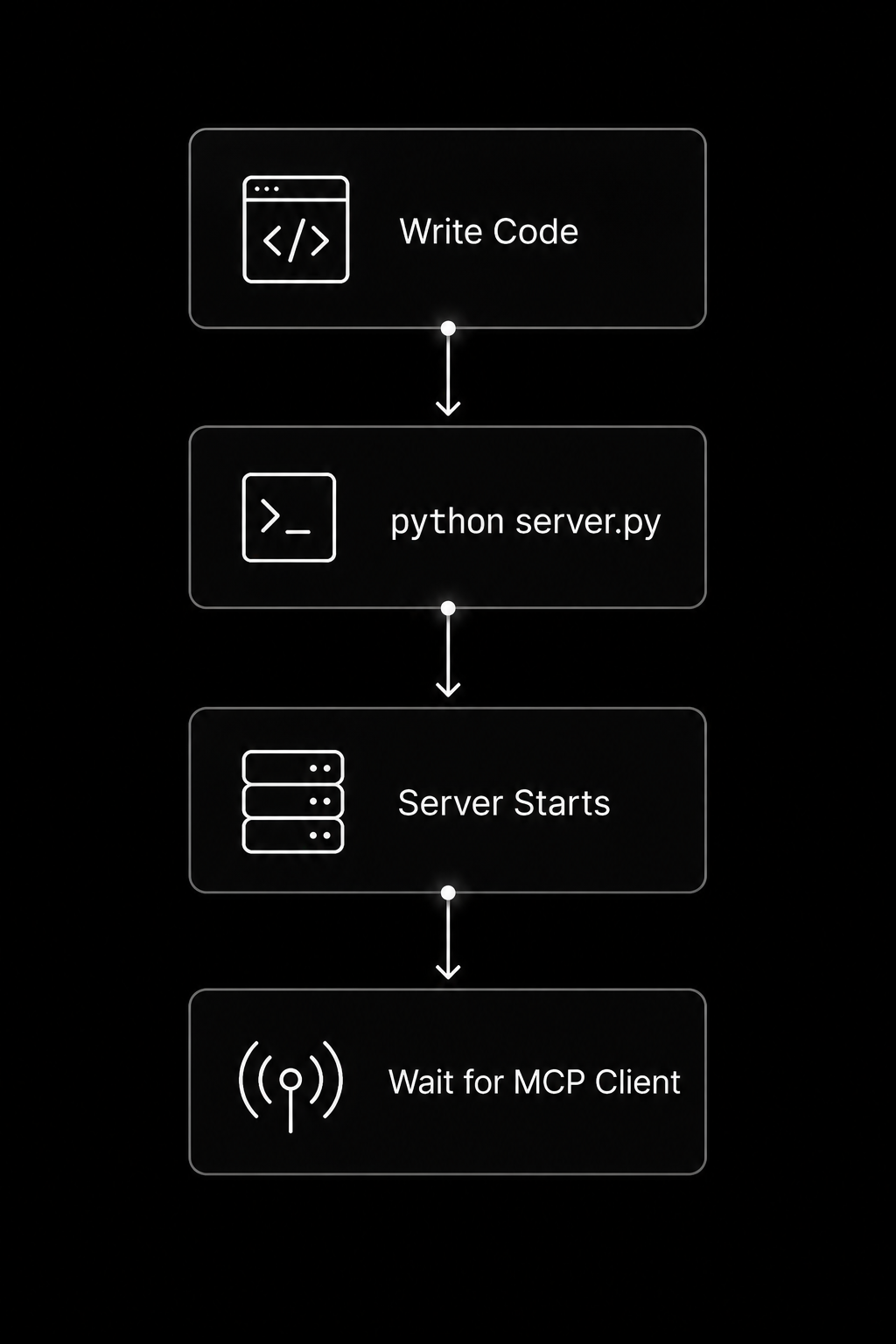
Test the First Tool
The easiest way to test your server is with the MCP Inspector or an MCP-compatible AI application such as Claude MCP. Configure the client to launch your local server:
{
  "command": "python",
  "args": ["server.py"]
}
After connecting, the client automatically discovers the available capabilities.
Expected tools:
Tool
└── add(a, b)
Resource
└── greeting://welcome
Invoke the add tool with:
a = 25
b = 17
Expected response:
42
You can also open the greeting://welcome resource to verify that the server returns the welcome message. Congratulations, you’ve built your first working model context protocol (MCP) server using python programming. This same pattern scales to best MCP servers, Docker MCP, MCP Gateway, Blender MCP, and model context protocol enterprise authorization deployments.
Step 3: Add Practical MCP Tools
Your model context protocol (MCP) server becomes far more useful when it exposes real-world tools instead of simple demos. Every tool should perform one clear task, validate its inputs, and return predictable results. This design makes your model context protocol server easier to test, safer to maintain, and reusable across Claude MCP, GitHub MCP, Cursor MCP Servers, and other open source MCP servers.
Tool execution workflow:
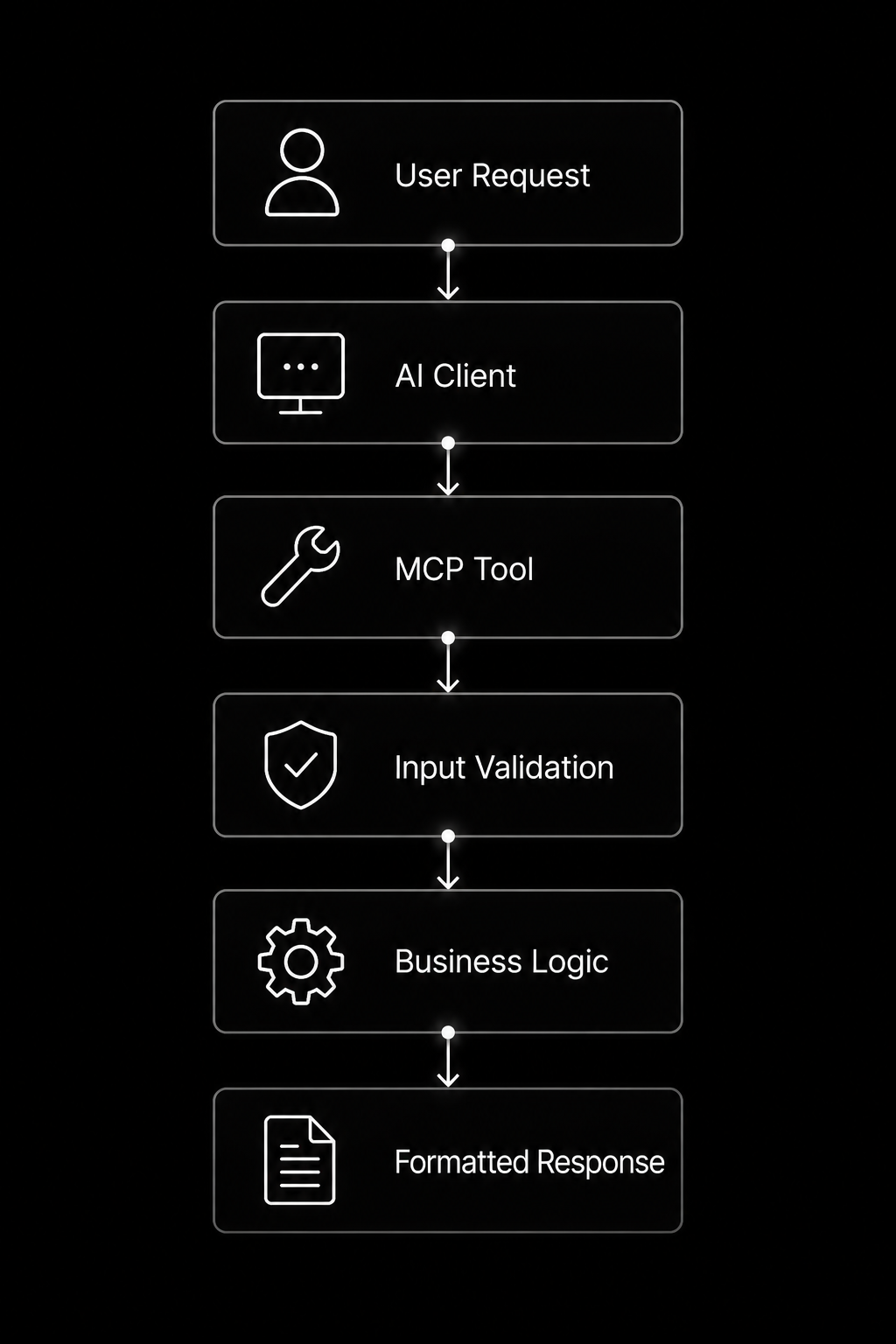
Tool Example: Temperature Converter
A temperature converter is a simple example that demonstrates type hints, validation, and documentation.
from mcp.server.fastmcp import FastMCP

mcp = FastMCP("Utility Server")

@mcp.tool()
def celsius_to_fahrenheit(celsius: float) -> float:
    """
    Convert a Celsius temperature to Fahrenheit.

    Args:
        celsius: Temperature in Celsius.

    Returns:
        Temperature converted to Fahrenheit.
    """
    return round((celsius * 9 / 5) + 32, 2)
Example call:
Input:
25
Output:
77.0
The same pattern can be used to create calculators, currency converters, or unit conversion tools for LLM integration.
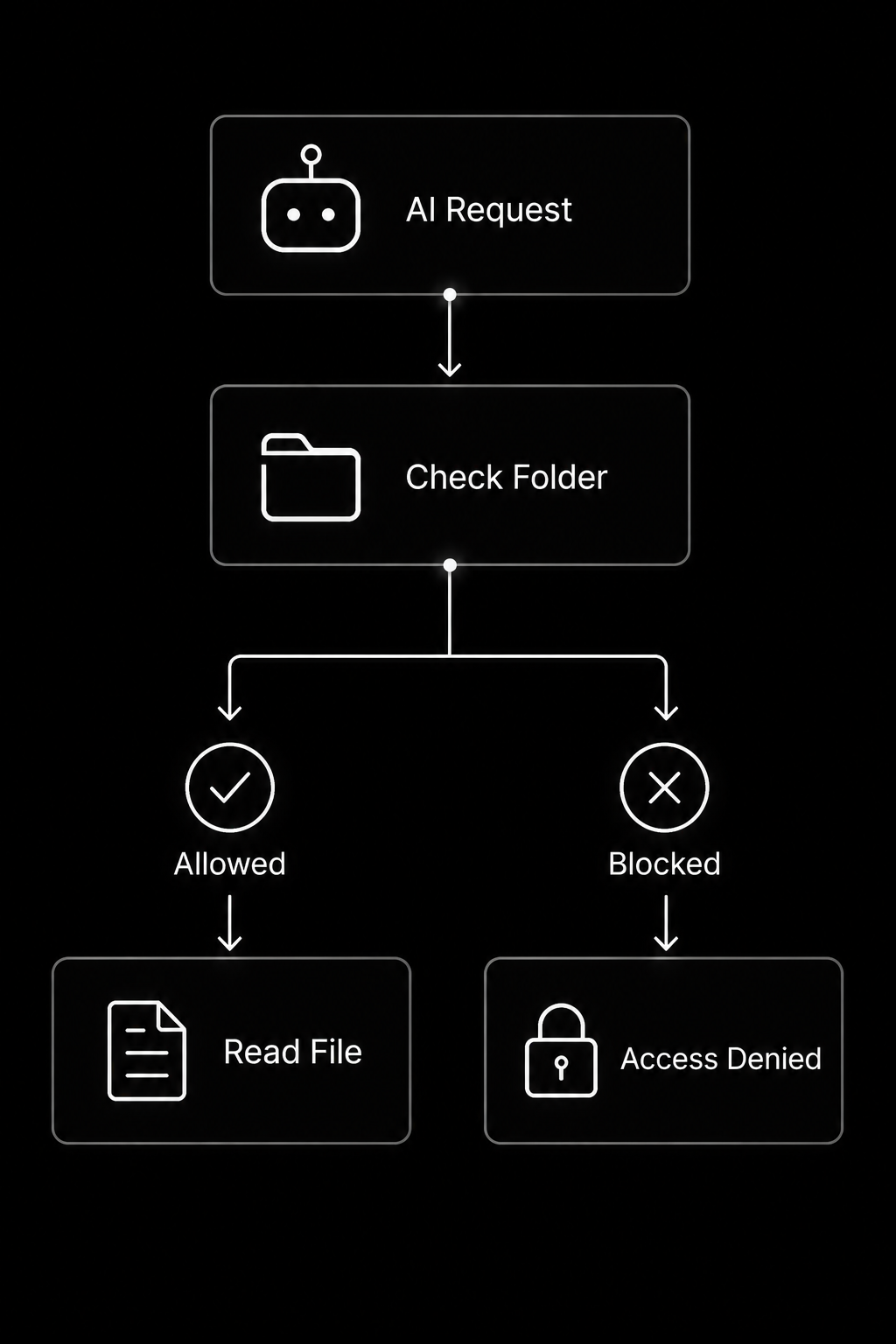
Tool Example: Safe File Reader
One of the biggest advantages of the model context protocol (MCP) is controlled access to local resources. Instead of allowing the AI to read every file on your computer, restrict it to an approved directory.
Project structure:
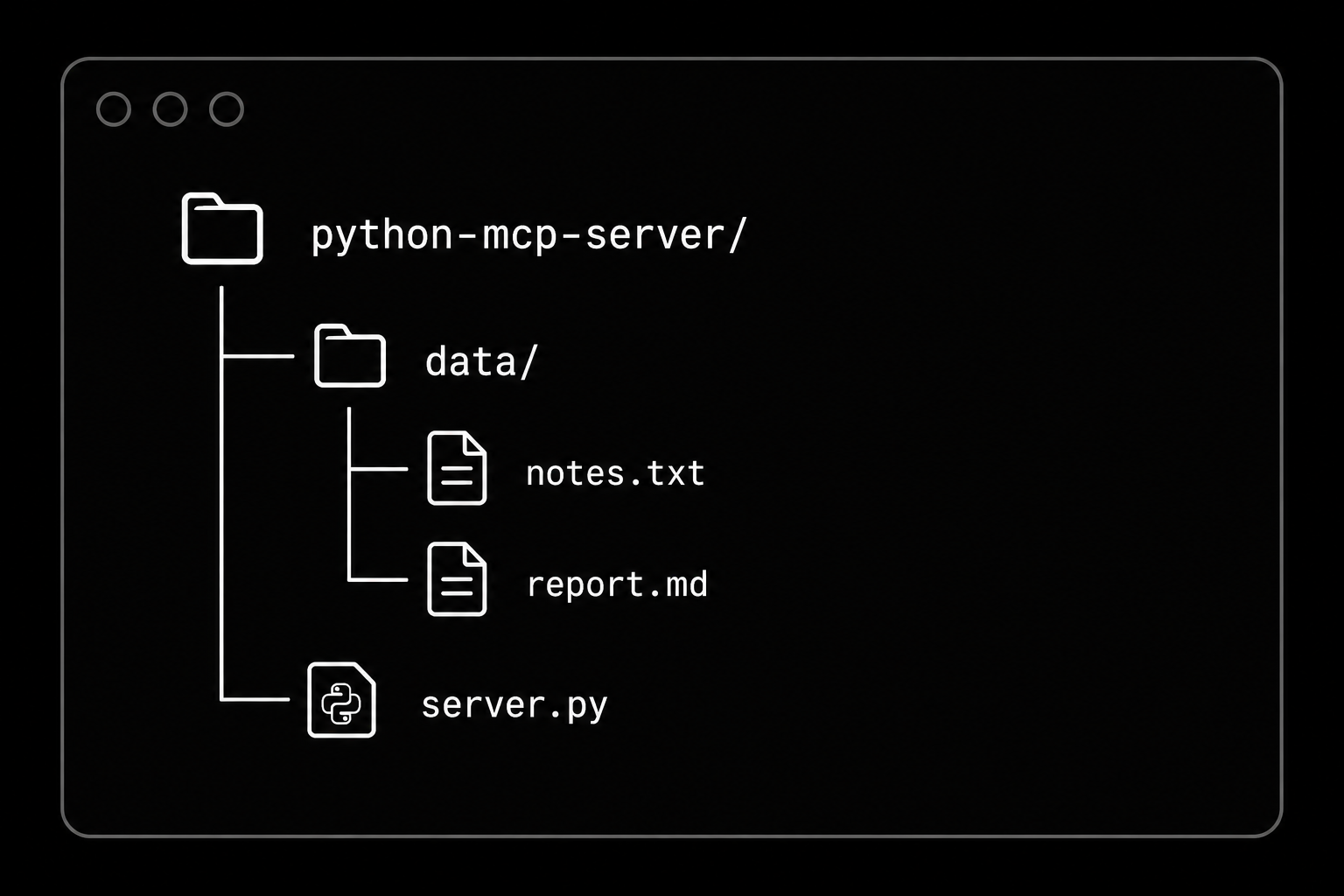
from pathlib import Path

SAFE_DIRECTORY = Path("data").resolve()

@mcp.tool()
def read_file(filename: str) -> str:
    """
    Read files only from the approved data folder.
    """

    file_path = (SAFE_DIRECTORY / filename).resolve()

    if not str(file_path).startswith(str(SAFE_DIRECTORY)):
        return "Access denied."

    if not file_path.exists():
        return "File not found."

    return file_path.read_text(encoding="utf-8")
Why is this important?
- Prevents directory traversal attacks.
- Protects sensitive system files.
- Supports secure filesystem MCP implementations.
- Fits enterprise security and model context protocol enterprise authorization requirements.
Workflow:
Tool Example: Public API Fetcher
Many best MCP servers connect AI models with external APIs. Always include timeouts and exception handling to make your tools reliable.
Install Requests:
pip install requests
import requests

@mcp.tool()
def get_random_advice() -> str:
    """
    Fetch a random piece of advice from a public API.
    """
    url = "https://api.adviceslip.com/advice"

    try:
        response = requests.get(url, timeout=5)
        response.raise_for_status()

        data = response.json()

        return data["slip"]["advice"]

    except requests.Timeout:
        return "Request timed out."

    except requests.RequestException as error:
        return f"API request failed: {error}"

    except Exception:
        return "Unexpected error occurred."
Request flow:
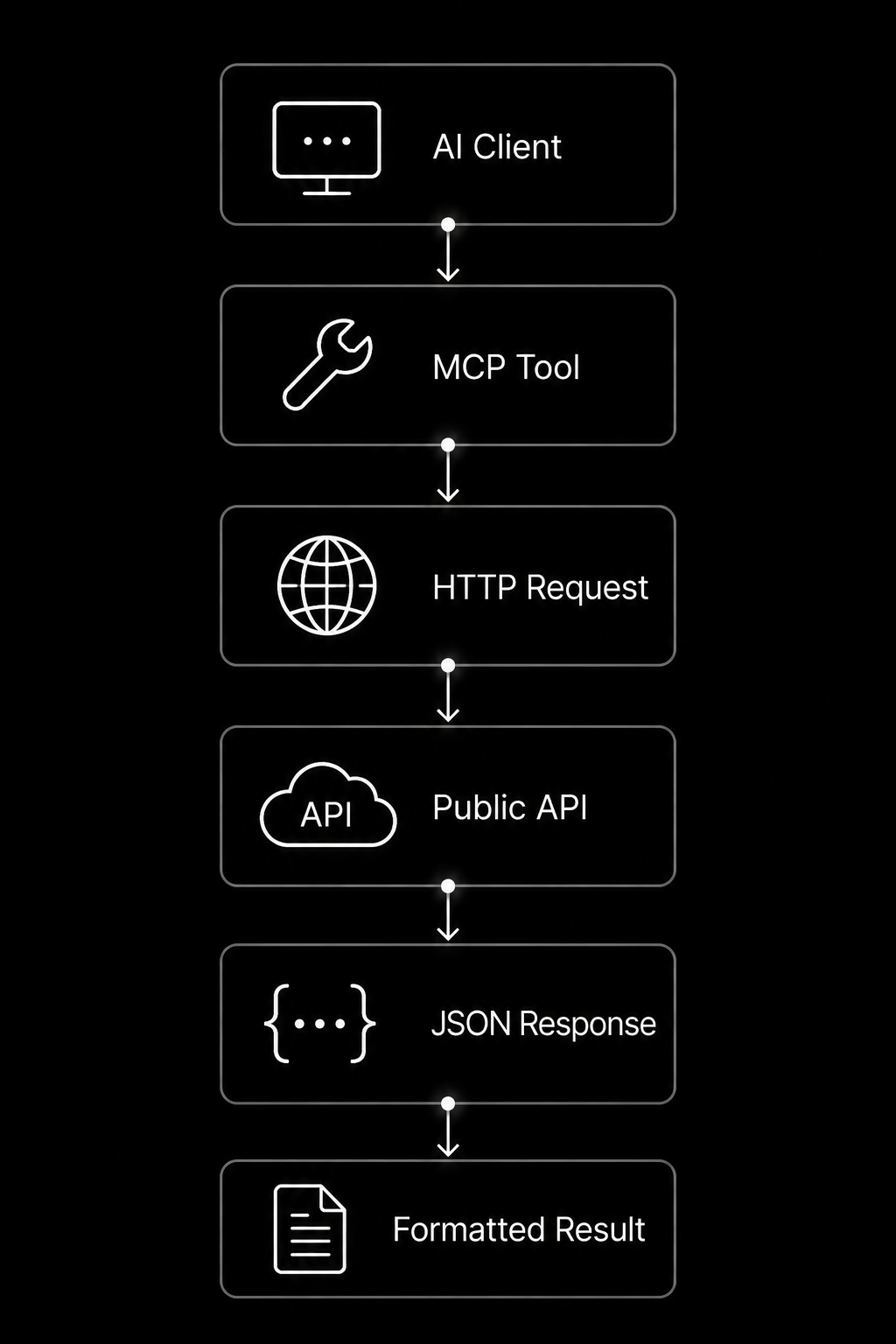
These same development patterns power GitHub MCP, Playwright MCP, Context7 MCP, Docker MCP, Blender MCP, enterprise API development, and production-grade mcp gateway deployments. As your python programming skills grow, you can combine multiple tools into a single model context protocol server that securely connects AI assistants with files, databases, cloud services, and business applications.
Step 4: Add MCP Resources
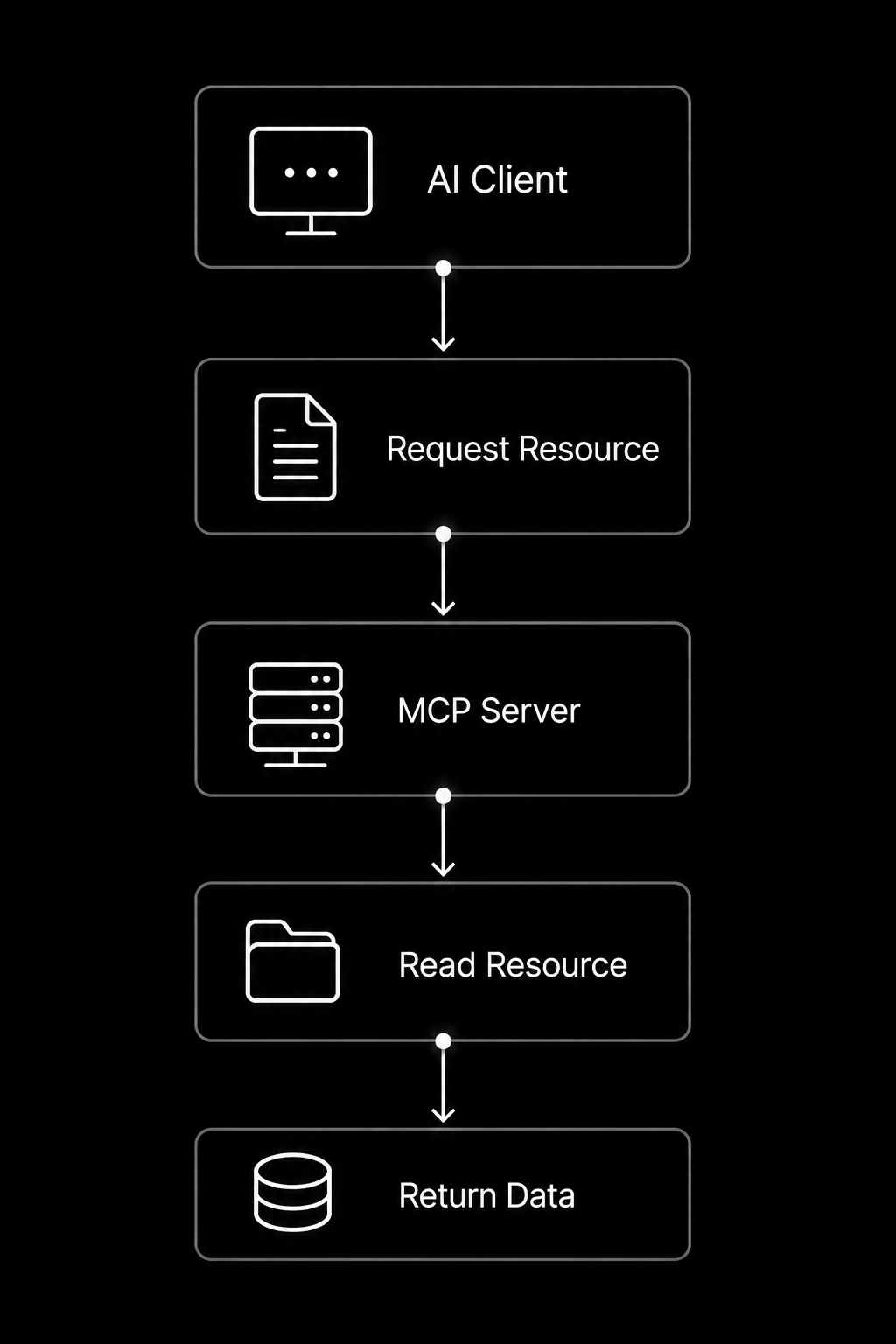
While tools perform actions, resources provide information. In the model context protocol (MCP), resources allow an AI application to read structured or semi-structured content without modifying it. A model context protocol server can expose documentation, configuration files, project metadata, markdown notes, JSON files, or generated reports. This capability is widely used in Claude MCP, GitHub MCP, Cursor MCP Servers, filesystem MCP, and enterprise LLM integration.
Resource workflow:
Static Resource Example
Static resources always return the same content, making them ideal for project information, documentation, or application settings.
from mcp.server.fastmcp import FastMCP

mcp = FastMCP("Project Resources")

@mcp.resource("project://info")
def project_info() -> str:
    """
    Return basic project information.
    """
    return """

Project: Python MCP Demo
Version: 1.0.0
Language: Python
Protocol: Model Context Protocol
Status: Development
"""
The AI can read this resource whenever it needs project details without calling a tool.
Dynamic Resource Example
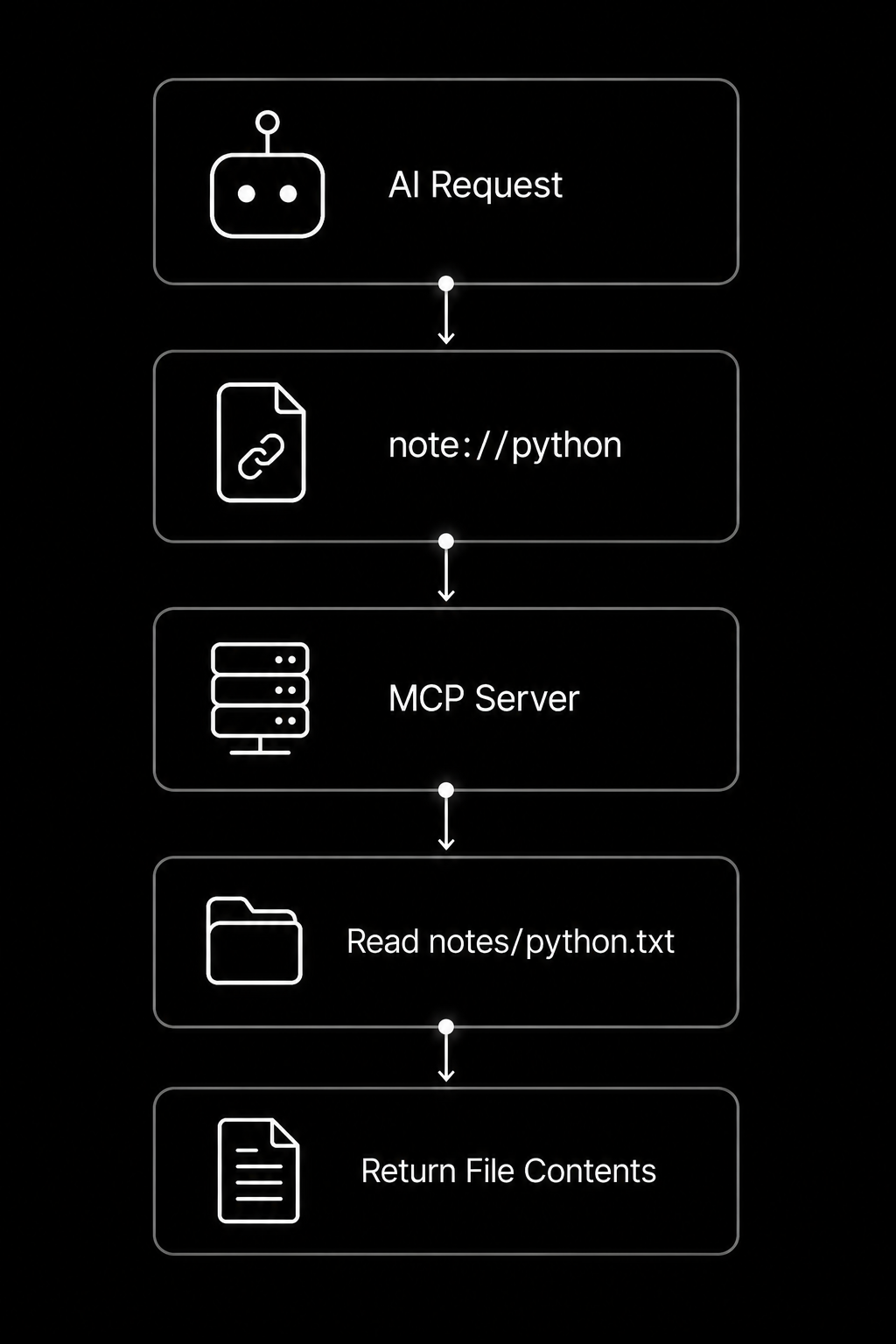
Dynamic resources generate content based on parameters supplied by the client. They are useful for notes, reports, user profiles, and generated documentation.
from pathlib import Path

NOTES_DIR = Path("notes")

@mcp.resource("note://{name}")
def read_note(name: str) -> str:
    """
    Return the contents of a note.
    """

    file_path = NOTES_DIR / f"{name}.txt"

    if not file_path.exists():
        return f"Note '{name}' was not found."

    return file_path.read_text(encoding="utf-8")
Example requests:
note://meeting

note://python

note://todo
Dynamic resource flow:
This pattern scales naturally to Context7 MCP, Blender MCP, Docker MCP, MCP Gateway, secure model context protocol enterprise authorization, and advanced API development projects built with python programming.
Step 5: Add MCP Prompts
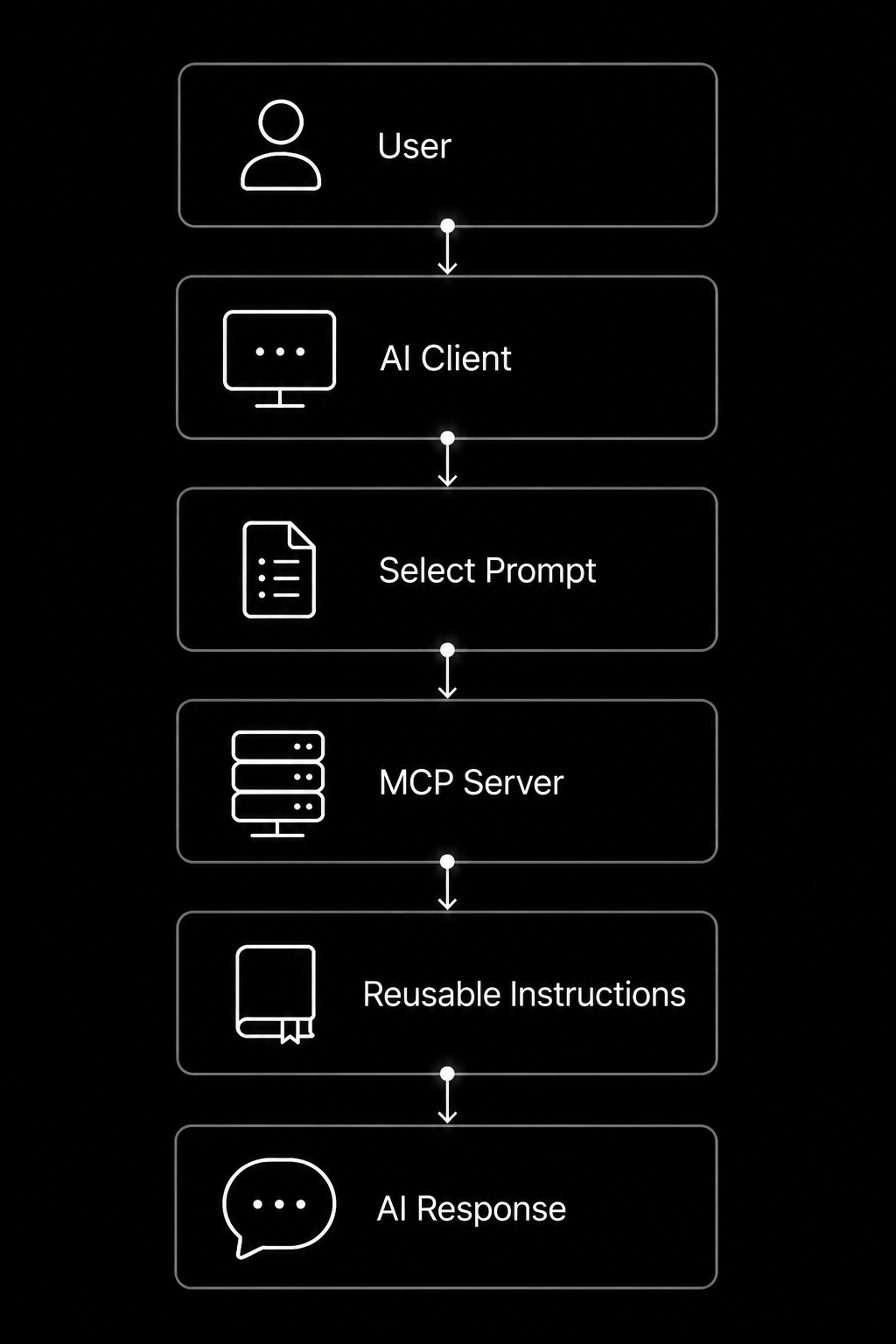
In the model context protocol (MCP), prompts are reusable instructions stored inside the model context protocol server. Instead of writing the same request repeatedly, AI applications can call a predefined prompt that follows a consistent workflow. Prompts improve response quality, standardize tasks, and simplify LLM integration across Claude MCP, GitHub MCP, Cursor MCP Servers, and other open source MCP servers.
Prompt workflow:
Prompt Example: Summarise a Document
This prompt tells the AI to create a concise, structured summary.
from mcp.server.fastmcp import FastMCP

mcp = FastMCP("Prompt Server")

@mcp.prompt()
def summarize_document() -> str:
    """
    Reusable prompt for document summarization.
    """
    return """
Read the supplied document carefully.

Generate:
A one-paragraph summary.
Five key points.
Important action items.
Any unanswered questions.

Keep the response clear, accurate, and under 250 words.
"""
This reusable workflow is ideal for documentation, reports, meeting notes, and API development projects.
Prompt Example: Debug a Python Error
Developer-focused prompts help maintain a consistent debugging process during python programming.
@mcp.prompt()
def debug_python_error() -> str:
    """
    Reusable Python debugging workflow.
    """
    return """
Analyze the provided Python error.

Follow these steps:
Explain the error in simple language.
Identify the root cause.
Show the corrected code.
Suggest best practices.
Recommend tests to verify the fix.

Respond with clear code examples.

"""
Example execution flow:
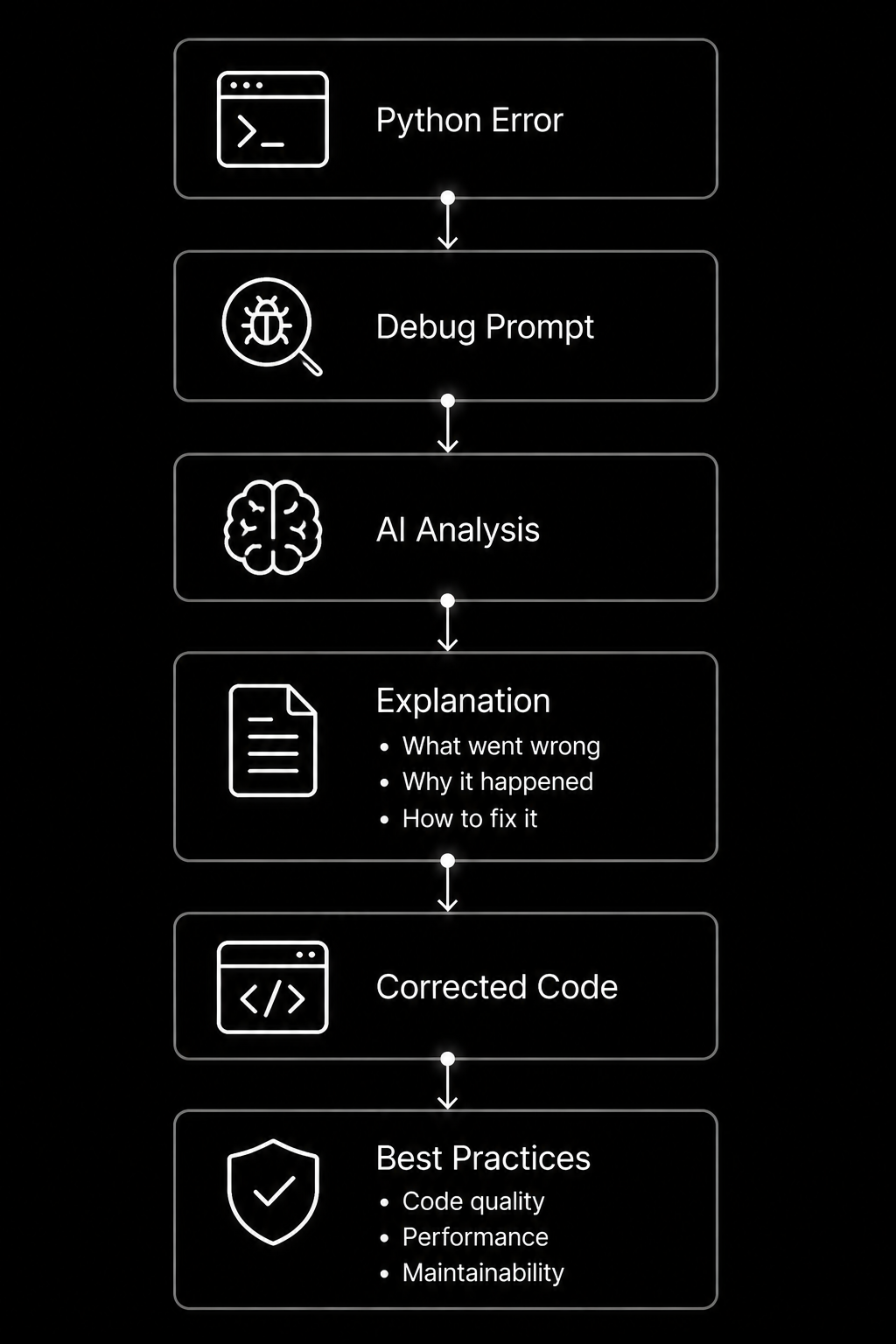
Reusable prompts like these are common in best MCP servers, filesystem MCP, Playwright MCP, Context7 MCP, Docker MCP, MCP Gateway, Blender MCP, and enterprise model context protocol enterprise authorization environments because they ensure every AI interaction follows the same reliable workflow.
Complete Working Code: First Python MCP Server
Below is a complete model context protocol (MCP) example that combines tools, resources, and prompts into one model context protocol server. It demonstrates the core architecture used in Claude MCP, GitHub MCP, Cursor MCP Servers, filesystem MCP, Context7 MCP, Docker MCP, and many open source MCP servers. As your python programming skills grow, you can extend this foundation with database connectors, cloud APIs, authentication, and enterprise LLM integration.
from pathlib import Path
import requests
from mcp.server.fastmcp import FastMCP

# -------------------------------------------------
# Create MCP Server
# -------------------------------------------------

mcp = FastMCP("First Python MCP Server")

SAFE_FOLDER = Path("data").resolve()

# -------------------------------------------------
# TOOLS
# -------------------------------------------------

@mcp.tool()
def add(a: int, b: int) -> int:
    """
    Add two numbers.
    """
    return a + b

@mcp.tool()
def celsius_to_fahrenheit(celsius: float) -> float:
    """
    Convert Celsius to Fahrenheit.
    """
    return round((celsius * 9 / 5) + 32, 2)
@mcp.tool()
def read_file(filename: str) -> str:
    """
    Read a file from the approved folder only.
    """
    path = (SAFE_FOLDER / filename).resolve()

    if not str(path).startswith(str(SAFE_FOLDER)):
        return "Access denied."

    if not path.exists():
        return "File not found."

    return path.read_text(encoding="utf-8")

@mcp.tool()
def random_advice() -> str:
    """
    Fetch advice from a public API.
    """

    try:
        response = requests.get(
            "https://api.adviceslip.com/advice",
            timeout=5,
        )

        response.raise_for_status()

        return response.json()["slip"]["advice"]
    except requests.Timeout:
        return "Request timed out."

    except requests.RequestException as error:
        return f"API error: {error}"

# -------------------------------------------------
# RESOURCES
# -------------------------------------------------

@mcp.resource("project://info")
def project_info() -> str:
    return """
Project: Python MCP Tutorial
Version: 1.0
Language: Python
Protocol: Model Context Protocol
"""

@mcp.resource("note://{name}")
def note(name: str) -> str:
    file = SAFE_FOLDER / f"{name}.txt"

    if file.exists():
        return file.read_text()

    return "Note not found."

# -------------------------------------------------
# PROMPTS
# -------------------------------------------------

@mcp.prompt()
def summarize_document() -> str:
    return """
Summarize the supplied document.

Include:
- Overview
- Five key points
- Action items
"""

@mcp.prompt()
def debug_python() -> str:
    return """
Explain the Python error.
Identify the cause.
Show corrected code.
Suggest improvements.
"""

# -------------------------------------------------
# Run Server
# -------------------------------------------------

if __name__ == "__main__":
    mcp.run()
Project execution workflow:
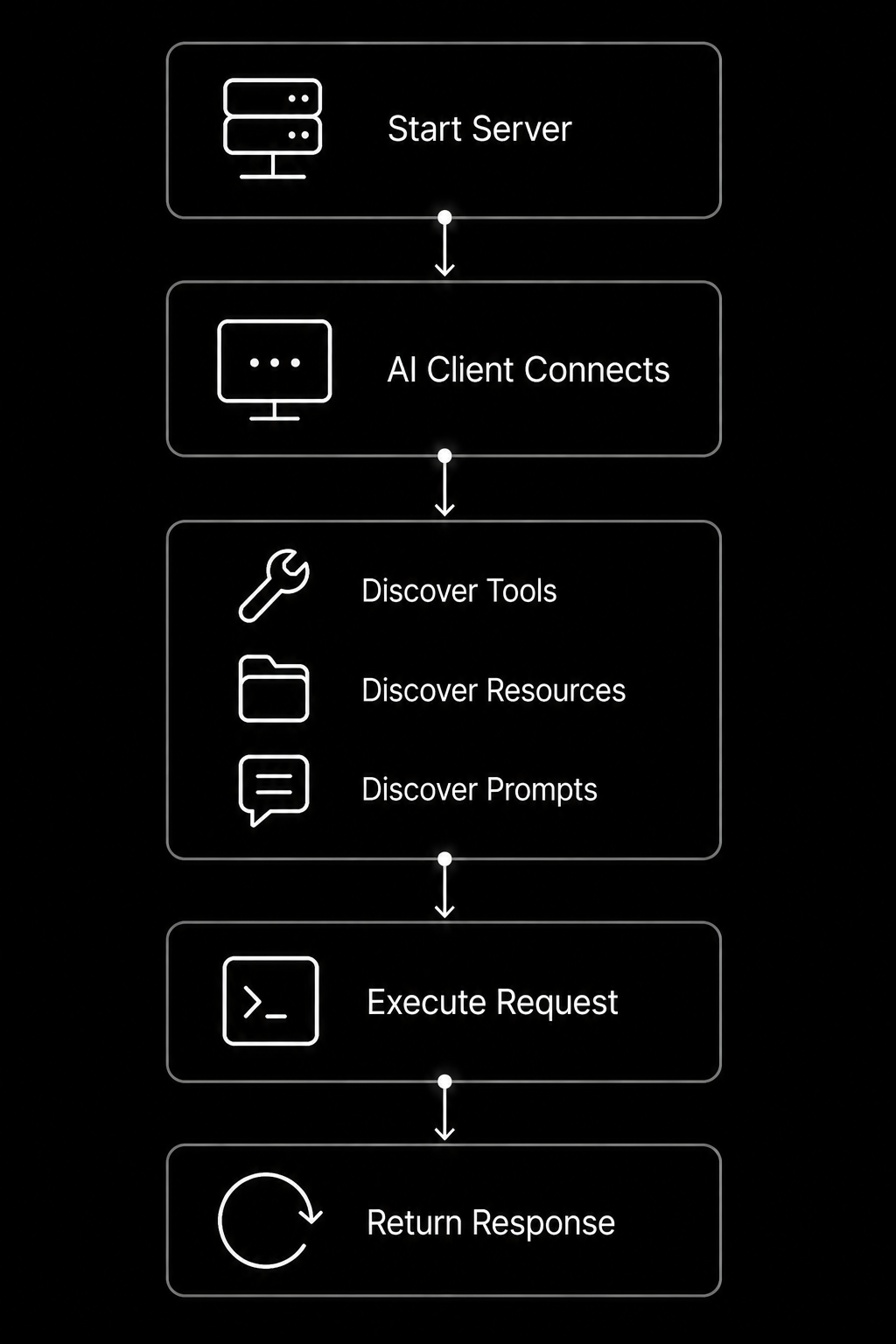
This production-ready structure provides an excellent starting point for building best MCP servers, Playwright MCP, Blender MCP, MCP Gateway, secure model context protocol enterprise authorization, and scalable API development solutions using the model context protocol (MCP).
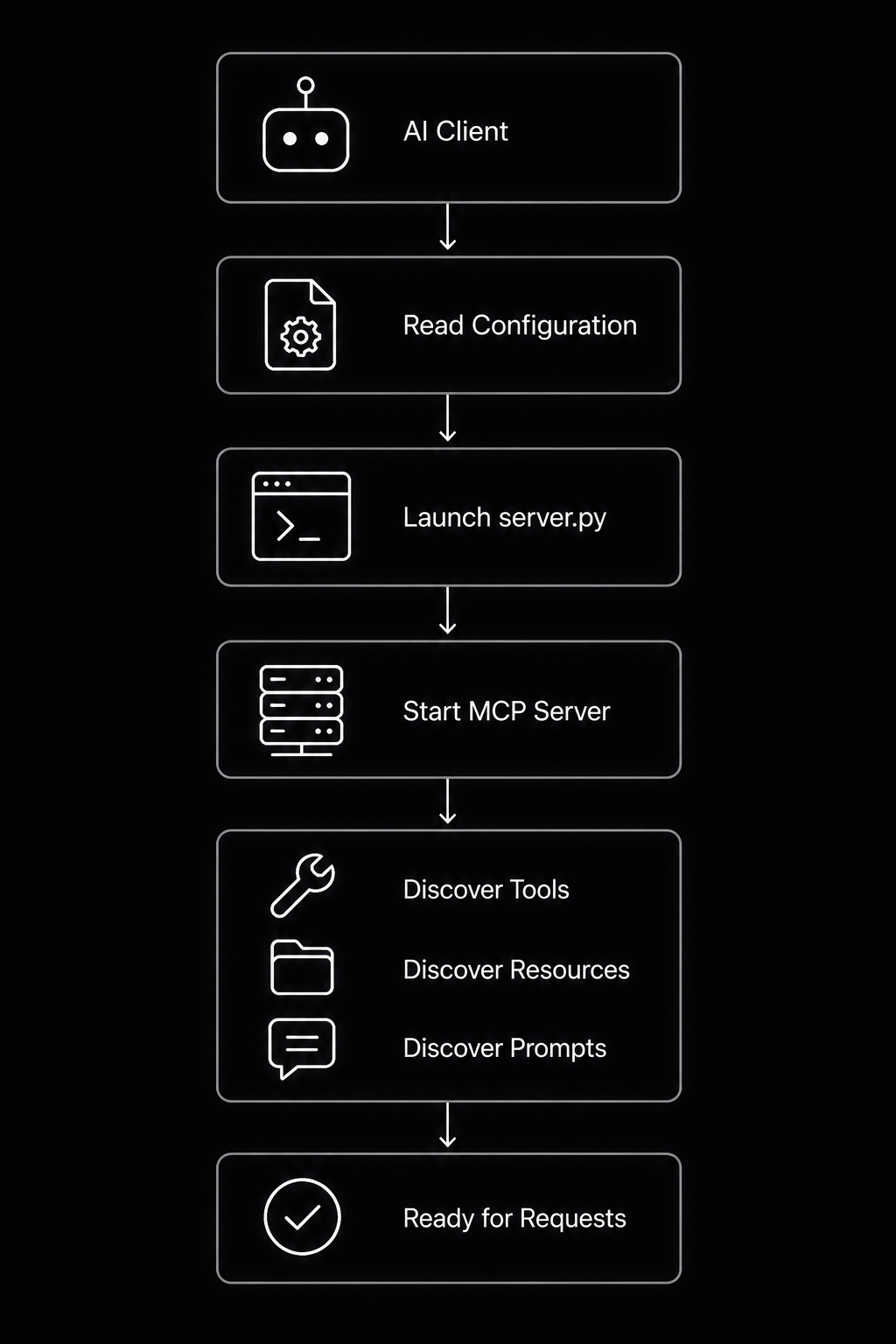
Connect Your MCP Server to an AI Client
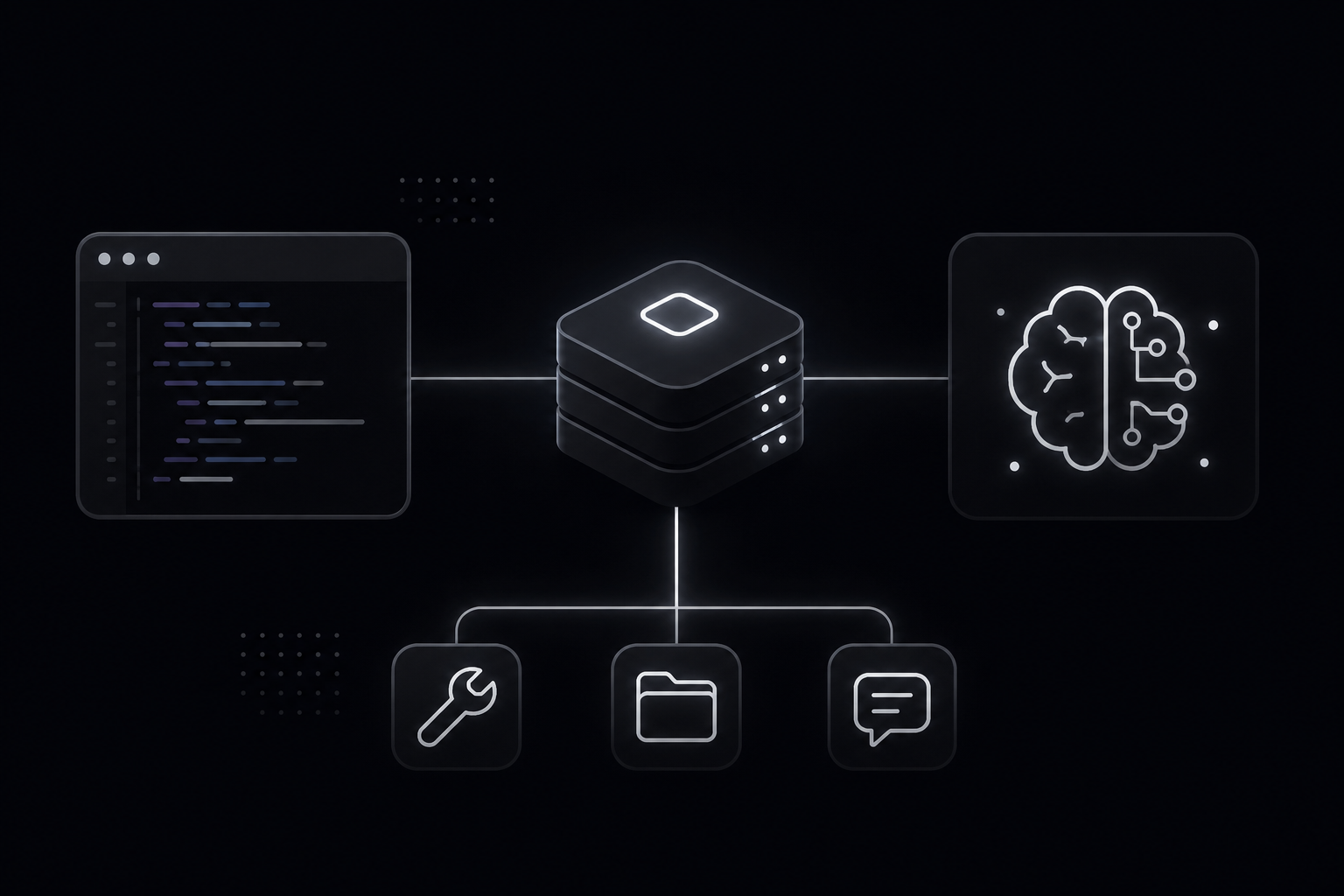
Building a model context protocol (MCP) server is only half the process. To make it useful, you must connect it to an MCP-compatible AI application such as Claude MCP, development tools that support Cursor MCP Servers, or other open source MCP servers. The AI client launches your model context protocol server, discovers its available tools, resources, and prompts, and then uses them whenever they are relevant to a user request. During development, this connection usually happens over stdio, making local testing simple and reliable.
Connection workflow:
Example Client Configuration
Most MCP clients use a JSON configuration that specifies how to start the server.
{
  "mcpServers": {
    "python-demo": {
      "command": "python",
      "args": [
        "server.py"
      ],
      "cwd": "/Users/your-name/python-mcp-server"
    }
  }
}
Windows example:
{
  "mcpServers": {
    "python-demo": {
      "command": "python",
      "args": ["server.py"],
      "cwd": "C:\\Projects\\python-mcp-server"
    }
  }
}
If you use uv, update the command:
{
  "command": "uv",
  "args": ["run", "server.py"]
}
Once the client starts, it automatically discovers every tool, resource, and prompt exposed by your model context protocol server.
Common Connection Problems
Most connection issues are easy to fix.
| Problem | Solution |
| Wrong project path | Verify the cwd points to your project folder. |
| Missing dependency | Run pip install mcp requests or restore requirements.txt. |
| Wrong Python version | Confirm with python –version and use Python 3.10 or newer. |
| Server not restarting | Stop the running process and launch it again after saving changes. |
Helpful debugging commands:
python --version

pip list

pip freeze

python server.py
Development checklist:
✓ Virtual environment active
✓ Dependencies installed
✓ Correct project path
✓ Compatible Python version
✓ Server restarted
✓ AI client reconnects
Following these steps ensures smooth LLM integration for GitHub MCP, filesystem MCP, Playwright MCP, Docker MCP, Context7 MCP, Blender MCP, MCP Gateway, and enterprise API development environments that use the model context protocol (MCP).
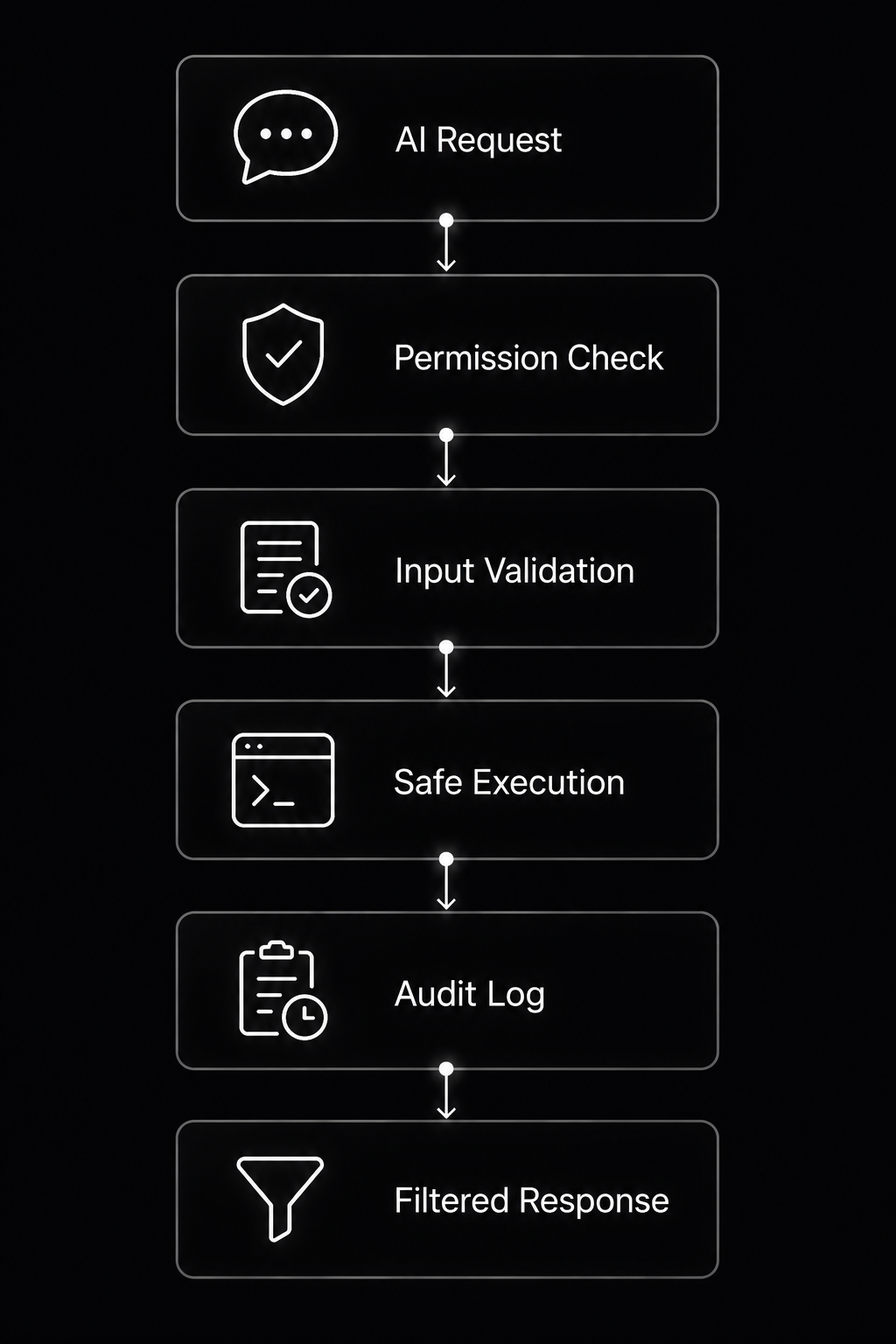
Secure Your MCP Server Before You Trust It
Security should be part of your model context protocol (MCP) architecture from the first line of code, not an afterthought. A model context protocol server acts as the bridge between AI applications and sensitive resources such as files, databases, APIs, and business systems. If that bridge is poorly protected, an AI client could accidentally expose confidential data or execute unsafe operations. Whether you’re building Claude MCP, GitHub MCP, filesystem MCP, or enterprise LLM integration, every tool should follow the principle of least privilege.
Security workflow:
The 4 Core Security Layers for MCP Servers
Build every model context protocol server with these security layers.
| Risk | Unsafe Approach | Safer Approach |
| File access | Read any path | Allow only approved folders |
| Shell commands | Run raw user input | Use allowlisted actions |
| API keys | Hard-code secrets | Use environment variables |
| Tool output | Return everything | Return only needed data |
Example of using environment variables:
import os

API_KEY = os.getenv("API_KEY")

if not API_KEY:
    raise RuntimeError("Missing API_KEY environment variable.")
Example of validating a file path:
from pathlib import Path

SAFE_DIR = Path("data").resolve()

def validate_file(name: str):
    path = (SAFE_DIR / name).resolve()

    if not str(path).startswith(str(SAFE_DIR)):
        raise PermissionError("Access denied.")

    return path
MCP Security Mistakes Beginners Make
Many beginners unintentionally weaken security by exposing too much functionality.
Avoid these common mistakes:
- Creating over-permissioned tools that can read or modify unrestricted files.
- Writing vague tool descriptions that allow unintended AI behavior.
- Storing API keys directly inside source code instead of environment variables.
- Executing raw shell commands from user input.
Unsafe example:
import os

@mcp.tool()
def run(command: str):
    return os.system(command)
Safer approach:
ALLOWED = {
    "list": "ls",
    "version": "python --version"
}

@mcp.tool()
def run_action(action: str):
    return ALLOWED.get(action, "Action not permitted.")
Secure execution workflow:
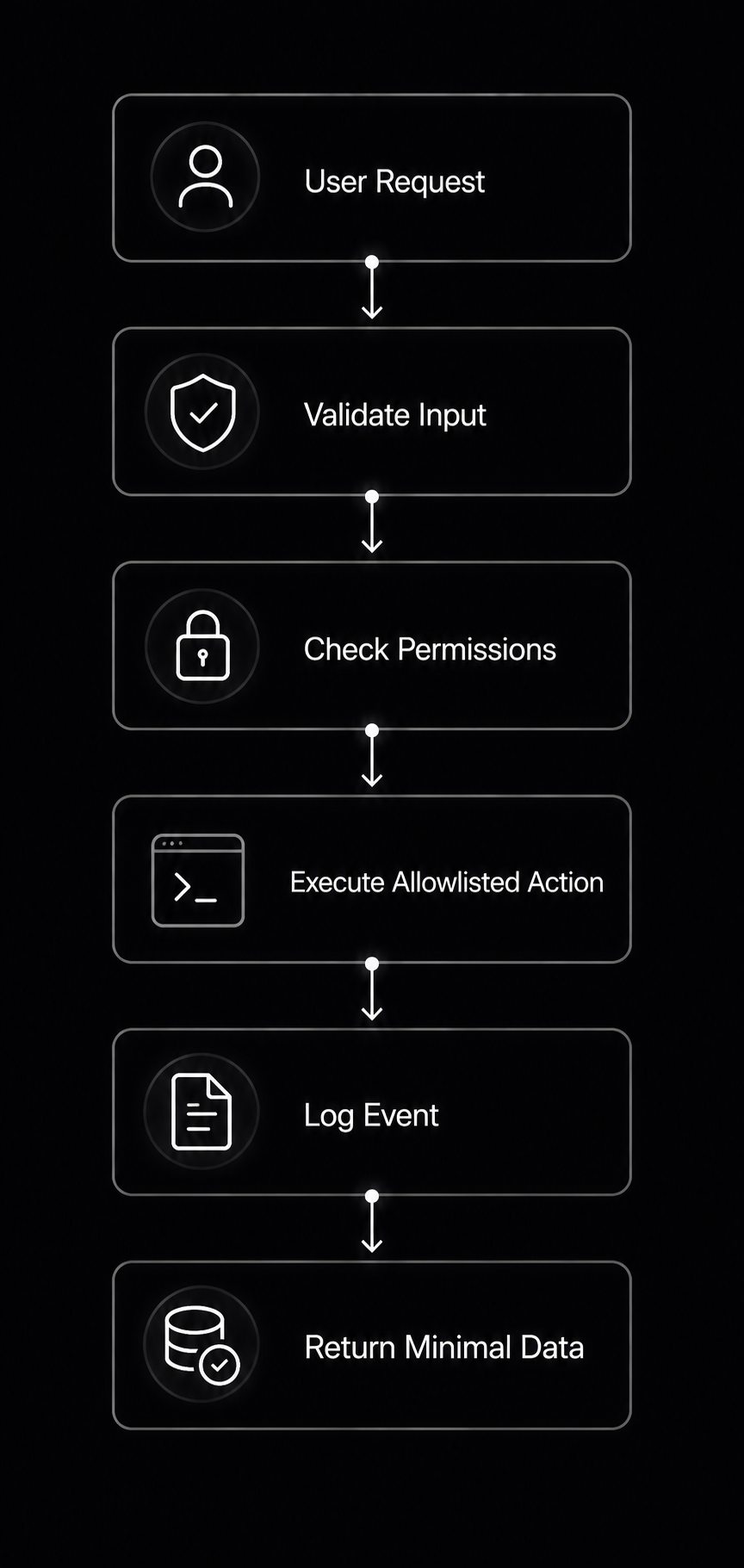
Following these practices makes your python programming projects suitable for Playwright MCP, Docker MCP, Context7 MCP, Blender MCP, MCP Gateway, API development, and model context protocol enterprise authorization environments where security, auditability, and predictable behavior are essential.
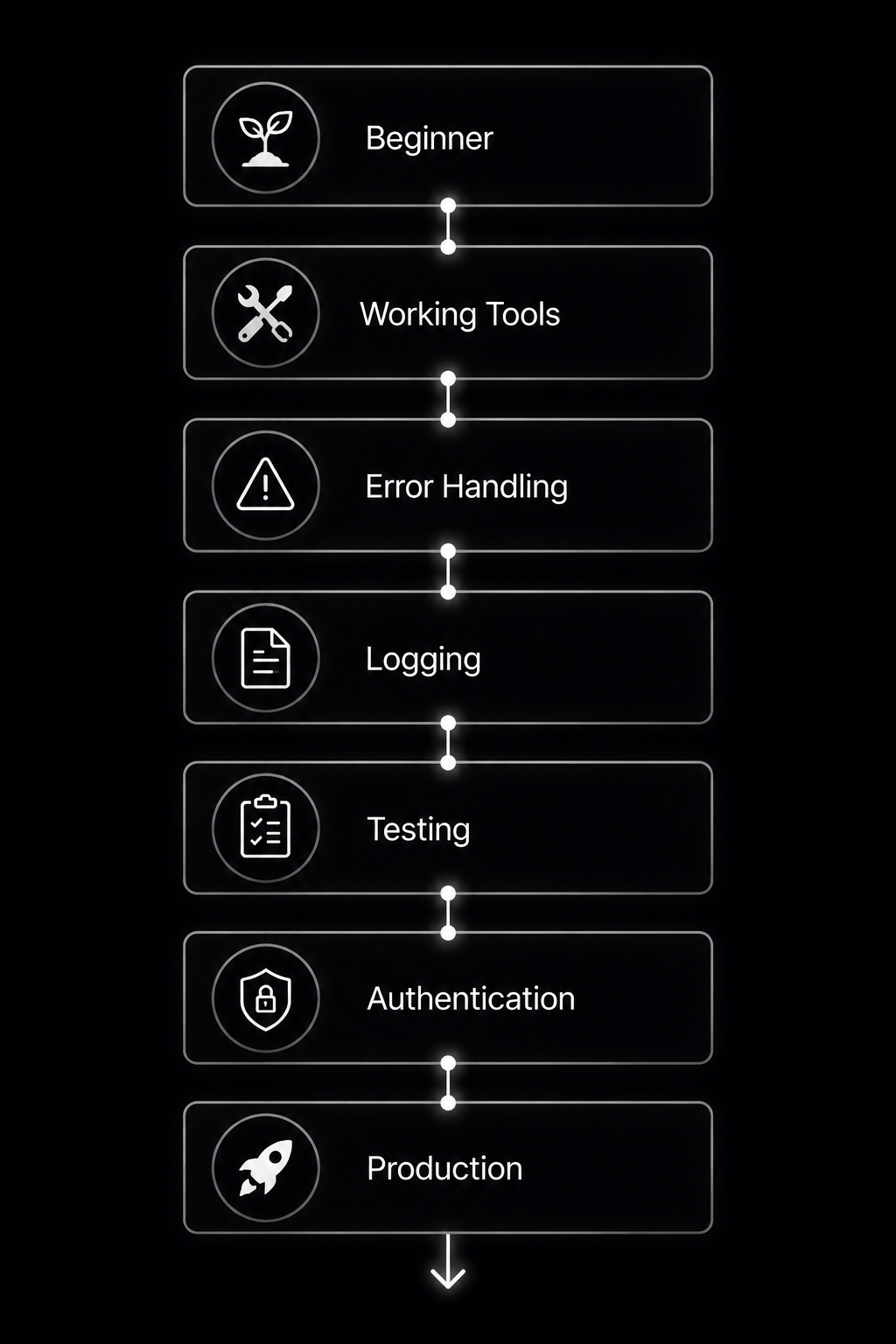
Improve Your MCP Server From Beginner to Production
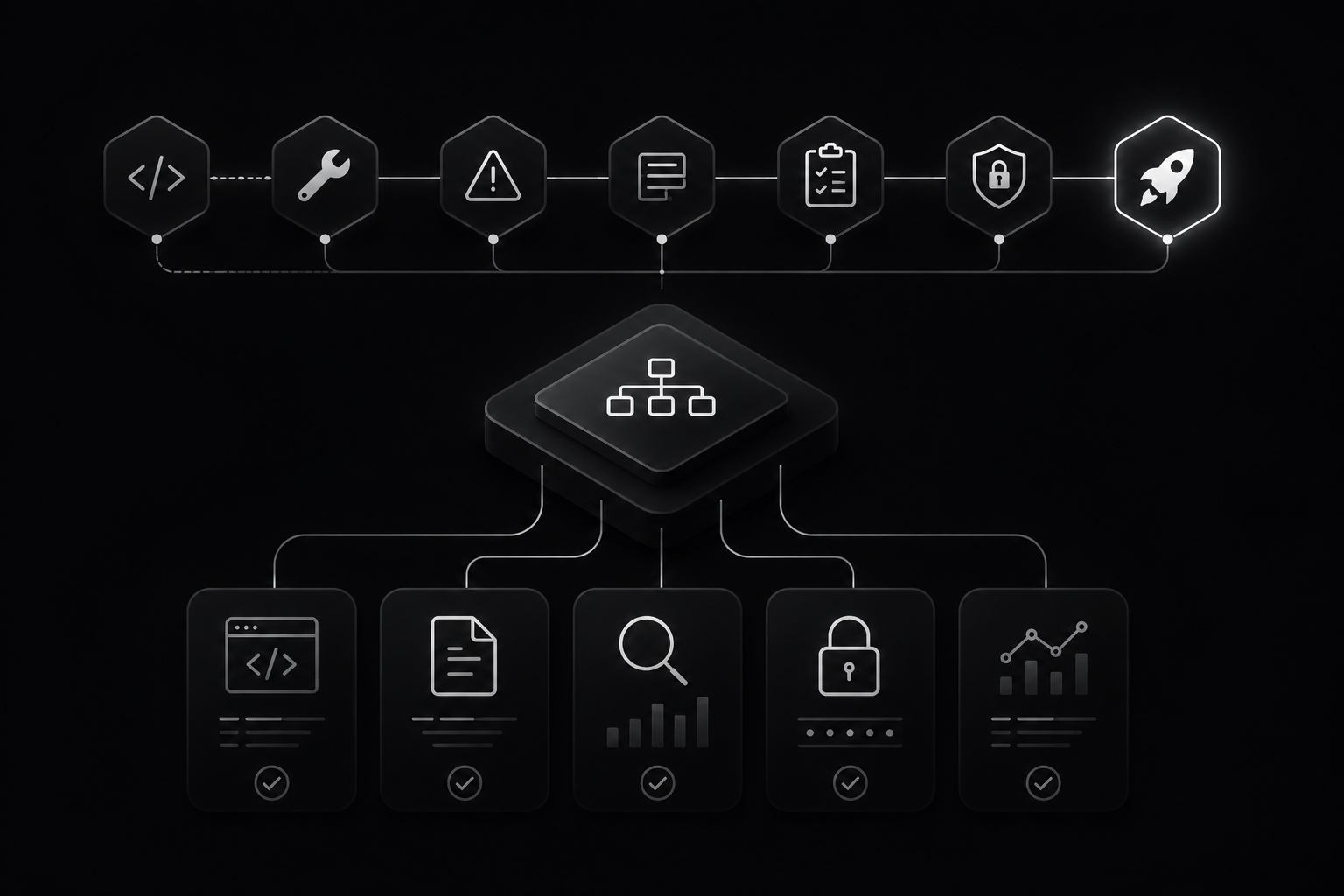
A beginner model context protocol (MCP) server proves that the concept works. A production-ready model context protocol server focuses on reliability, security, monitoring, and maintainability. As your project grows from local experiments to enterprise LLM integration, each improvement reduces failures and makes your tools easier for AI clients to use consistently.
Progression:
Add Better Error Handling
AI applications perform better when tools return clear, predictable errors instead of crashing.
@mcp.tool()
def divide(a: float, b: float) -> float:
    if b == 0:
        return "Error: Division by zero is not allowed."

    return a / b
Prefer structured messages such as:
{
  "status": "error",
  "message": "File not found."
}
Add Logging
Logs help diagnose issues in GitHub MCP, Playwright MCP, and enterprise API development.
import logging

logging.basicConfig(level=logging.INFO)

logging.info("Tool executed successfully.")
logging.error("API request failed.")
Log:
- Tool name
- Timestamp
- Execution status
- Processing time
Do not log passwords, API keys, tokens, or confidential user content.
Add Tests for Each Tool
Test every tool independently before exposing it through the model context protocol (MCP).
def test_add():
    assert add(5, 7) == 12
Simple testing checklist:
✓ Valid input
✓ Invalid input
✓ Missing data
✓ Edge cases
✓ Expected output
Automate tests with pytest as your project grows.
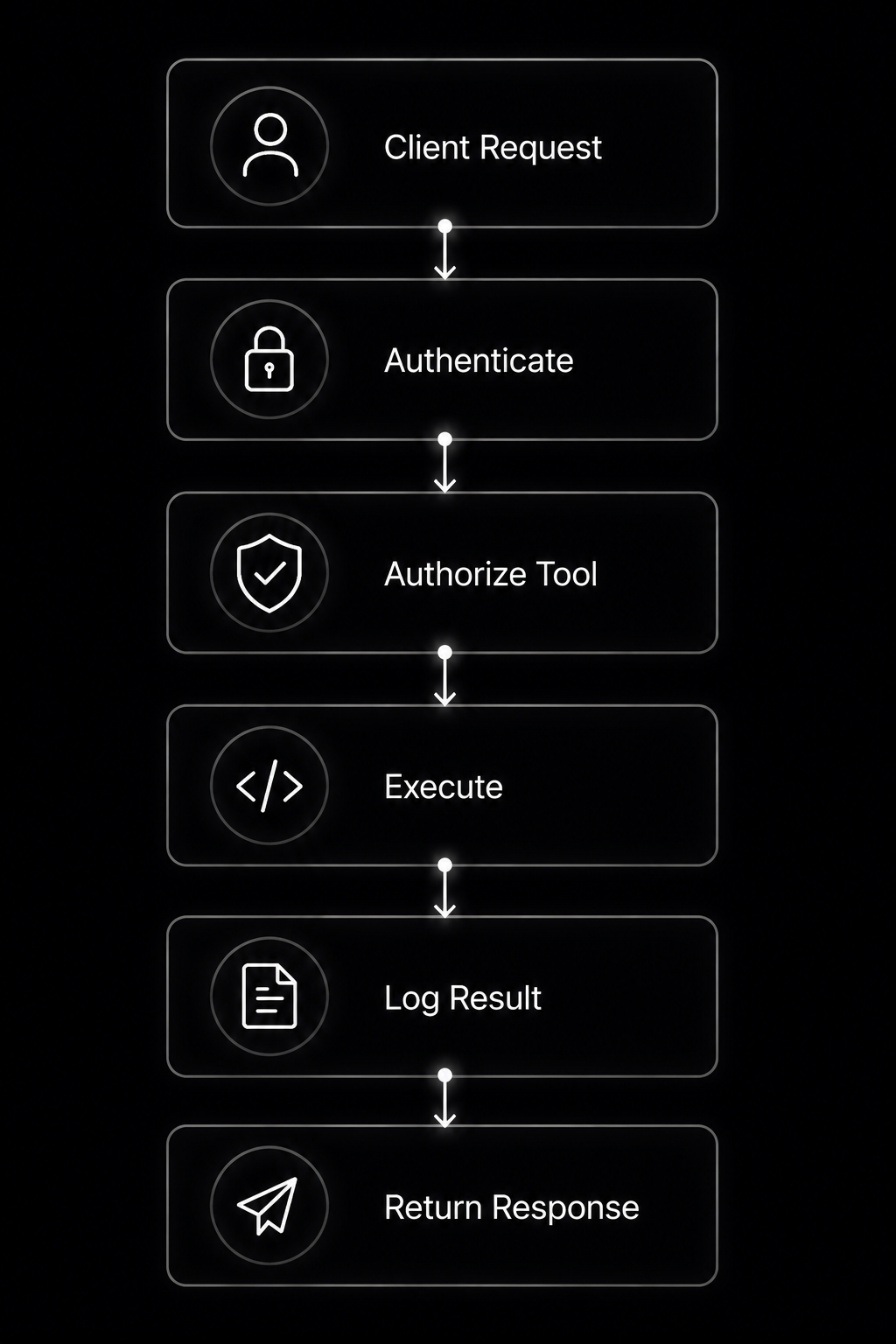
Add Authentication for Remote Servers
Local filesystem MCP servers often don’t need authentication because they run on your own machine. Remote servers exposed through an MCP Gateway, Docker MCP, cloud infrastructure, or model context protocol enterprise authorization should verify every client before granting access.
Example using an environment variable:
import os

EXPECTED_TOKEN = os.getenv("MCP_TOKEN")

def authenticate(token: str):
    return token == EXPECTED_TOKEN
Production workflow:
These practices transform simple python programming examples into dependable Claude MCP, Cursor MCP Servers, Context7 MCP, Blender MCP, and other best MCP servers suitable for real-world deployments.
Mini Project: Build a Notes MCP Server
This mini project brings together everything you’ve learned about the model context protocol (MCP). You’ll build a practical model context protocol server that safely stores notes on your computer. The project follows the same design principles used by Claude MCP, GitHub MCP, Cursor MCP Servers, and other open source MCP servers, making it an excellent foundation for larger LLM integration and API development projects.
Project workflow:
Project Goal
The Notes Server should allow an AI assistant to:
- Add new notes
- List saved notes
- Read a specific note
- Search notes by keyword
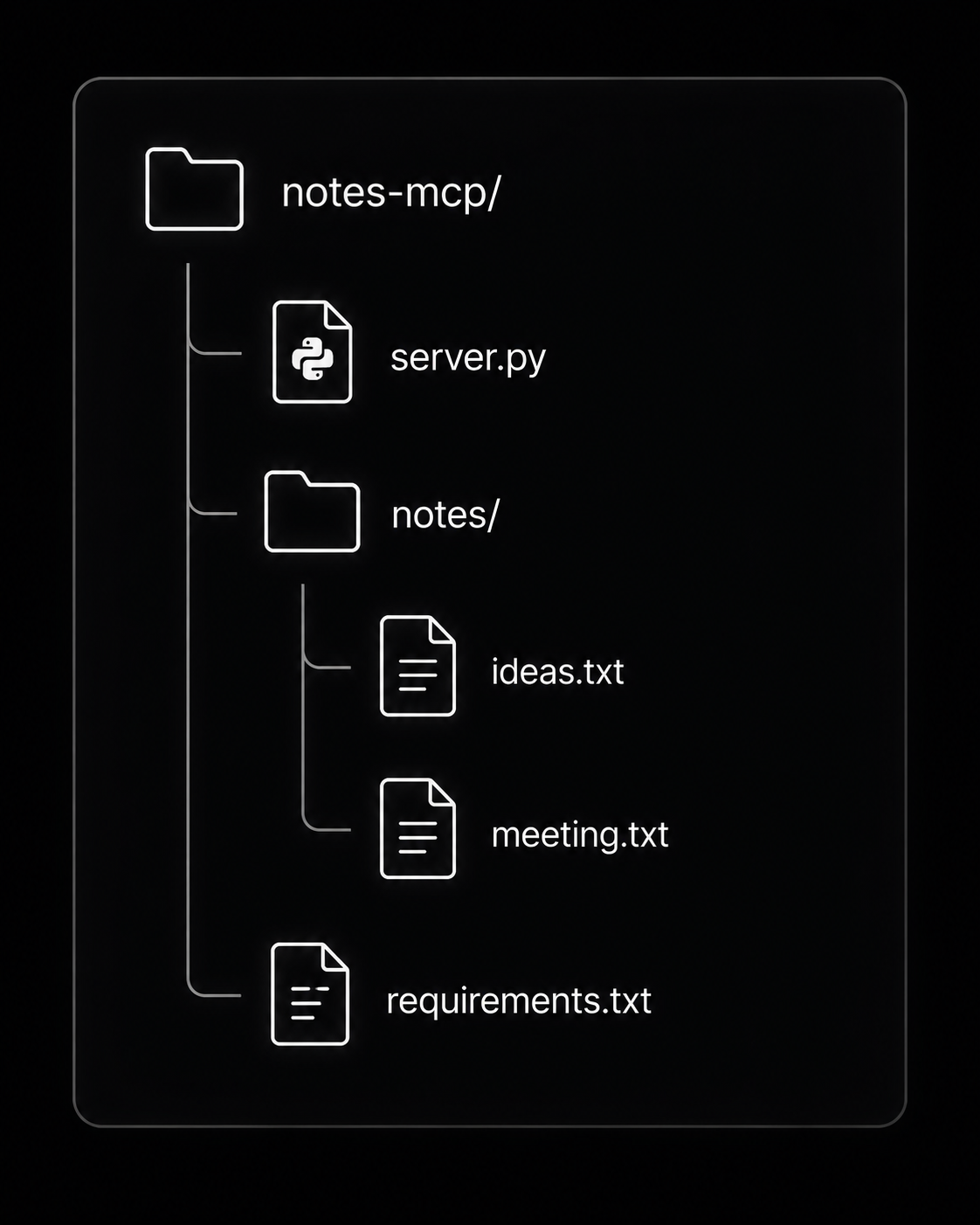
Project structure:
Complete Notes Server Code
Copy the following into server.py.
from pathlib import Path
from mcp.server.fastmcp import FastMCP

mcp = FastMCP("Notes MCP Server")

NOTES = Path("notes")
NOTES.mkdir(exist_ok=True)

def safe_path(name: str) -> Path:
    path = (NOTES / f"{name}.txt").resolve()

    if not str(path).startswith(str(NOTES.resolve())):
        raise PermissionError("Invalid file path.")

    return path

@mcp.tool()
def add_note(name: str, content: str) -> str:
    """Create or update a note."""

    safe_path(name).write_text(content, encoding="utf-8")
    return f"Saved '{name}'."

@mcp.tool()
def list_notes() -> list[str]:
    """Return all note names."""

    return sorted(file.stem for file in NOTES.glob("*.txt"))

@mcp.tool()
def read_note(name: str) -> str:
    """Read a note."""

    file = safe_path(name)

    if not file.exists():
        return "Note not found."

    return file.read_text(encoding="utf-8")

@mcp.tool()
def search_notes(keyword: str) -> list[str]:
    """Search notes by keyword."""

    results = []

    for file in NOTES.glob("*.txt"):
        text = file.read_text(encoding="utf-8")

        if keyword.lower() in text.lower():
            results.append(file.stem)

    return results

if __name__ == "__main__":
    mcp.run()
This secure structure is easy to extend with filesystem MCP, databases, or cloud storage.
Test Scenarios
After connecting your model context protocol server, try these prompts in Claude MCP or another compatible client.
Create a note named meeting.
Add today’s sprint planning tasks.
List every saved note.
Read the meeting note.
Search all notes for “deployment”.
Search for “Python”.
Testing workflow:
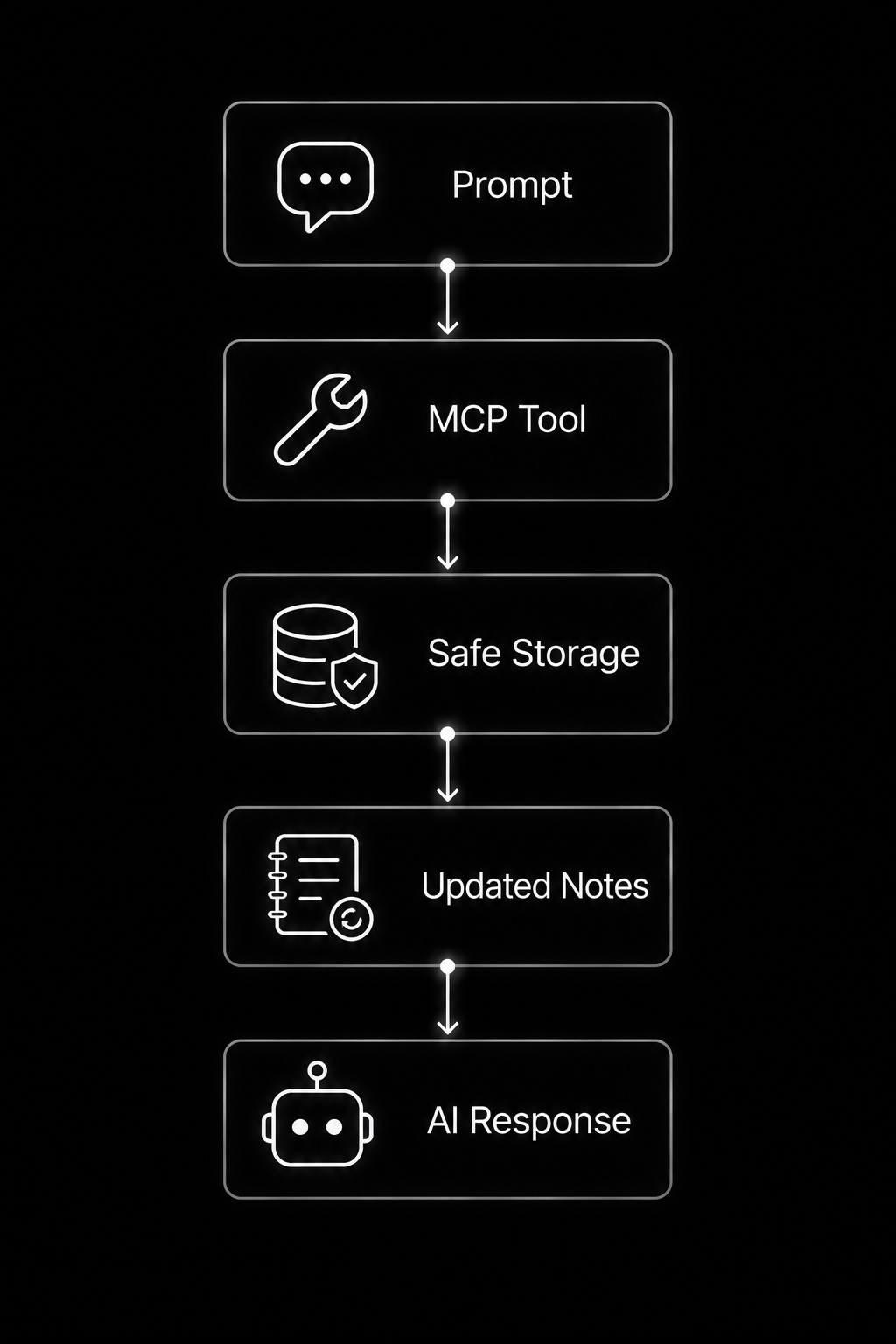
You can expand this project by adding tags, markdown support, SQLite storage, GitHub MCP synchronization, REST endpoints for Docker MCP, Context7 MCP, Blender MCP, or enterprise model context protocol enterprise authorization. This simple project demonstrates how python programming can evolve into one of the best MCP servers for real-world automation and productivity.
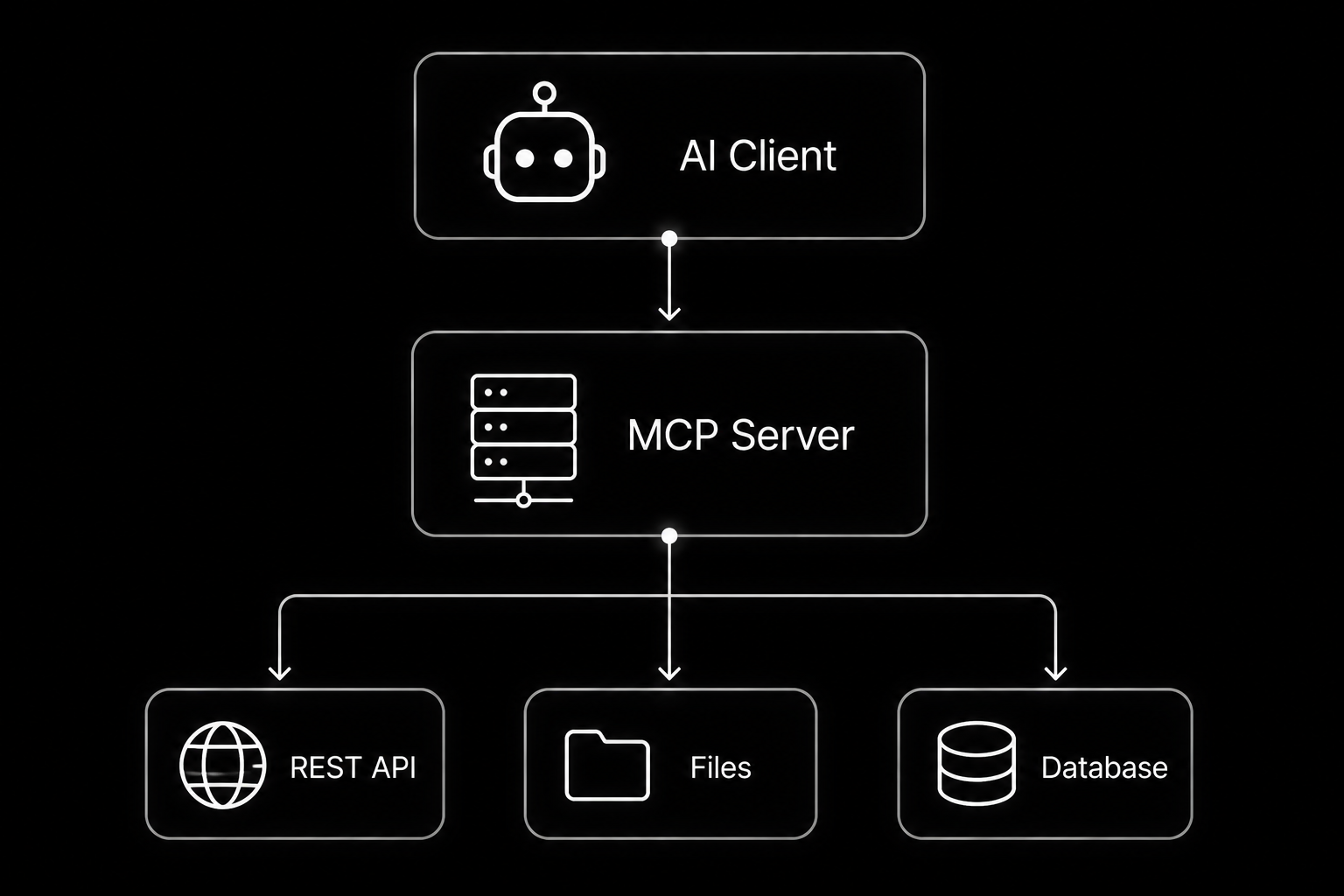
MCP Servers vs APIs vs Plugins
The model context protocol (MCP) does not replace REST APIs, plugins, or function calling. Instead, it provides a standard way for AI applications to discover and use external capabilities. A model context protocol server can even wrap existing REST APIs, making them easier for LLM integration. This is why the anthropic model context protocol is gaining traction across Claude MCP, GitHub MCP, Cursor MCP Servers, and many open source MCP servers.
| Option | Best For | Limitation |
| MCP Server | AI-native tool access | Needs MCP-compatible client |
| REST API | Web and app integrations | Not designed around AI context |
| Plugin | Product-specific extension | Often locked to one platform |
| Function Calling | Model-specific tool use | Can need custom glue code |
Typical architecture:
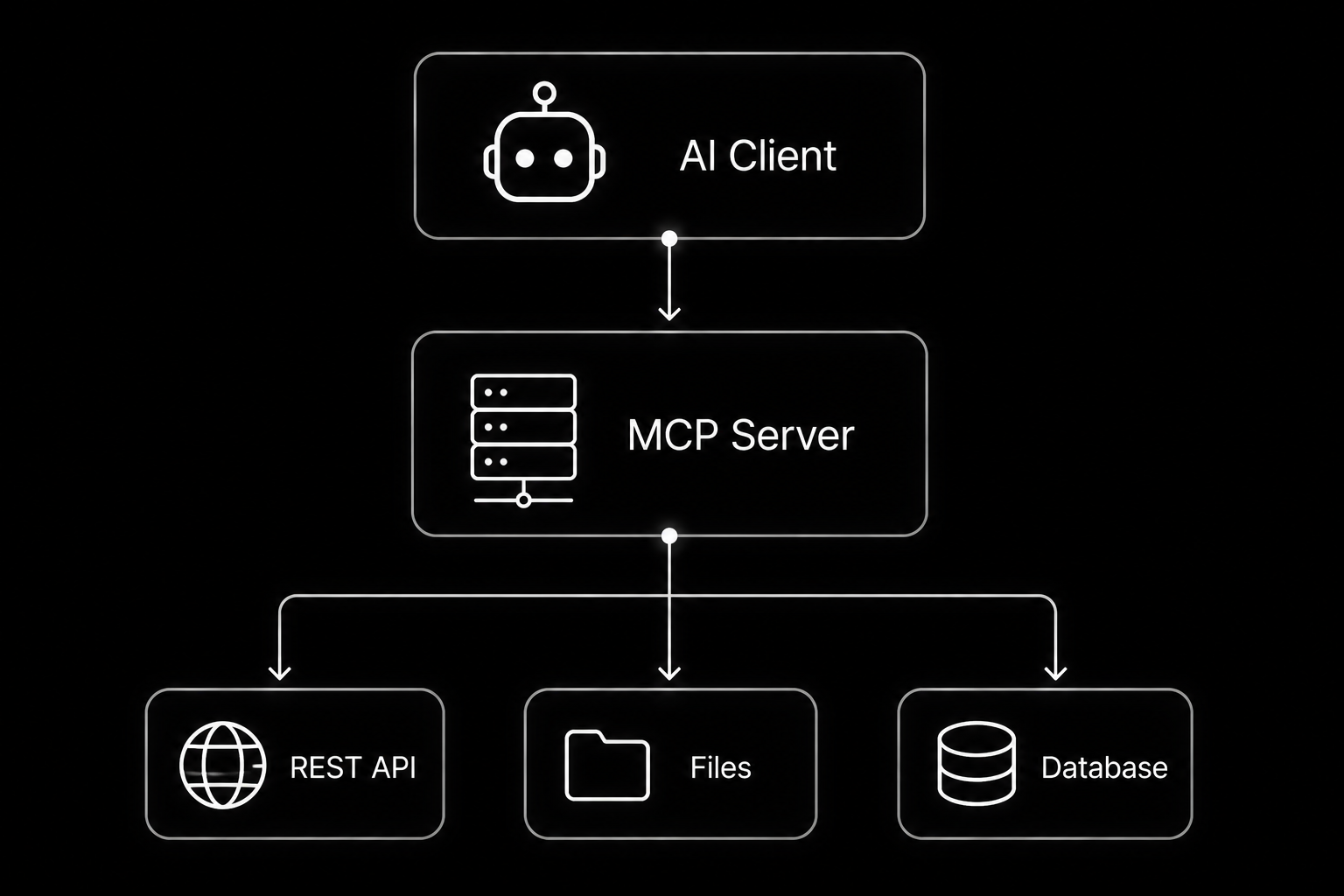
AI Client → MCP Server → REST API | Files | Database
An MCP server often acts as the intelligent layer between the AI and existing services.
import requests
from mcp.server.fastmcp import FastMCP

mcp = FastMCP("Weather MCP")

@mcp.tool()
def weather(city: str):
    response = requests.get(
        f"https://example-api.com/weather/{city}",
        timeout=5
    )
    return response.json()
Workflow comparison:
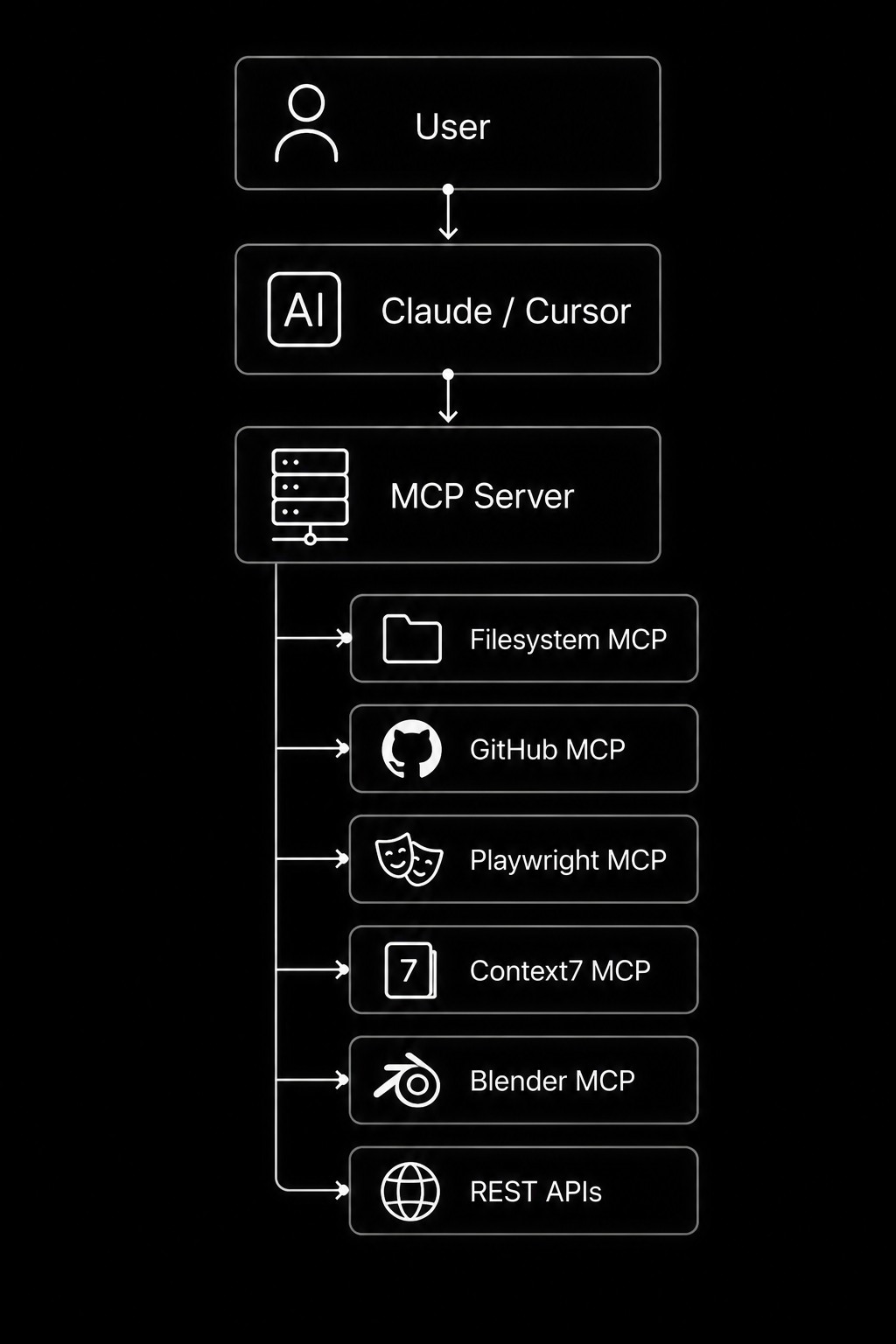
┌──────────────→ Filesystem MCP
├──────────────→ GitHub MCP
User → Claude / Cursor → MCP Server ├──────────────→ Playwright MCP
├──────────────→ Context7 MCP
├──────────────→ Blender MCP
└──────────────→ REST APIs
Unlike traditional APIs, the model context protocol (MCP) standardizes tool discovery, resources, and prompts, reducing custom integration code. Compared with plugins, it is not tied to a single application. Compared with model-specific function calling, it provides a reusable architecture that scales from local python programming projects to enterprise API development, Docker MCP, MCP Gateway, and model context protocol enterprise authorization deployments.
Common Mistakes to Avoid
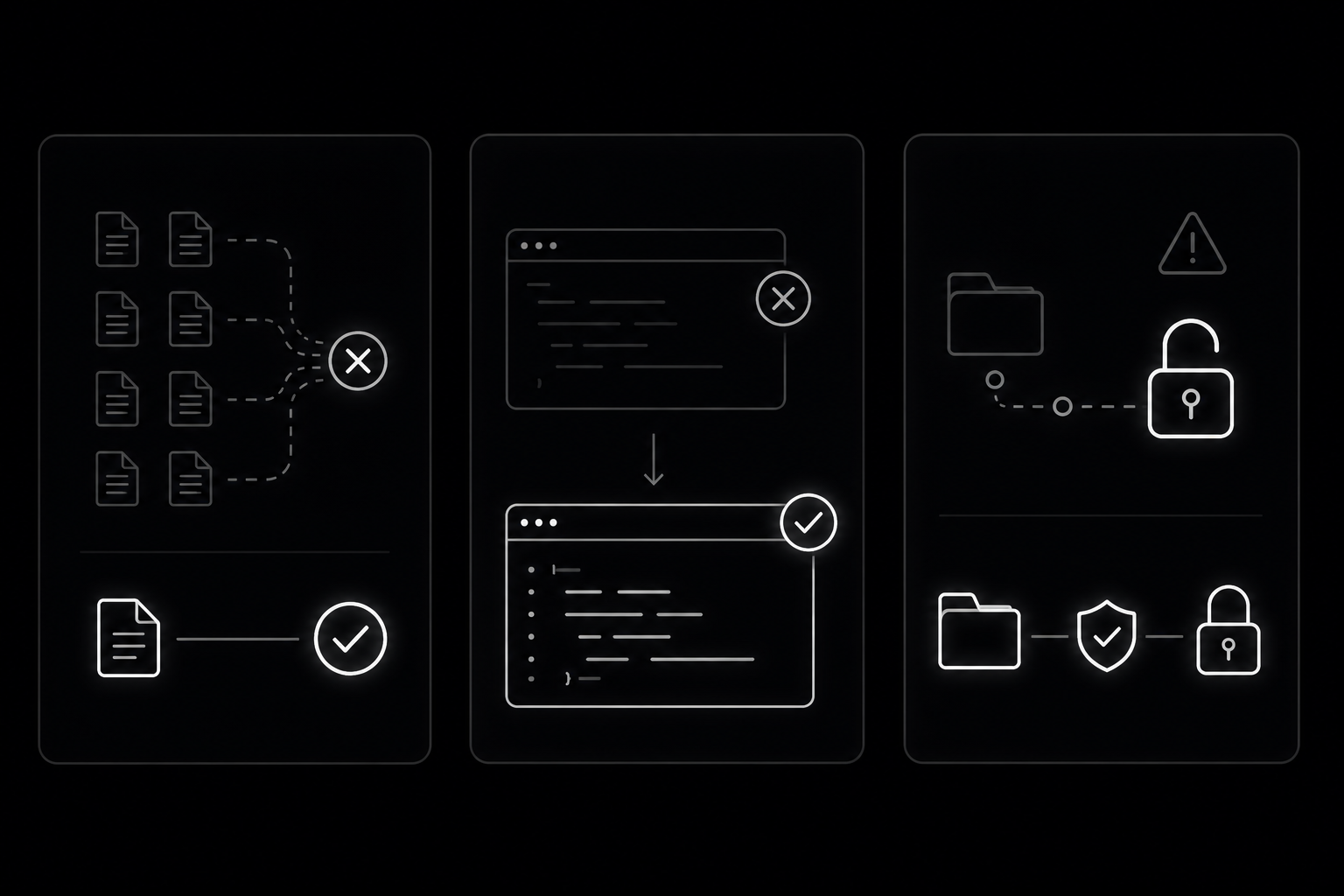
Building a model context protocol (MCP) server is straightforward, but a few common mistakes can make your tools unreliable or unsafe. Following simple best practices will help you create cleaner LLM integration for Claude MCP, GitHub MCP, Cursor MCP Servers, and other open source MCP servers.
Building Too Many Tools Too Soon
Avoid creating dozens of tools before validating your design. A small set of focused tools is easier for both developers and AI models to understand.
Too many overlapping tools:
readFile
loadFile
getFile
fetchFile
openFile
Better approach:
read_file()
Workflow:
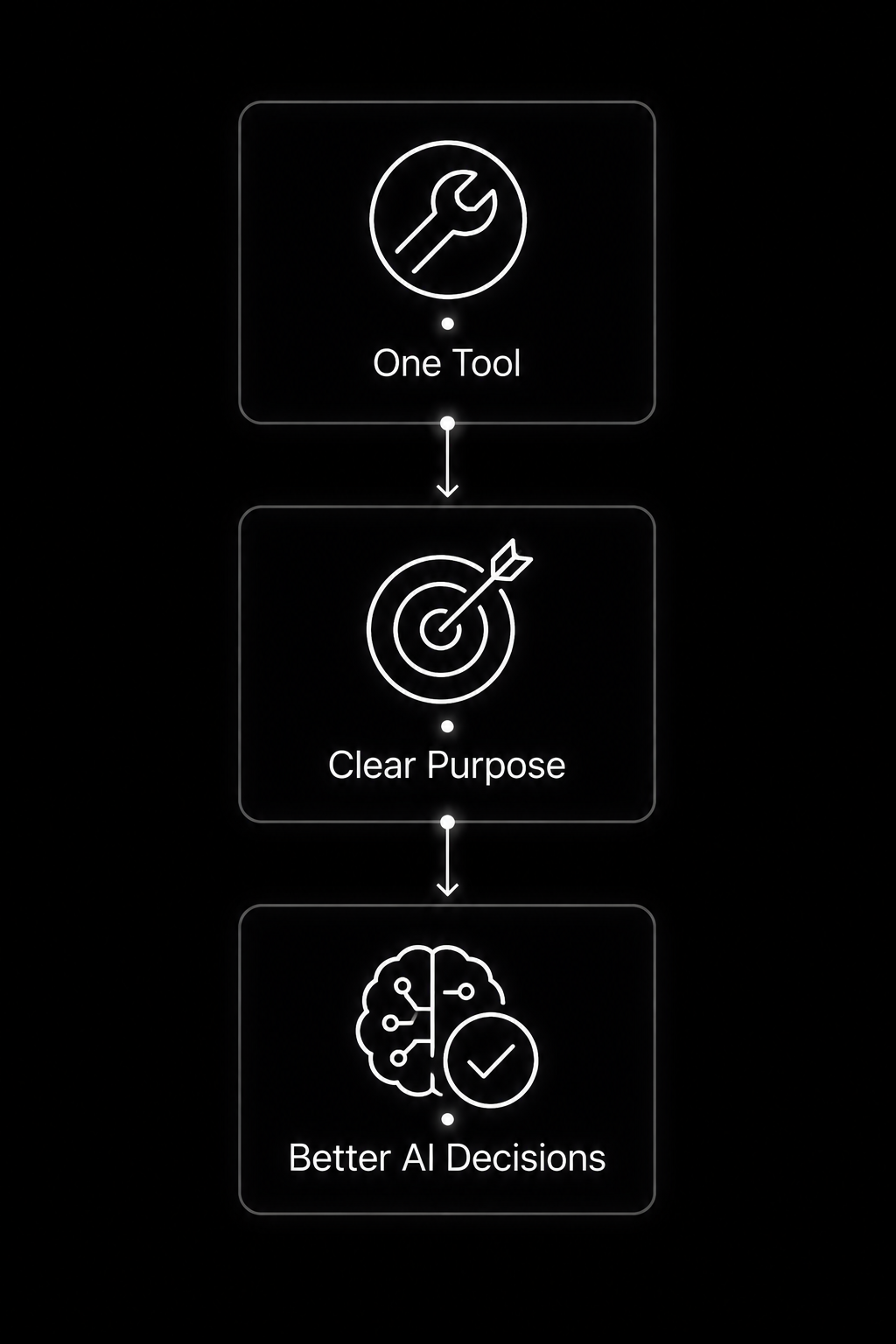
One Tool
│
Clear Purpose
│
Better AI Decisions
Writing Weak Tool Descriptions
Tool descriptions guide how the AI uses your model context protocol server. Poor docstrings lead to incorrect tool selection.
Weak example:
@mcp.tool()
def search():
    """Search."""
Better example:
@mcp.tool()
def search_notes(keyword: str):
    """
    Search all approved notes and return
    matching filenames containing the keyword.
    """@mcp.tool()

def search_notes(keyword: str):
    """
    Search all approved notes and return
    matching filenames containing the keyword.
    """
Ignoring Security Because It Runs Locally
Local filesystem MCP servers can still access files, API keys, and personal documents. Never assume local execution is automatically safe.
Avoid:
import os

os.remove(user_input)
Instead, validate paths, use allowlists, protect secrets with environment variables, and expose only the minimum data required. These habits prepare your Python programming projects for Playwright MCP, Docker MCP, Context7 MCP, Blender MCP, MCP Gateway, secure API development, and model context protocol enterprise authorization deployments.
Frequently Asked Questions About MCP Servers Explained
What is an MCP server in simple terms?
A model context protocol (MCP) server is a secure bridge between an AI application and external tools, files, or services. It tells the AI what it can access and how to use those capabilities safely. This architecture powers Claude MCP, GitHub MCP, Cursor MCP Servers, and many open source MCP servers.
User → AI Client → MCP Server → Tools • Resources • Prompts
Is MCP only for Python?
No. The model context protocol server can be built in multiple programming languages. However, python programming is the most beginner-friendly option because of its simple syntax, rich libraries, and strong ecosystem for LLM integration, API development, and automation.
Do I need machine learning knowledge to build an MCP server?
No. Most beginners only need backend development fundamentals such as Python, file handling, HTTP APIs, JSON, and debugging. You do not need to train machine learning models to create useful MCP tools.
@mcp.tool()
def hello():
    return "Your first MCP tool!"
Can MCP servers access local files?
Yes, but only if you intentionally expose them. A secure filesystem MCP implementation should restrict access to approved directories.
SAFE_FOLDER = "data/"
Workflow:
Request → Validate Path → Approved Folder → Read File
Are MCP servers safe?
They can be very safe when built correctly. Use input validation, least-privilege permissions, environment variables for secrets, logging, and model context protocol enterprise authorization for remote deployments. These practices are also common in Docker MCP, MCP Gateway, Context7 MCP, and Blender MCP projects.
What should I build first?
Start with small, focused projects before attempting complex automation.
Recommended progression:
Calculator → Notes App → CSV Reader → API Fetcher → File Summariser
Each project teaches a different aspect of the model context protocol (MCP) and provides a strong foundation for building some of the best MCP servers that integrate AI with real-world applications.
Conclusion: What to Build After Your First MCP Server
You have now completed a practical introduction to the model context protocol (MCP) and built a working model context protocol server using Python programming. Along the way, you learned how to create tools, resources, and prompts, connect your server to Claude MCP and other compatible clients, implement secure filesystem MCP access, integrate public APIs, and apply production-ready practices such as validation, logging, testing, and model context protocol enterprise authorization. These concepts form the foundation of MCP Servers Explained and can be applied to everything from personal automation to enterprise LLM integration.
Suggested development roadmap:
Calculator → Notes Server → CSV Reader → GitHub MCP → API Integration → Docker MCP → Production Server
Your next step is to expand your server with additional tools, secure file access, database integrations, REST APIs, comprehensive unit tests, and deployment through an MCP Gateway or Docker MCP. As you continue exploring Context7 MCP, Blender MCP, and other best MCP servers, you’ll be well prepared to build scalable AI applications that securely connect intelligent models with real-world systems.
About the Author