Over the past year, Google has quietly transformed itself into one of the most powerful forces in artificial intelligence. What started as a response to the AI boom has now evolved into a deeply integrated ecosystem of tools that power productivity, creativity, and development at scale.
At the center of this transformation is Google Gemini AI—a system that is no longer just a chatbot, but a multi-functional engine driving real-world workflows.
But here’s the reality:
Most users are still scratching the surface.
They write a few prompts, generate some content—and stop there.
The real advantage?
It lies in understanding how to use Google AI as a connected ecosystem, not isolated tools.
What Makes Google Gemini AI So Powerful?
Unlike standalone AI tools, Gemini is designed to work across platforms, not within silos.
Key Stats That Show Its Growth
- Over 640 million monthly users
- More than 20% market share, growing nearly 4x in a year
- Leading performance benchmarks:
- 1501 Elo score (LMArena leaderboard)
- 91.9% on GPQA Diamond (PhD-level reasoning)
- 80%+ on multimodal benchmarks like MMMU-Pro
This isn’t just growth—it’s dominance in performance, scale, and adoption.
Read More: Getting Started with AI Chatbots: ChatGPT, Gemini, Claude 3, and More
The Real Power: Google AI Ecosystem
The biggest shift isn’t just Gemini—it’s how everything connects.
Instead of switching between tools, Google AI enables workflows like:
- Writing emails → refining them → turning them into documents
- Analyzing data → generating reports → creating presentations
- Researching topics → summarizing insights → building knowledge systems
All within one ecosystem.
Core Tools in the Ecosystem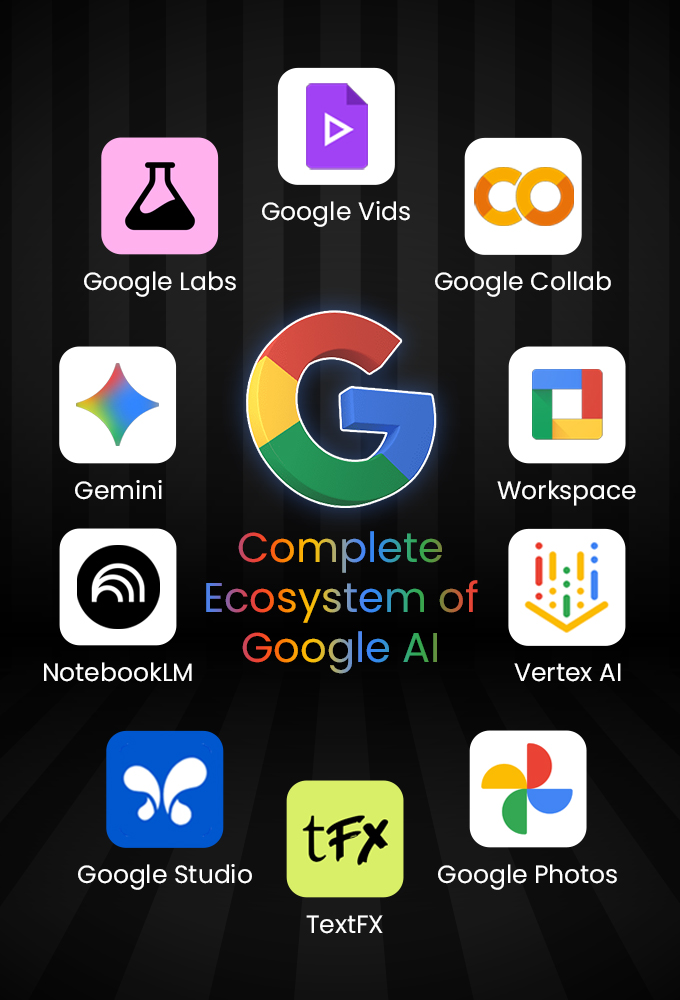
1. Gemini
Your central AI assistant for:
- Conversations
- Coding
- Content generation
- Multimodal tasks
2. NotebookLM
A powerful research assistant that:
- Works on your documents
- Provides citations
- Generates summaries and insights
3. Google Workspace AI (Gmail, Docs, Sheets, Slides)
- Draft emails automatically
- Create structured documents
- Analyze spreadsheets
- Generate presentations
4. Google AI Studio
- Build and test AI prompts
- Prototype applications using APIs
5. Vertex AI
- Enterprise-level machine learning platform
- Train and deploy models at scale
6. Google Colab
- Cloud-based Python environment
- Free access to GPUs/TPUs
7. Experimental Tools (Google Labs)
- Creative writing (TextFX)
- Prompt training tools
- Mini-app builders
Why Most People Fail with AI (And How to Fix It)?
The biggest mistake people make is:
Using AI as a tool instead of a system.
Surface-Level Usage
- Asking random prompts
- Generating one-off outputs
- No workflow integration
Advanced Usage (What Actually Works)
- Connecting tools together
- Automating repetitive tasks
- Building repeatable workflows
That’s where the real productivity gains happen.
Real-World Use Cases of Google Gemini AI
1. AI-Powered Productivity
- Draft emails in seconds
- Summarize long threads
- Create reports automatically
2. Data Analysis & Reporting
- Convert raw data into insights
- Build dashboards instantly
- Automate recurring reports
3. Customer Support Automation
- Auto-generate replies
- Create knowledge bases
- Streamline support workflows
4. Research & Knowledge Management
- Upload documents
- Extract insights
- Build structured knowledge
5. Content Creation & Marketing
- Blog writing
- Script generation
- Presentation design
Introducing: A Complete Google AI Mastery Program

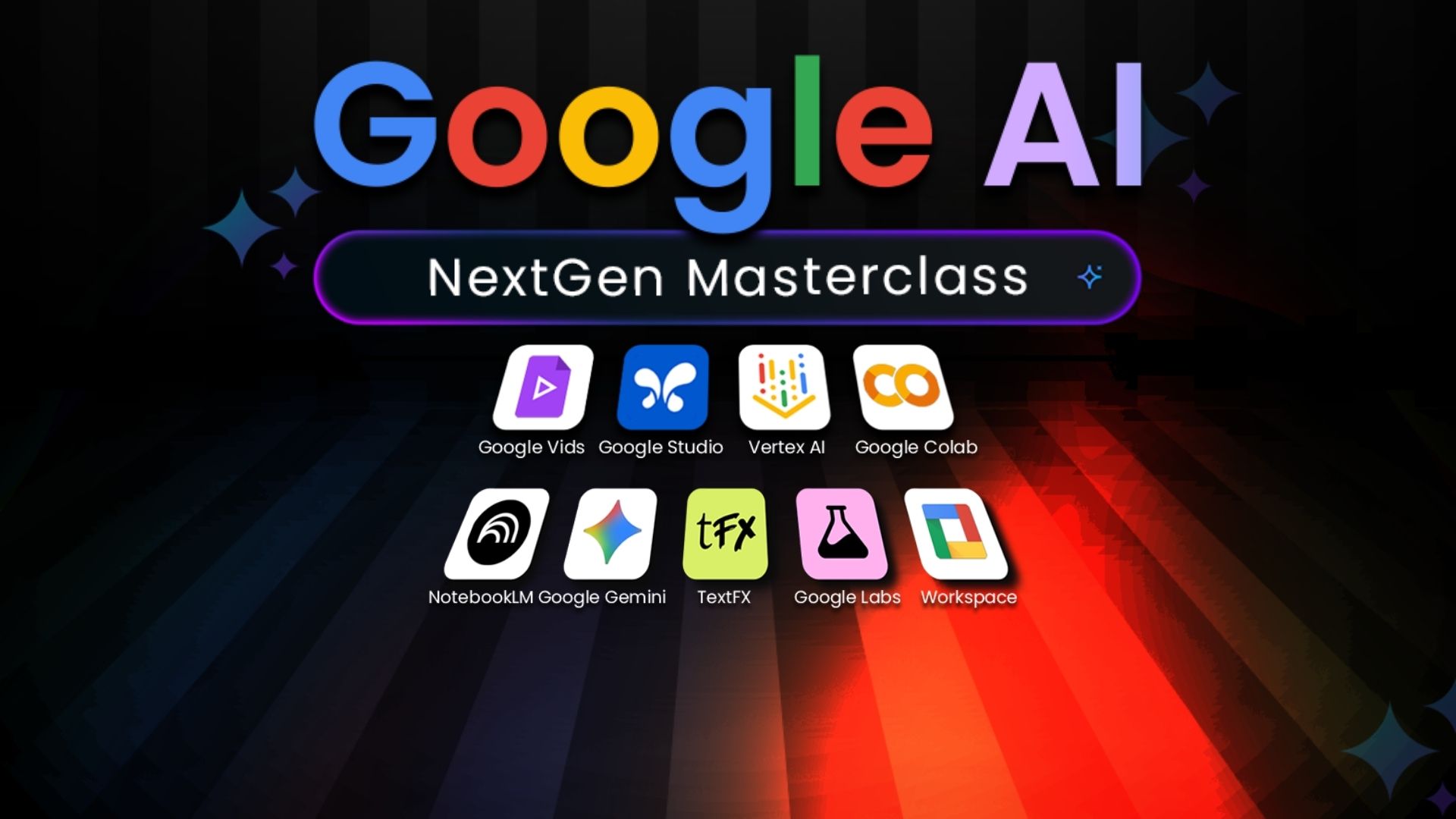
To bridge the gap between basic usage and real mastery, we’ve launched a structured program, “All-in-One Google AI: Tools, Workflows & Productivity,” designed around real-world workflows.
Instead of teaching tools in isolation, this program focuses on how everything works together.
What Does This Program Cover?
Module 1: Consumer AI & Everyday Tools
- Master Gemini for daily tasks
- Use NotebookLM for research
- Explore creative tools like TextFX
- Discover Google Labs experiments
Module 2: Google Workspace for Productivity
- Automate emails, docs, and spreadsheets
- Create presentations with AI
- Build workflows inside Workspace
- Learn Google AI Studio & Vertex AI basics
Module 3: Real-World AI Workflows
- Build dashboards and reports
- Create customer support systems
- Conduct advanced research
- Design AI-powered learning systems
What You Will Learn?
By the end of this program, you’ll know:
- How to use Google Gemini AI for real-world tasks
- How to automate workflows across tools
- How to generate insights from data
- How to build AI-powered systems for work
- How to prototype and experiment with AI
Why This Matters Now?
The AI space is evolving fast—but one trend is clear:
The future belongs to those who understand ecosystems, not just tools.
Google has a unique advantage:
- Billions of users
- Deep product integration
- Rapid AI innovation
Learning how to leverage this ecosystem gives you:
- Faster execution
- Better decision-making
- Higher output with less effort
Who Should Learn Google Gemini AI?
This is ideal for:
- Professionals looking to boost productivity
- Marketers and analysts
- Developers and builders
- Content creators
- Anyone serious about AI
Why We Launched This on Kickstarter?
Building a high-quality, practical AI program requires:
- Continuous research
- Real-world testing
- Regular updates
Through Kickstarter, we aim to build this with a community-first approach.
Your support helps us:
- Keep content updated with the latest AI tools
- Build structured learning paths
- Create hands-on workflows
- Deliver practical, real-world value
Check the campaign here: “All-in-One Google AI: Tools, Workflows & Productivity,
Final Thoughts
Google Gemini AI is not just another tool—it’s the foundation of a new way of working.
Those who learn how to use it as a system will:
- Work faster
- Think better
- Build smarter
The opportunity is massive—but only for those who go beyond surface-level usage.
About the Author