
Ever hit “export” on a “free” AI video tool only to find a billboard-size watermark? One reviewer called those clips “unusable.” We’ve felt that pain, so we tested 15 platforms to uncover the ones that ship publish-ready video at zero cost.
Our audit scored quality, daily credits, watermark policy, speed, and rights. Ten tools passed, with Leonardo AI’s new video generator topping the list. Next, you’ll see our scoring method, a comparison table, and quick reviews so you can choose the perfect free plan. Ready to save budget and still look brilliant on camera? Let’s jump in.
Our evaluation criteria and methodology.
Before ranking any platform, we set strict ground rules. We viewed each tool through the same marketing lens you use every day: will the free tier create professional-looking video fast, and can you publish it?
We weighted seven factors. Watermark severity and export quality mattered most, followed by monthly capacity, template variety, AI power, collaboration ease, speed, and stock-asset rights and privacy. Each factor earned up to ten points, then we applied its weight to reach a 100-point total.
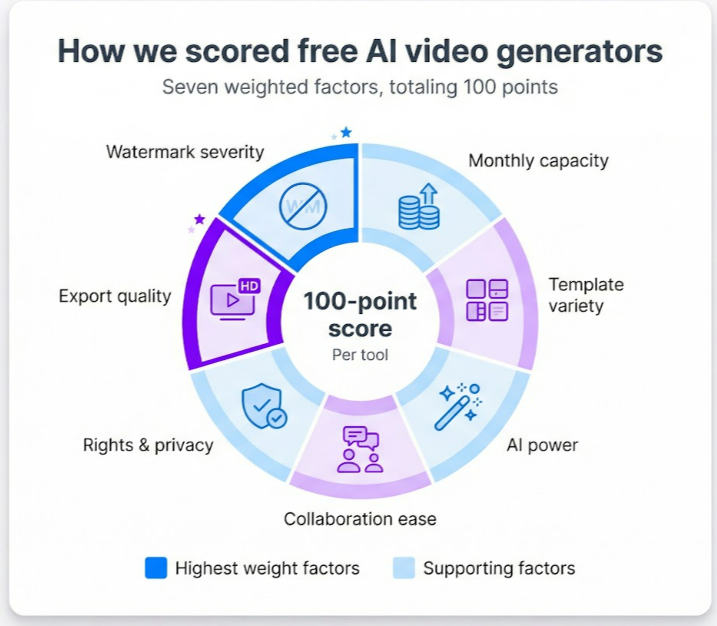
That math keeps the list honest. Flashy features never outrank a tool that ships crisp, watermark-free clips you can post today. In short, the numbers drive clarity, not hype.
Quick comparison of free plans.
Short on time? The grid below highlights what matters first: watermark rules, free-tier capacity, and our overall score out of 100.
| Tool | Best for | Free tier limits | Watermark | Score |
| Leonardo AI | Overall creativity | Daily tokens, short clips | None | 92 |
| Pika Labs | Unlimited artistic loops | 300 credits / day, ≤10 s | None | 90 |
| Runway Gen-2 | Cinematic text-to-video | One-off trial credits | Large | 85 |
| HeyGen | Realistic avatars | 3 × 1-min videos / month | Small | 83 |
| Vidnoz AI | All-in-one marketing | Daily credits, HD exports | Large | 80 |
| Synthesia (demo) | Enterprise testing | Single 1-min slide | Medium | 78 |
| InVideo AI | Social templates | Unlimited 720 p, AI 10 min / wk | Small | 78 |
| Lumen5 | Blog-to-video | Unlimited 720 p | Prominent | 75 |
| Veed.io | AI editing | 10 min exports / month | Medium | 74 |
| Kapwing | Team memes and edits | 7-min per video, 3 h / mo | Small | 72 |
Treat this grid as your cheat sheet. If you need deeper context, the next mini-reviews explain each score.
1. Leonardo AI: best overall free AI video generator.
Leonardo made its name with vivid image art, and its video generator now turns a prompt or static photo into a crisp looping clip, contributing to the more than 2.7 million videos the platform says creators have produced so far.
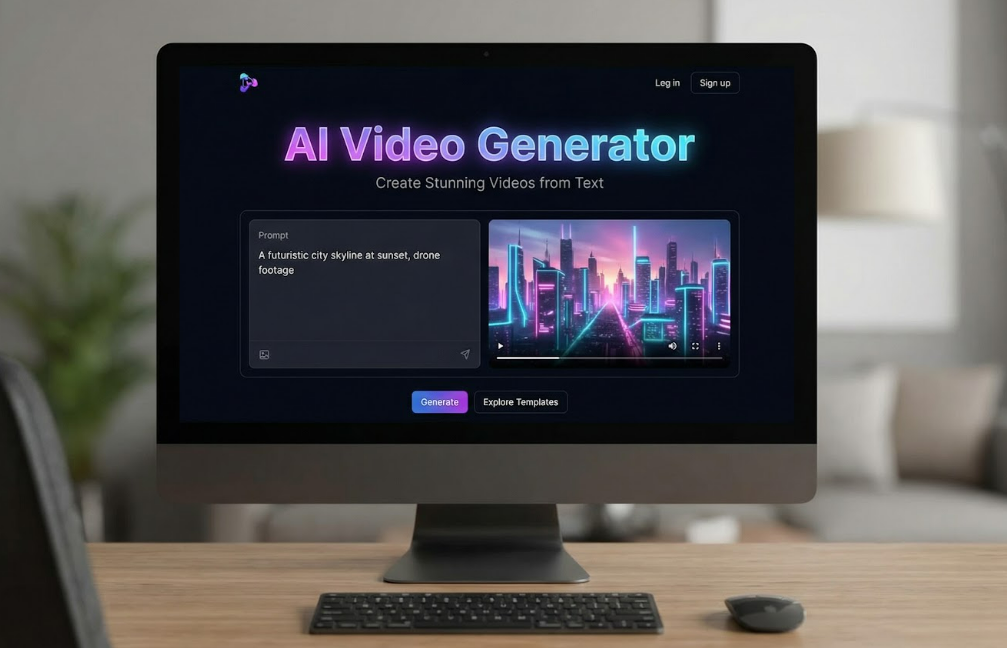
The free tier refreshes tokens every day and exports land watermark-free. You can post the file on social, in ads, or on a landing page without edits.
Creation feels like play. Drop a product image and watch it spin under studio lights, or type “neon cyber-city at sunset” and see a moody fly-through seconds later. The interface stays simple: prompt on the left, preview on the right, timeline controls below.
Clips run about five to eight seconds and every project is public by default, yet no other platform offers unlimited brand-clean exports at zero cost.
Use Leonardo to A/B test scroll-stopping visuals, animate logos, or stockpile looping backgrounds for Reels. Tip: spend your tokens each morning, save the winners, and you will bank a month of assets in a week.
2. Pika Labs: best for unlimited creative clips.
Think of Pika Labs as an idea machine. Type a scene such as “retro robot drummer on a neon stage”, and ten seconds later you have a looping 1080p animation ready for Instagram.

Generosity sets it apart. Every free account reloads with about 300 credits each day, enough for several short clips. Exports arrive in full HD with no watermark. That combo is gold if you post often and avoid visual clutter.
Pika’s edge is style. The engine leans cinematic, adding dynamic camera moves and bright lighting without extra prompts. Upload an image and it turns into motion, or chain multiple shots to outline a longer story.
The limit: clips top out around ten seconds, and there are no templates or stock libraries. You will rely on prompt craft and another editor if you need text or logos.
Use Pika to spark creativity quickly. Generate background loops, abstract B-roll, or mood boards for larger projects. We like batching: create twenty variations in the morning, pick the best ones, then refine elsewhere. Zero cost, full flair.
3. Runway Gen-2: best for cinematic quality.
Runway feels like Hollywood in a browser. Drop a prompt such as “drone shot over misty rainforest at dawn”, and the Gen-2 model stitches together frames that resemble a nature documentary.
The limit is quantity, not quality. The free tier offers a handful of trial credits, then pauses. Each export carries a bold Runway logo, so treat it as a taste test rather than a production pipeline.
That taste can still shape a project. Spend your credits to storyboard a campaign, impress stakeholders, or mock up opening shots before passing assets to a paid editor. Use it like a sampler: enjoy the visuals, weigh the options, and decide if the full menu fits your budget.
4. HeyGen: best for realistic talking avatars.
Need a presenter without booking a studio? HeyGen offers more than a hundred believable hosts who read your script in over forty languages.
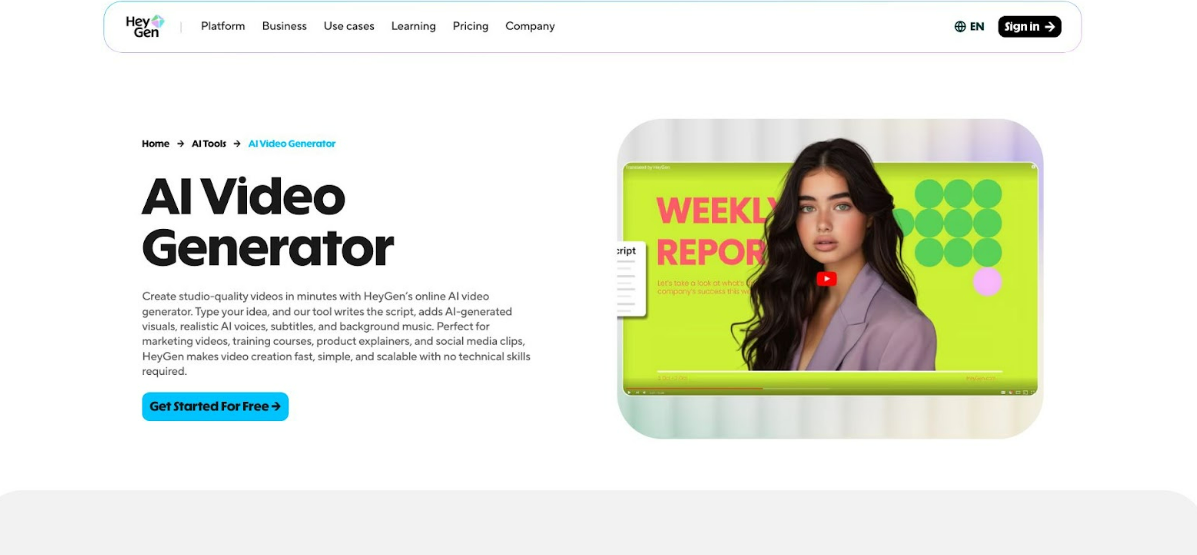
The free tier gives you three one-minute videos each month. That volume suits monthly updates, quick promos, or testing which avatar fits your brand. The watermark is small and resolution stays HD, so clips still look polished.
Lip-sync is the star. Mouth movements track syllables so closely you forget you are watching AI. Add a slide deck as the background, tweak emphasis with simple script tags, and you have a global-ready explainer in minutes.
Stretch the allowance by splitting longer content into three chapters, then stitching them in any free editor. You will produce full-length training while spending nothing.
5. Vidnoz AI: best all-in-one marketing suite.
Vidnoz feels like a Swiss-army knife for scrappy teams. Fire it up and you can create an avatar video, clone a voiceover, translate the script, and add screen-recorded B-roll without leaving the dashboard.
The free plan opens nearly every feature, but it stamps a large Vidnoz logo on exports. Treat that logo as the price of endless experimenting. Daily credits refresh, so you can test fresh angles each morning, ideal for rapid A/B work.
Quality stands up. Avatars sit a notch below HeyGen’s realism but still pass the scroll test. The voice clone sounds natural, and the auto-translator can spin a promo into Spanish, French, or Japanese within minutes.
Workflows excel when you combine tools. Record a quick demo, dub it in three languages, then add an avatar intro, all inside Vidnoz. If a clip performs, upgrade for a clean export; if not, you invested only time, not budget.
Bottom line: Vidnoz works as your sandbox. Use the free tier to prototype full campaigns, gather feedback, and prove ROI before you ever pull out a card.
6. Synthesia demo: enterprise benchmark.
Synthesia is the avatar platform executives already know. Fortune 500 teams use its hosts for onboarding, compliance, and product launches, so quality sits near the top of the field.
The free offer is brief: one one-minute demo. Choose an avatar, paste a script, and receive an HD clip marked with the Synthesia logo. After that, the paywall arrives.
Treat the demo like a showroom sample. Share it with stakeholders to show that AI presenters look and sound credible. Check pronunciation, voice tone, and brand fit before spending money.
Paid plans add value, from dozens of avatars and brand-kit controls to interactive quizzes for e-learning. For zero-cost output, Synthesia is a preview, not a production line. Keep it handy when you need high polish and have budget to match.
7. InVideo AI: best for social templates at speed.
InVideo earned its name with thousands of drag and drop templates, and its AI now builds a full video from a single script. Paste your text, pick a style, and watch the platform stitch stock clips, transitions, and music in under a minute.
The free plan is generous. Export unlimited 720p videos, each with a modest InVideo logo, and use up to ten minutes of AI generation time per week. For quick tests and low-stake social posts, that is plenty.
Editing feels like Canva for video. Swap clips, adjust text, or apply your brand colors on the timeline. Because the template library covers every common aspect ratio, you can resize a finished video for Stories, Shorts, or LinkedIn with two clicks.
Reach for InVideo when speed matters more than granular control. It spins out on-trend promos, listicles, and quote reels faster than any tool on this list, then lets you polish details without opening a heavy desktop editor.
8. Lumen5: best for turning blogs into videos.
Lumen5 turns long-form text into motion graphics within minutes. Paste a blog URL and the platform pulls headlines, hero sentences, and keywords, pairing each with stock visuals and upbeat music.
The workflow is quick for content marketers. Your article becomes a storyboard, scene by scene, ready for fine tuning. Swap a clip, adjust text placement, or pick a new theme, no editing experience required.
The free tier offers unlimited 720p exports, each with a clear Lumen5 watermark. That logo rules out marquee campaigns but works for internal demos, quick LinkedIn teasers, or headline tests.
Choose Lumen5 when you need speed more than flashy effects. It can distill thought leadership pieces, listicles, or white paper summaries into scroll friendly video. Repurpose yesterday’s post today and keep your social feeds active without extra writing or filming.
9. Veed.io: best free AI editor.
Veed is an editor first, generator second. It layers AI onto tasks most creators avoid.
Upload raw footage and the tool adds subtitles, trims silences, cleans noisy audio, and even suggests jump cuts in one click. Ten minutes later, a shaky webinar looks like a tight highlight reel.
The free tier lets you export up to ten minutes of video each month. A medium Veed logo sits in the corner, so aim these drafts at internal reviews or training, not paid campaigns.
Workflow is the star. Everything runs in the browser. You and a teammate can tweak captions together, switch aspect ratios for TikTok, or drag on a progress bar without desktop software.
Use Veed with other free tools. Create a short clip in Pika, then drop it into Veed to caption, resize, and polish. You will send platform-ready content with two free apps and little effort.
10. Kapwing: best for team-based meme magic.
Kapwing sits at the crossroads of collaboration and speed. Open a project link and your whole team can trim, caption, and comment in real time, Google-Doc style.
The free plan limits each export to seven minutes and adds a small Kapwing logo in the corner. For agile social teams, that is a fair trade. You can create daily memes, reels, or GIFs without installations or learning curves.
AI helpers stay in the background. Autogenerate subtitles, translate them on the spot, or let the “Magic” tool draft a short clip from a single prompt when inspiration fades. It is not cinematic, but it thrives on reactive content that follows the news cycle.
Kapwing’s standout feature is format flexibility. Resize a square post to vertical in two clicks, burn captions for LinkedIn autoplay, then export a GIF for Slack—all from one timeline.
Use Kapwing as the glue in your free-tool stack. Record a talking head in HeyGen, polish it here, and post to TikTok before the trend cools. Quick, collaborative, and adaptable.
Other noteworthy free options.
A few more platforms deserve a mention. They did not crack our top ten, yet each fills a niche when you mix and match free workflows.
- Descript. Edit video by editing text, clone your own voice, and export audiograms. The free tier covers three hours of footage, ideal for podcasters trimming long interviews.
- Filmora. Desktop editor with AI effects such as one-click sky replacement. Exports carry a large watermark, but the tool works well offline.
- D-ID Creative Studio. Turn a single photo into a speaking presenter. Five free credits help history teachers or marketers animate still images.
- Elai.io. Similar to HeyGen, with one free video credit and the ability to convert a URL into a narrated slide deck.
- Open-source projects. Tech-savvy creators can experiment with ModelScope or Deforum and render short clips locally, no watermarks, steep learning curve.
Keep these options in mind. One may fit a future campaign when the main contenders are not quite right.
How to choose the right free AI video generator.
Start with the outcome. Decide whether you need an avatar explainer, cinematic B-roll, or a quick captioned clip. Match that goal to the tool’s strengths. Talking-head projects fit HeyGen or the Synthesia demo. Visual mood boards favour Leonardo or Pika. Heavy editing points to Veed or Kapwing.
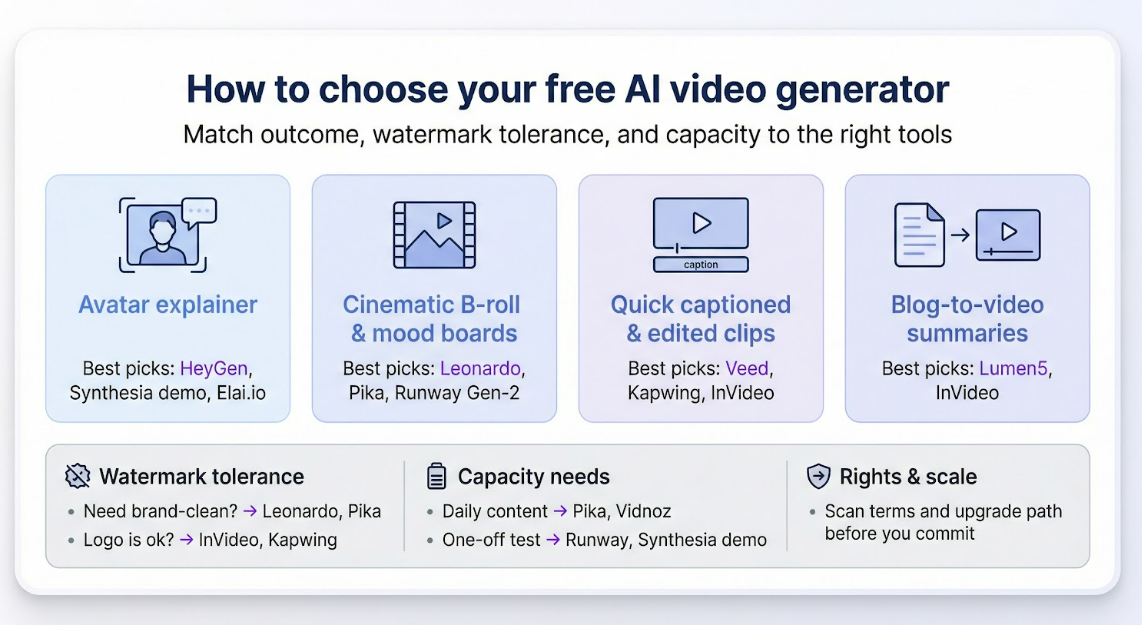
Next, judge your watermark tolerance. If the clip must publish brand-clean, choose Leonardo or Pika. For prototypes or memes, a small logo from InVideo or Kapwing is a fair trade for unlimited exports.
Capacity matters. Daily content teams need renewable credits such as Pika’s 300 each day or Vidnoz’s rolling allowance. One-off projects can run on a single Runway or Synthesia demo.
Check commercial rights before you hit publish. Most platforms license free exports for marketing use, but some restrict stock footage or require public galleries. A one-minute scan of the terms prevents future headaches.
Think about future scale. If the free tier excels, can you stomach the upgrade price? Testing inside an ecosystem you can afford long term is smarter than switching mid-campaign.
Conclusion
Answer those questions and the “best” tool shifts from guesswork to obvious choice.
FAQs
What is the best truly free AI video generator with no watermark?
Leonardo AI and Pika Labs both export HD clips without a logo and refresh free credits each day, so you can publish brand-clean footage every morning.
Can I use free AI-generated videos for commercial projects?
Yes, in most cases. The platforms on this list allow marketing use on the free tier. Still, keep sensitive client material off tools that publish creations publicly, and read each site’s terms before launching a paid campaign.
How long can my videos be on a free plan?
Limits vary. Pika and Leonardo cap clips at about ten seconds. HeyGen provides three one-minute avatar videos each month, while Veed allows ten total export minutes monthly. Plan your storyboard around those ceilings or split longer scripts into shorter clips.
Which tool is fastest for turning a blog post into video?
Lumen5 is the quickest. Paste a URL and it storyboards your article in seconds. InVideo AI is a close second and adds thousands of social templates if you want extra flair.
What if I outgrow a free tier but dislike long contracts?
Choose month-to-month upgrades. InVideo, Veed, and HeyGen offer flexible plans, letting you pay during a heavy production sprint and drop back to free when work slows. That keeps costs low while preserving room to experiment.
About the Author



Useful comparison for marketers specifically. One angle worth considering: for teams without a dedicated video editor, the bottleneck has shifted from generation quality to prompt iteration speed. Tools that let you quickly tweak a single shot without regenerating the entire sequence save significantly more time in practice than headline quality metrics suggest.