
Recruiters start coding rounds on Monday and want decisions before the weekend. To keep up, you must prepare smarter—not just harder. Today’s AI tools run mock interviews, critique answers live, and even suggest talking points in Zoom. They’re fast, data-driven, and brutally honest.
Still, none of that matters if an ATS buries your résumé. Over 98 percent of Fortune 500 companies screen with applicant-tracking systems, so this guide reviews an AI résumé helper and the best interview simulators: one opens the door, the other helps you win the offer. Next, you’ll see our scoring framework and two standouts.
How we scored each tool
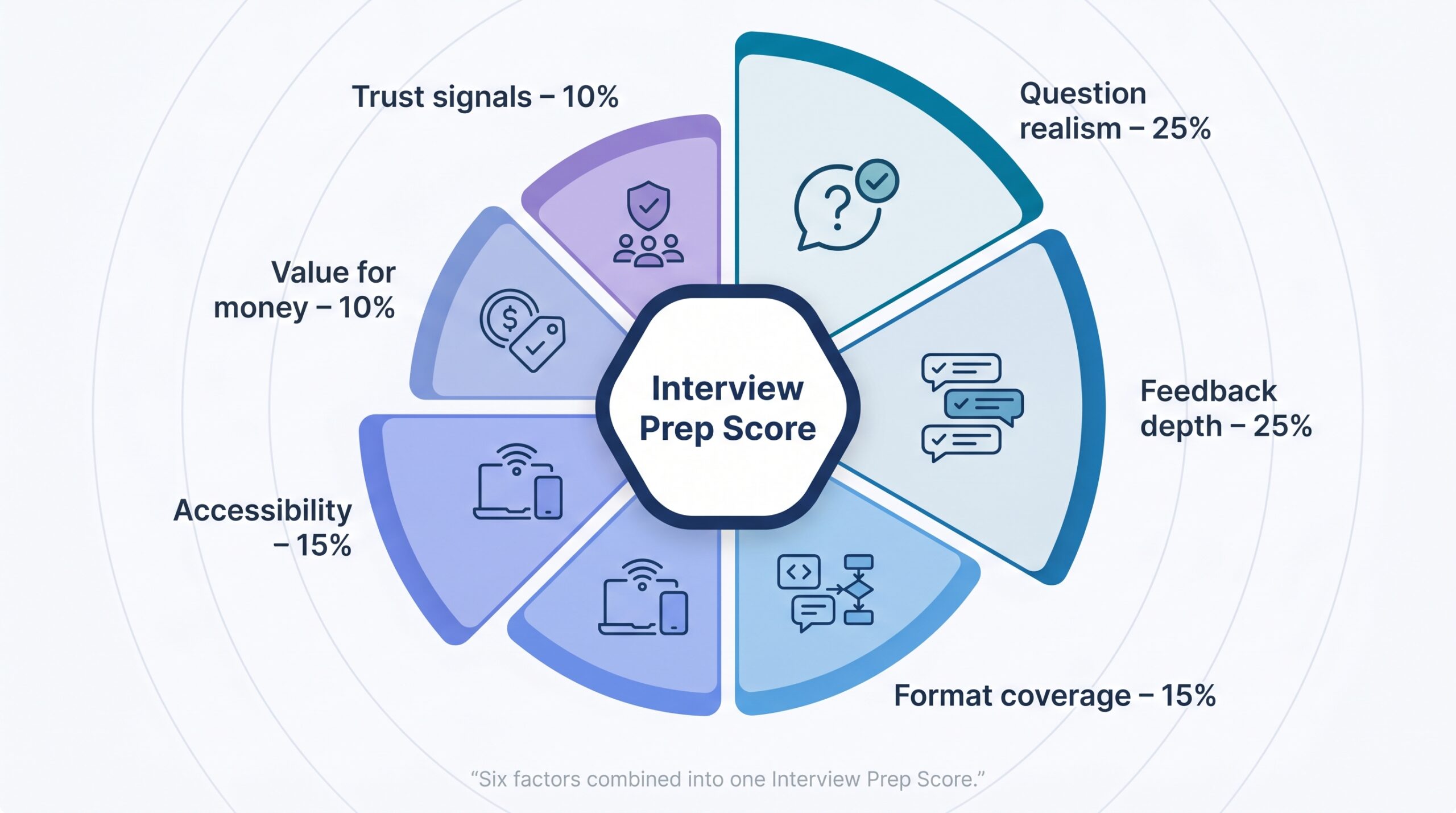
We needed a fair playing field, so the rubric below shows exactly how each product rose or fell in our ranking.
We started with one question: What helps a technical candidate land an offer in 2026? Six measurable factors answered it.
First is question realism. An interview bot that spits out generic “Tell me your strengths” lines offers no value. We gave top marks when a platform tailored prompts to your résumé, the target role, or a live job description.
Equally critical is feedback depth. A red X beside your answer does not help. Detailed, framework-based notes (think STAR or system-design rubrics) do. Both factors carry 25 percent of the score because insight and realism drive improvement.
Next, we measured format coverage. Coding, system design, and behavioral rounds stretch different muscles. Tools that covered all three scored higher than one-trick options. This factor counts for 15 percent.
Accessibility matters. If you cannot practice in the café on your phone or fire up a browser plug-in five minutes before a call, the tool falls short. Platform reach and usability add another 15 percent.
We then weighed value for money at 10 percent. A high subscription price must buy features competitors lack.
Finally, we looked at trust signals such as active users, university partnerships, and independent ratings. That last 10 percent often settles a tie.
AI interview tools at a glance
You now know the scoring rules. The table below gathers key details for all 13 products we tested so you can compare them quickly.
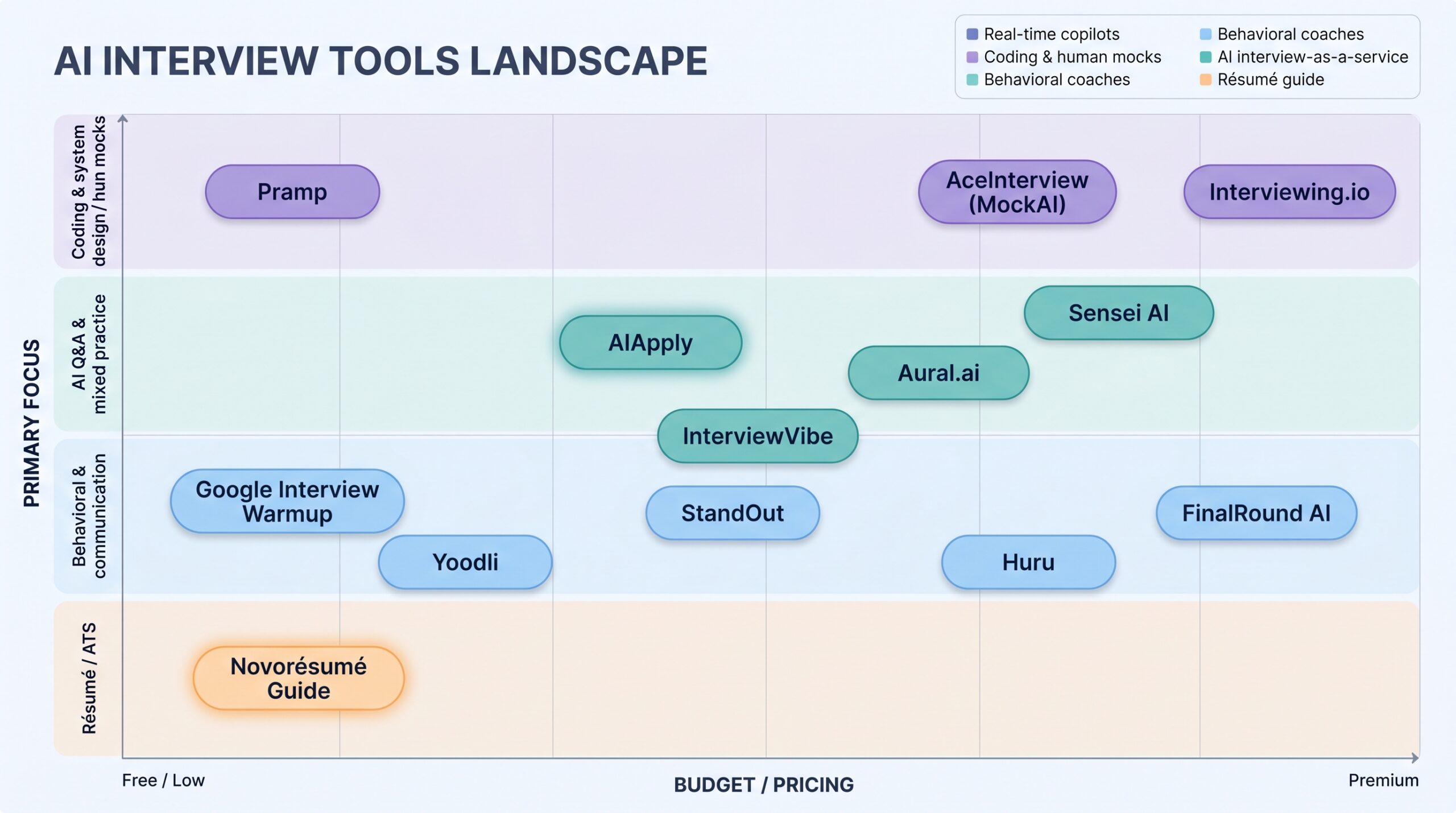
Watch the far-right column. Prices vary sharply, which is why the value for money factor often changed our rankings.
| Tool | Platform | Key Formats Covered | Stand-out Feature | Free Tier | Personal Pricing* |
| AIApply | Web, Chrome, Mobile | Behavioral; coding assist | Live answer overlay for Zoom / Meet | Yes | $29 / mo |
| Sensei AI | Desktop | Behavioral; live coding assist | Sub-1 s copilot suggestions | 15 min sessions | $89 / mo |
| AceInterview (MockAI) | Web IDE | Coding algorithms | Custom FAANG interviewer persona | 3-day trial | $40 / mo |
| FinalRound AI | macOS, Windows | Behavioral video | Eye-contact and speech analytics | Limited | $149 / mo |
| Huru | iOS, Android | Behavioral video | Multilingual avatar interviewer | Yes | $99 / yr |
| StandOut | Web video | Behavioral | University-grade question bank | Via campus | Varies |
| Yoodli | Webcam | Behavioral speech | Filler-word and pacing coach | Yes | Free / premium |
| Aural.ai | Web | Behavioral + tech Q&A | Shareable autonomous interviewer link | Yes | Tiered |
| InterviewVibe | Web | Behavioral + tech Q&A | Natural follow-up probing | Trial | $19 / mo |
| Google Interview Warmup | Web | Basic Q&A | Five preset questions per field | Yes | Free |
| Interviewing.io** | Web audio | Human coding and design | Anonymous real engineers | Limited slots | $225 per mock |
| Pramp** | Web video | Peer coding and behavioral | Live candidate pairing | Yes | Free |
| Novorésumé Guide | Web article | Résumé creation | AI-enhanced writing walkthrough | Yes | Free |
*Monthly prices are billed monthly unless noted.
**Non-AI baselines included for context.
Use this grid to match your budget, device, and interview format, then move on to the detailed reviews that follow.
Tier 1 pick #1: AIApply, your 24/7 mock interviewer and live copilot
Open Chrome five minutes before a Zoom panel and a discreet sidebar appears with bullet-point talking paths matched to the question you just heard. That single moment sums up AIApply, often called the best AI job automation tool, whose Interview Answer Buddy overlay simultaneously captures a real-time transcript and injects tailored achievements from your résumé so every answer lands with data-backed clarity.
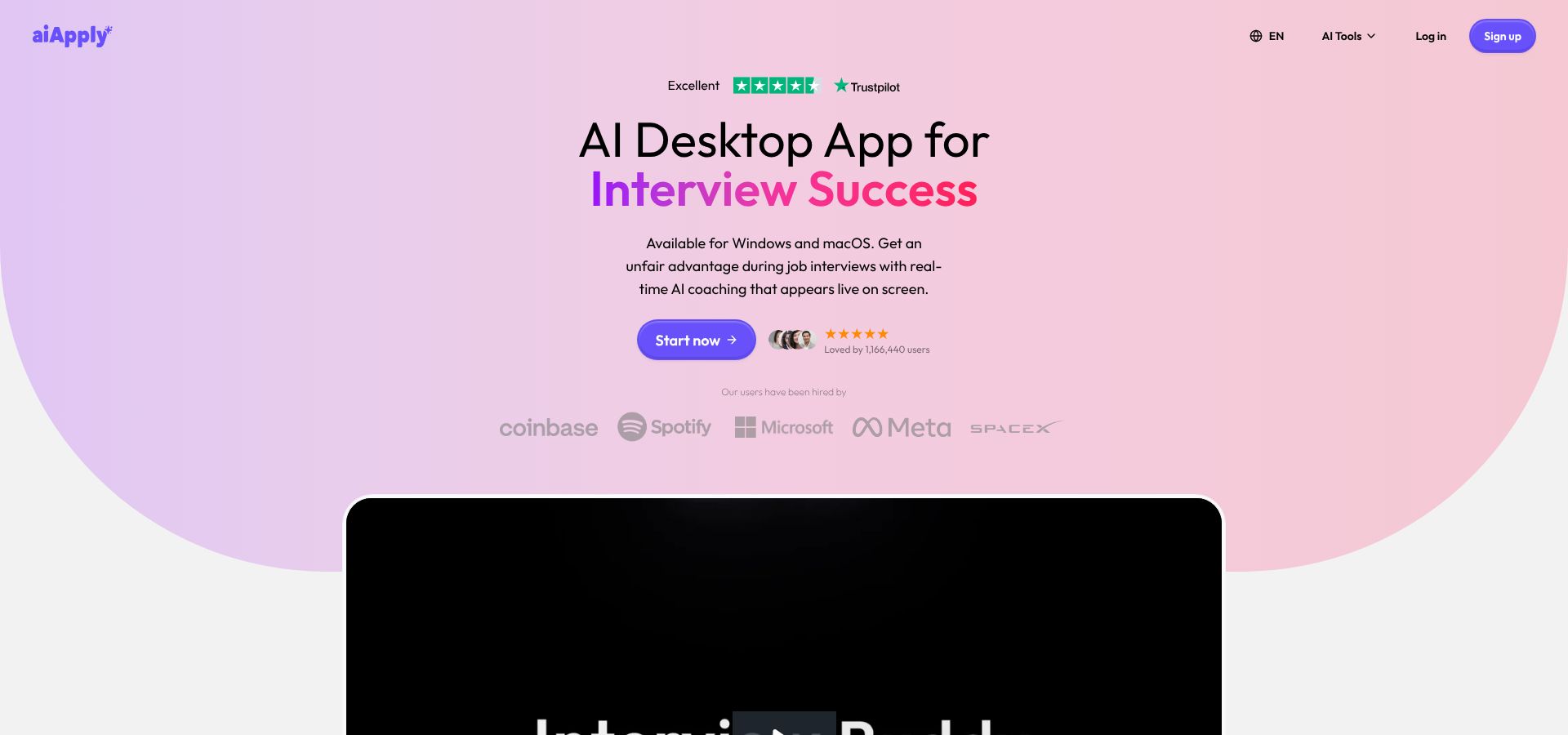
The platform scores highest because it covers the entire interview cycle. You rehearse with prompts drawn from your résumé or the job post. When the real call starts, the engine listens and shows fresh, context-aware cues on your screen; the overlay stays hidden from the interviewer.
Practice feels just as sharp. AIApply drills you on behavioral stories, system-design trade-offs, and edge-case algorithms. Feedback lands instantly as line-by-line notes: Did you follow STAR? Was time complexity clear? How was pacing? Testers saw steady gains after each round.
Accessibility pushes the tool ahead. Start on your laptop, continue on the mobile app, or rely on the Chrome extension during an actual call. The free tier covers light practice, while a $29 monthly plan unlocks unlimited questions and live copilot support. Rival Sensei AI charges roughly three times more for a similar overlay.
Trust also matters. More than one million users have tried AIApply, and recruiters on LinkedIn now cite “candidates who drilled with AIApply” as a positive sign. With a résumé scanner and LinkedIn optimizer built in, the suite replaces multiple single-feature apps.
If you want one subscription that sharpens answers before the call and steadies you during it, AIApply is the logical first step.
Tier 1 pick #2: Novorésumé’s AI résumé guide. Open more doors before you even knock
An applicant-tracking system screens thousands of résumés in seconds. If yours stalls there, no mock-interview tool can help. Novorésumé’s free AI résumé guide shows how to pass that filter and impress human reviewers once your document lands on a desk.
Open the guide and follow a step-by-step walk-through for every résumé section. Examples focus on what tech hiring managers want in 2026: impact numbers, current stack keywords, and proof that you ship real products. Side-by-side “before” and “after” bullets reveal how precise phrasing converts weak lines into metric-driven achievements.
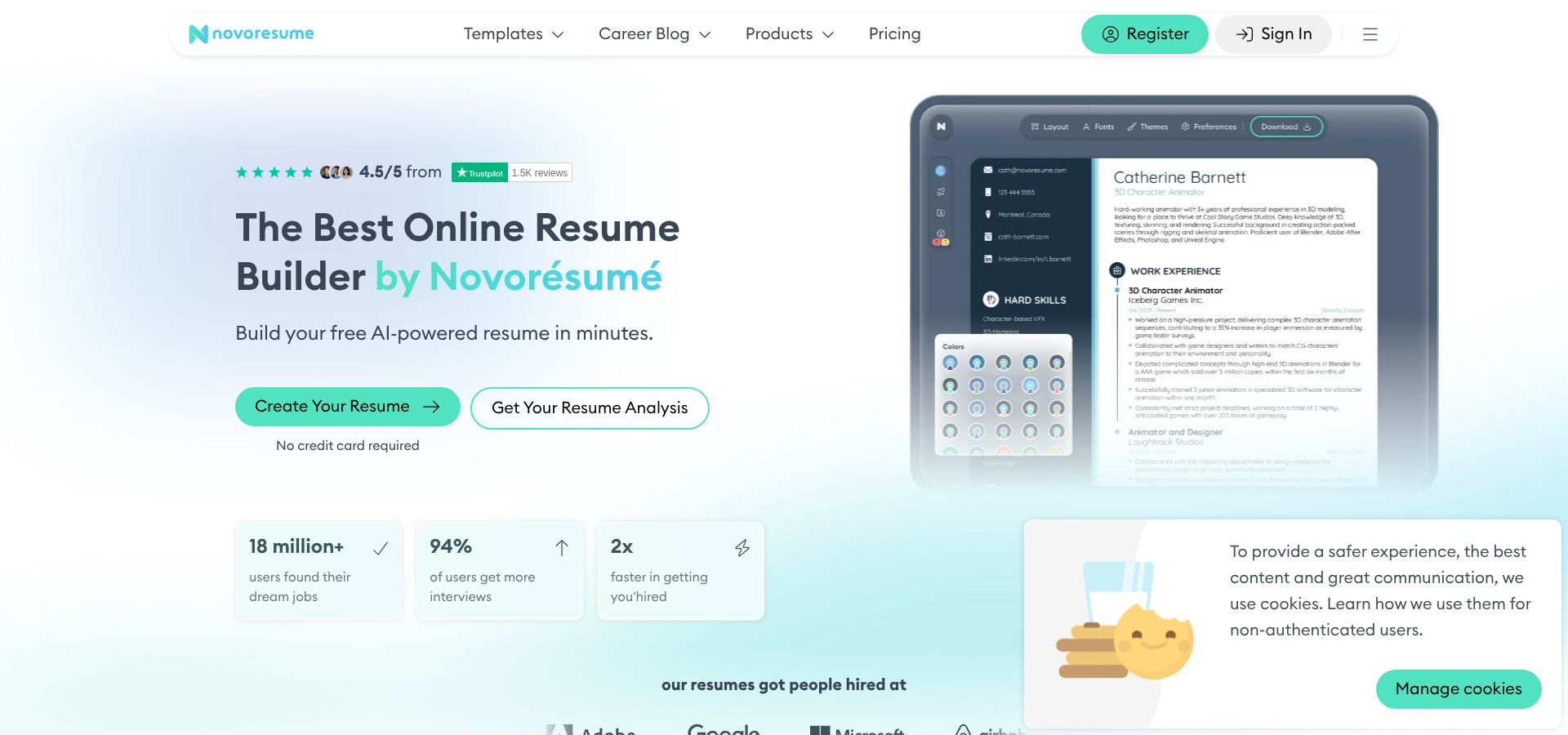
The guide’s AI integration tips break down keyword placement, heading structure, and formatting hazards that confuse parsers. Pair the advice with Novorésumé’s free builder, and the built-in assistant suggests action verbs or trims wordy bullets in seconds.
New grads and career changers get a full section on projects and certifications. You learn where to highlight a weekend app or an online course badge so it adds value instead of clutter.
With zero paywall, multiple tech-focused templates, and real examples from successful résumés, Novorésumé delivers the easiest early win in your prep stack. Follow its blueprint today to increase your chance of landing the interview tomorrow.
Segment A: real-time copilot assistants
Sometimes you prepare thoroughly yet feel stuck when the interview heat rises. A real-time copilot steps in at that instant, placing suggested talking points on your screen the moment the interviewer stops.
Two products lead this niche.
Sensei AI positions itself as the premium choice. Open the desktop app, join a Zoom call, and Sensei listens, then surfaces bullet-point answers or code snippets in under a second. Speed is its headline, and so is cost: the Pro tier is $89 per month, about three times most prep suites.
AIApply Interview Buddy takes a budget-friendlier path. The same Chrome extension used for practice shifts into copilot mode on interview day, overlaying subtle prompts visible only to you. No extra install, no device lock-in, and it rides on the existing $29 plan for unlimited practice.
Sensei edges ahead on language support and voice-only meetings; AIApply leads on overall value. Either way, rely on these overlays as safety nets, not scripts. If you lean on them too much, follow-up questions may reveal that you do not fully own the answer.
If nerves spike under pressure and budget is flexible, Sensei’s speed helps. If you prefer one subscription for practice and performance, AIApply’s built-in overlay is enough.
Segment B: coding-centric practice platforms
If your interview pipeline feels like a LeetCode marathon, a generic Q&A coach will not help. You need an environment that mirrors the whiteboard or shared IDE you will face on interview day.
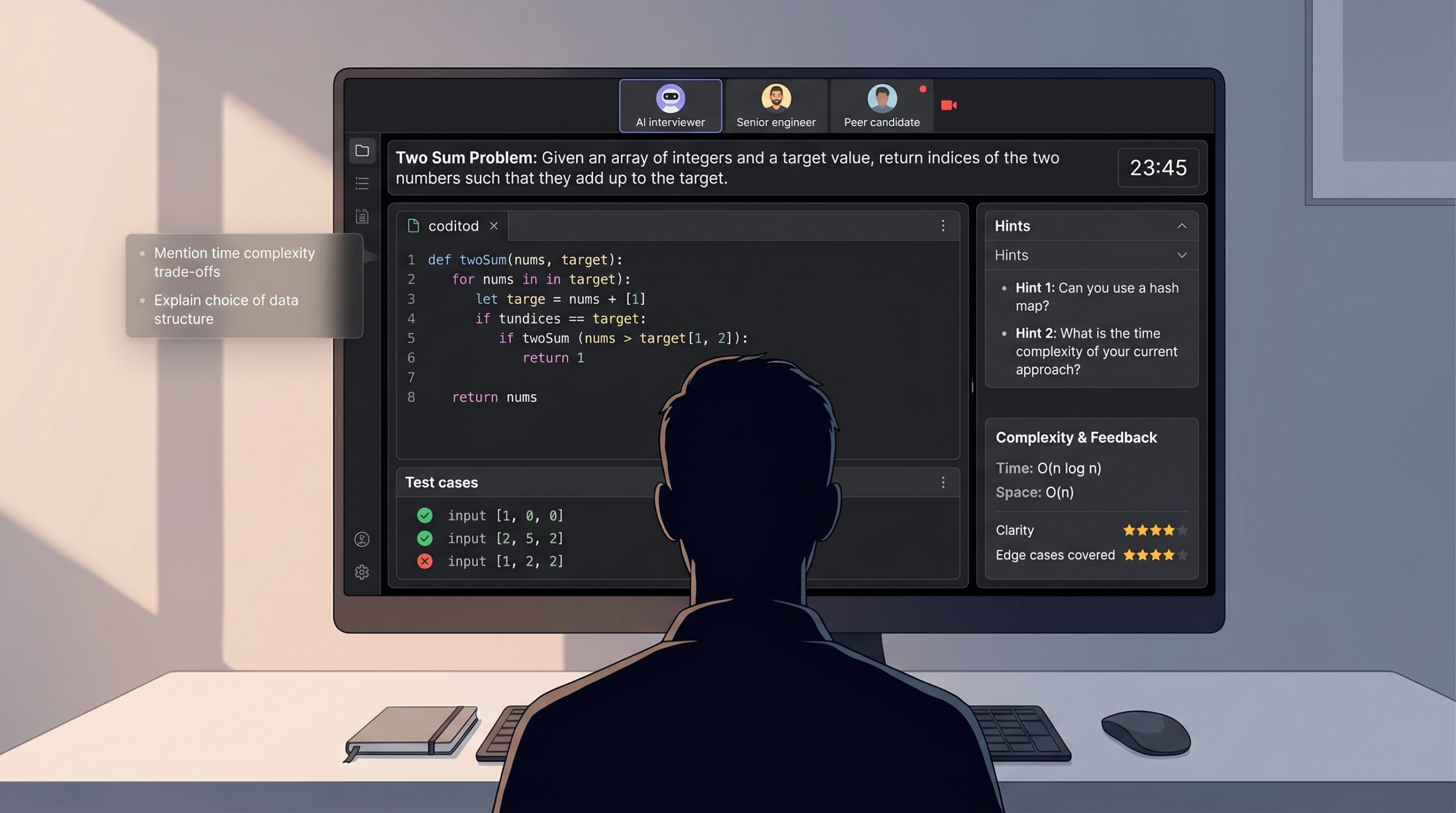
AceInterview (MockAI) is our first stop. Open a session and an AI interviewer, modeled after the company you select, fires off algorithm problems while tracking your reasoning in real time. The built-in editor supports multiple languages, auto-runs test cases, and offers Socratic hints when you stall. After you submit, MockAI grades time and space complexity, then suggests alternative approaches you might have missed. All of that lands in a tidy post-mortem you can review before the next attempt. At $40 per month, MockAI is a cost-effective way to stress-test both code and explanation skills repeatedly.
Prefer a human touch? Interviewing.io pairs you with senior engineers from FAANG-level companies for anonymous coding drills. The platform records audio, shared code, and interviewer feedback so you can dissect every stumble later. Each live mock costs about $225, so treat it as a dress rehearsal rather than daily practice.
On a tighter budget, Pramp keeps the peer-to-peer model alive. You match with another candidate, swap interviewer and interviewee roles, and tackle preset questions in a timed environment. It is free, which means quality varies, but the randomness is a useful proxy for real interview curveballs.
If you want AI feedback layered over human pressure, run your next Pramp or Interviewing.io session with AIApply’s Chrome overlay active. You will still write and defend your own code, yet subtle prompts can rescue you when blank pages threaten to derail the call.
Whichever route you choose, remember that green tests are not enough. Speak your thought process aloud and practice answering follow-up questions. Great code passes; clear reasoning wins offers.
Segment C: behavioral and communication coaches
Technical skill wins only when delivered with clear, confident speech. AI coaches tighten that delivery by giving you instant feedback a live mentor rarely provides on demand.
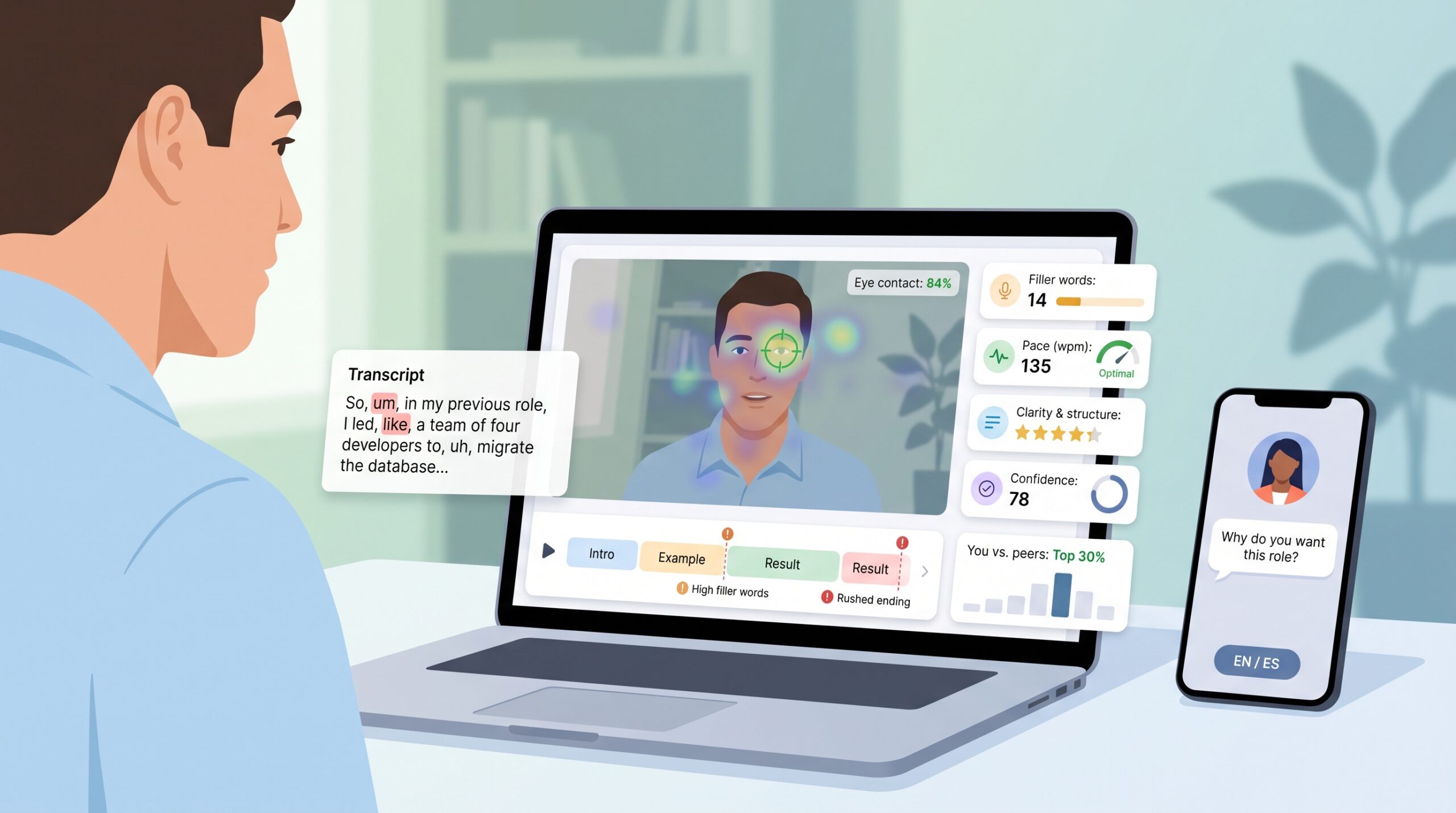
FinalRound AI leads in non-verbal polish. Open the macOS or Windows app and it tracks eye contact, filler words, and pace while you answer role-specific prompts. A heat map shows if you favor one corner of the screen, and frame-by-frame playback lets you correct posture before the next round. Many candidates run a quick lighting check session an hour before onsite calls.
If you rely on your phone, Huru offers a similar experience in your pocket. An avatar interviewer appears on screen, asks questions in 5 languages, and records your responses for instant critique. This multilingual angle helps international engineers targeting U.S. roles; rehearse in Spanish, then switch to English and compare confidence scores.
For pure speech analytics, Yoodli provides a lightweight web option. Enter interview mode and the tool counts filler words, flags run-on sentences, and suggests strategic pauses. You can even import a YouTube link of your last team presentation and get the same analysis, turning regular meetings into stealth practice sessions.
Finally, StandOut brings a key advantage: credibility. The platform powers career centers at leading universities, so its question bank runs deep across industries. After each recorded response, StandOut grades structure, tone, and energy, then benchmarks you against peer averages. Those percentile charts motivate like a Peloton leaderboard.
All four tools prove that delivery is learnable. A 10-minute video drill can cut “um” counts in half, raise eye-contact consistency, and boost perceived confidence more than memorizing another algorithm. Aim for one behavioral session per day during the week before final rounds to make your stories land with the clarity they deserve.
Segment D: AI interview-as-a-service platforms
Some companies already outsource early screening to AI. Practicing on a tool that matches that format helps you stay calm when the invitation email arrives.
Aural.ai is the most set-and-forget option we tested. Click Start, share a link, and an autonomous interviewer guides you through a timed session, adapting follow-up questions to your answers. When the clock ends, Aural produces a transcript, an answer heat map, and a hiring-manager-style summary you can share with a mentor. Because recruiters also use Aural for pre-screens, sessions feel like working in the opponent’s gym.
InterviewVibe follows a similar route but leans on conversational AI. Questions sound like a curious colleague instead of a rigid script, ideal for product-management or UX roles where discussion flow matters. After each response, you get a quick content score, and the system queues deeper probes if you miss metrics or impact. Treat it as a realism boost for behavioral depth, not a hardcore coding arena.
Google Interview Warmup sits at the other end: minimalist yet free. You answer five preset questions by voice or text and receive a keyword and clarity report. It will not mirror the pressure of a 40-minute technical grill, but it offers a fast way to see if your language drifts into jargon or filler before you move to heavier tools.
If your next recruiter email mentions an automated video round, spend an evening with Aural or InterviewVibe first. You will arrive already comfortable with the pacing quirks and on-screen timers these systems use.
FAQs: getting the most from your AI prep stack
Do AI mock interviews help, or should I rely on human practice?
Use both. AI tools give you unlimited reps and instant, structured feedback that builds muscle memory. Human mocks supply the unpredictability and emotional nuance a bot cannot match. Treat AI as daily sparring and humans as the final scrimmage before game day.
How many mock sessions are “enough” before a real interview?
Aim for 3 to 10 full runs. After each session, track weak metrics—maybe dynamic-programming problems or rushed behavioral stories—and target those gaps next time. When your last three mocks show steady scores and you feel confident with curveballs, you are ready.
Conclusion
With the right mix of AI tools, you can sharpen coding speed, tighten behavioral stories, and even keep calm during the real-time grilling. Use this guide to assemble a prep stack that fits your budget, interview format, and timeline—and turn every upcoming call into a confident performance.
About the Author