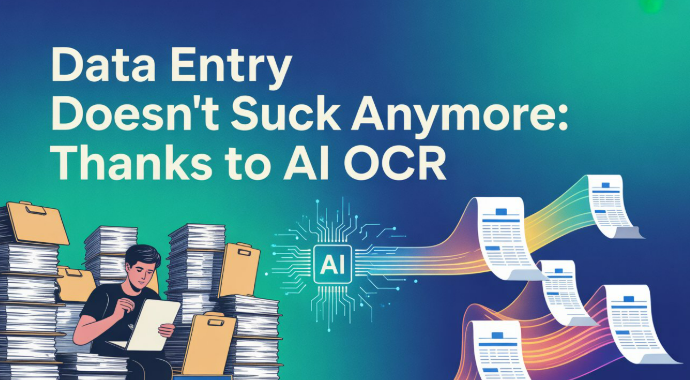
Data entry is among the most hectic jobs today. Especially when one has to type hundreds of dull-looking pages. Typing everything by hand took both time and effort. And the whole process is prone to human errors.
But thanks to technologies like AI-OCR, data entry is no longer a hectic job. Things that used to take hours of typing now get done in minutes. Using AI-powered OCR tools, now anyone can do the data entry jobs without getting tired.
Why Data Entry Sucks – 5 Key Reasons?
Data entry often feels frustrating because it drains time and energy without adding much value. Here are five clear reasons why it feels so difficult:
-
Takes too much time
You have to enter large amounts of data line by line. As a result, even simple tasks can take hours.
-
Gets repetitive quickly
You keep repeating the same action. Because of this, the work becomes boring and hard to stay focused on.
-
Errors happen easily
Manual typing increases the risk of errors, such as spelling mistakes and missed entries. Even a small error can cause bigger problems later.
-
Demands constant attention
You need to stay alert all the time. If you lose focus for a moment, you may enter the wrong data.
-
Adds little creative value
Data entry does not involve much thinking or creativity. So, it often feels like a low-impact task despite the effort it needs.
How AI OCR Supports Data Entry?
OCR means Optical Character Recognition. It is a technology that helps in turning images into digital text, either editable or non-editable. And when combined with artificial intelligence (AI), it delivers perfect results.
Regarding the technology, the role of AI-powered OCR is quite simple. Here’s how things go in practice:
- You took images of the pages/documents that require typing.
- Upload them to an OCR tool, also known as an image-to-text converter.
- Convert images into text.
- Download as digital text, either editable or non-editable.
That’s it. Data automatically gets typed in. And the good thing is that when using AI OCR, the major formatting part remains intact. All that remains will be minor formatting, like implementing indents, bold, underlining, or italicizing text.
Reliable AI OCR Tools You Should Try
There are multiple OCR tools available online that are backed by AI. You can use any of them based on your need. Here we are sharing three reliable choices with you that can be used for free and perfectly convert images into text.
1. Imagetotextconverter.net
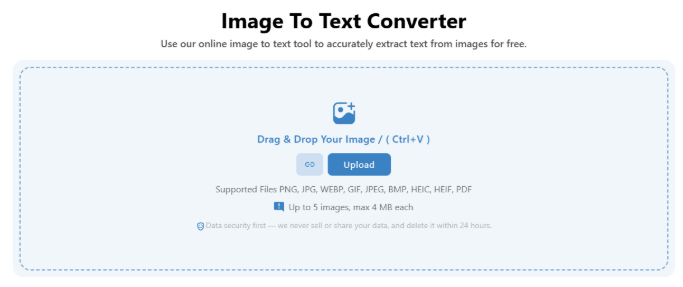
ImagetoTextConverter.net is one of the most reliable OCR tools available online that is integrated with AI. It is very simple to use. To convert an image into text, you just have to:
- Upload images for the tool
- Crop or flip if needed (optional)
- Click ‘Convert’
- Download your text
The good thing about this tool is that you get to convert multiple (up to 5) images in one go. You can also download the converted text in different file types, such as PDF, TXT, or DOC.
2. Imagetotext.me
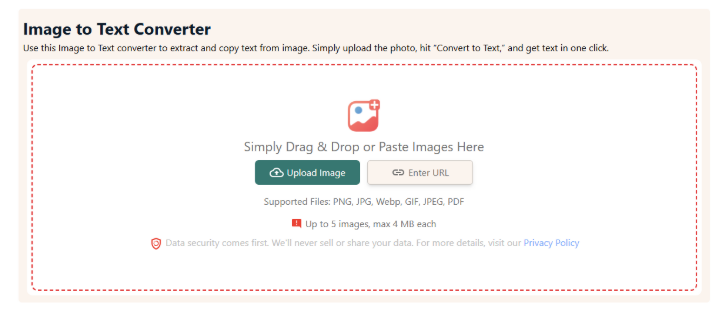
Imagetotext.me is another good image to text conversion tool. It is also free to use and allows you to convert 5 images into text, with a total upload limit of 4MB. Also, it supports extracting text from images available at a public URL on the internet.
The conversion process is similar to the previous one. You upload the image, convert it into text, and download the converted text as a digital file. Regarding this, here are the notable ones that caught our eye.
- Quick image into text conversion
- One click ouput copy
- PDF, TXT, and DOCs as download options
- Extract text from online images
- Processes handwritten texts efficiently
3. OCROnline.io
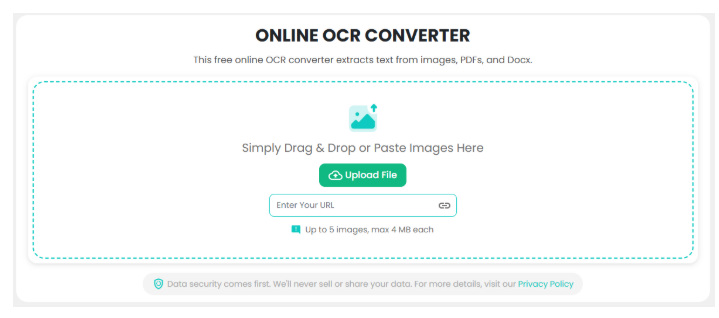
OCROnline.io is another simple and useful OCR tool for handling data entry tasks. We are not fully sure whether it uses AI. However, based on our testing, it behaves like an AI-powered tool and delivers quite accurate results.
The tool works fast and gives clean output in most cases. It also keeps much of the original formatting intact. Because of this, you spend less time fixing the text and more time using it. Along with others, it is also a solid choice for quick, easy image text extraction.
Benefits of Using OCR Tools in Data Entry
- Saves a lot of time by converting images into text in seconds
- Reduces manual typing, so you put in less effort
- Minimizes human errors like typos and missed words
- Keeps most of the original formatting intact
- Handles bulk data easily without slowing down
- Improves productivity and speeds up workflow
- Works with different file types like images and PDFs
- Makes data entry less tiring and more efficient
Wrapping Up
Data entry remains no more hectic thanks to the OCR tools powered by AI. They instantly convert static text on printed pages or inside images into editable text. So if you are in data entry and getting tired of it, try these OCR tools. Provide the images of the data you want to type to any of these tools we shared above, and get them converted into editable text instantly. You will thank us later.
About the Author