Why Kubernetes Security Is More Important Than Ever in 2026
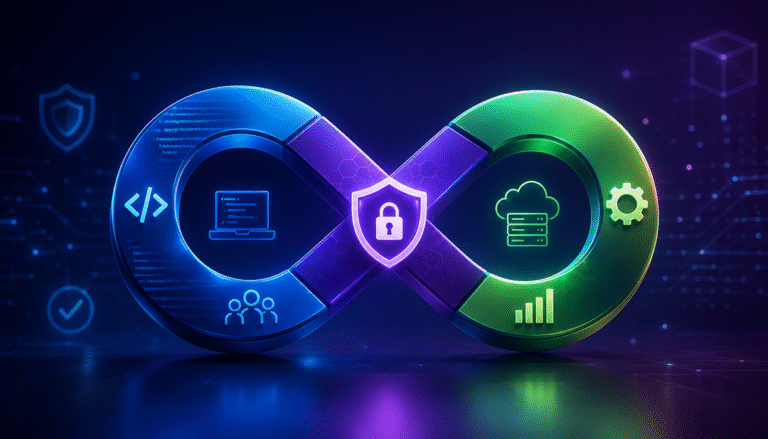
Kubernetes Security has evolved far beyond protecting the Kubernetes API server or restricting cluster access. Modern production clusters run business-critical workloads across multi-cloud, hybrid, and edge environments, making them attractive targets for ransomware groups, cryptominers, and supply chain attackers. Since Kubernetes is highly dynamic—with pods being created, destroyed, and rescheduled continuously—traditional perimeter-based security is no longer sufficient. Security must be embedded throughout the entire container lifecycle, from image creation to runtime monitoring and incident response.
This guide focuses on implementing Kubernetes security best practices from a production engineering perspective using practical configurations, commands, and architectural patterns.
Recommended YouTube videos to embed here:
- Kubernetes Security Explained for Beginners
- How Kubernetes Security Works
- Top Kubernetes Security Best Practices
Why Kubernetes Security Has Become a Top Priority
Production Kubernetes clusters expose a significantly larger attack surface than traditional virtual machines. Every component—including the API server, kubelet, container runtime, etcd, admission controllers, service accounts, and network policies—can become an attack vector if not properly secured.
Common attack paths include:
- Misconfigured RBAC permissions
- Publicly accessible Kubernetes API Server
- Privileged containers
- Untrusted container images
- Leaked Secrets
- Compromised CI/CD pipelines
- East-west lateral movement
A single compromised pod can become an entry point to the entire cluster if security controls are missing.
Production Kubernetes Security Architecture
Internet
│
Load Balancer
│
Ingress Controller
│
API Gateway
│
Service Mesh (mTLS)
│
┌──────── Namespace ────────┐
│ │
Frontend Pod Backend Pod
│ │
└──── Network Policy ───────┘
│
Database Service
│
Encrypted Storage
│
Runtime Security + SIEM
Notice that security exists at every layer—not just at the cluster boundary.
Understanding the Shared Responsibility Model
Even when using managed Kubernetes services like Amazon EKS, Google GKE, or Azure AKS, cloud providers do not secure your workloads.
| Cloud Provider Secures | Organization Secures |
| Physical infrastructure | Applications |
| Control Plane | RBAC |
| Hypervisor | Secrets |
| Managed networking | Container Images |
| Hardware | Network Policies |
| Availability | Runtime Security |
One common misconception is that managed Kubernetes automatically patches vulnerable applications. In reality, the provider secures the infrastructure, while customers remain responsible for securing workloads and configurations.
Kubernetes Security Checklist
Before deploying production workloads, verify the following baseline controls.
| Security Control | Status |
| Disable anonymous authentication | ✔ |
| Enable RBAC | ✔ |
| Encrypt etcd | ✔ |
| Enable API audit logs | ✔ |
| Enforce Pod Security Standards | ✔ |
| Scan container images | ✔ |
| Rotate Secrets | ✔ |
| Configure Network Policies | ✔ |
| Enable Runtime Monitoring | ✔ |
| Sign container images | ✔ |
| Enable mTLS | ✔ |
| Integrate SIEM | ✔ |
| Test Disaster Recovery | ✔ |
Treat this checklist as the minimum acceptable security baseline rather than an advanced hardening guide.
Cluster Hardening with Practical Commands
A quick security assessment should always start with verifying cluster permissions and exposed resources.
List cluster roles:
kubectl get clusterroles
List all RoleBindings:
kubectl get rolebindings -A
Check current user permissions:
kubectl auth can-i '*' '*' --all-namespaces
View Service Accounts:
kubectl get serviceaccounts -A
Find Secrets:
kubectl get secrets -A
Inspect Audit Events:
kubectl get events --sort-by=.metadata.creationTimestamp
These commands immediately reveal excessive privileges, unused service accounts, and potentially exposed credentials.
RBAC Example (Least Privilege)
A production workload should receive only the permissions it actually requires.
apiVersion: rbac.authorization.k8s.io/v1

kind: Role

metadata:
  namespace: production
  name: pod-reader

rules:

- apiGroups: [""]
  resources: ["pods"]
  verbs:
    - get
    - list
    - watch
Bind the role:
kind: RoleBinding

apiVersion: rbac.authorization.k8s.io/v1

metadata:
  name: read-pods

subjects:

- kind: ServiceAccount
  name: backend-sa

roleRef:

  kind: Role
  name: pod-reader
  apiGroup: rbac.authorization.k8s.io
Avoid using cluster-admin unless absolutely necessary. Overly permissive RBAC remains one of the leading causes of Kubernetes compromises.
Production Repository Structure
Organizing Kubernetes manifests by security domain simplifies reviews, GitOps workflows, and compliance audits.
k8s-security/
│
├── namespaces/
├── rbac/
├── network-policies/
├── secrets/
├── admission/
├── runtime/
├── monitoring/
├── policies/
├── helm/
├── terraform/
└── README.md
This structure separates responsibilities, making it easier for platform teams to version-control RBAC policies, admission rules, monitoring configurations, and infrastructure as code independently.
DevSecOps Deployment Workflow
Security should begin before workloads reach the cluster.
Developer
│
Git Push
│
CI Pipeline
│
Image Scan (Trivy)
│
SBOM Generation
│
Cosign Image Signing
│
Admission Controller
│
Kubernetes Cluster
│
Runtime Monitoring
│
Falco Alerts
│
SIEM Dashboard
This pipeline ensures vulnerable or unsigned images are blocked before deployment, while runtime monitoring continues protecting workloads after they are running.
Kubernetes Security Best Practices, Runtime Protection & Real Attack Scenario
A secure Kubernetes environment is built using multiple layers of defense. Even if attackers bypass image scanning or exploit a zero-day vulnerability, controls such as Pod Security Standards, Network Policies, runtime protection, and least-privilege RBAC should prevent the compromise from spreading.
Enforce Pod Security Standards
The Restricted Pod Security Standard (PSS) is recommended for production workloads because it prevents common privilege escalation techniques.
Example securityContext:
apiVersion: v1

kind: Pod

metadata:
  name: secure-nginx

spec:
  securityContext:

    runAsNonRoot: true
    fsGroup: 1000

  containers:

  - name: nginx
    image: nginx:stable

    securityContext:
      allowPrivilegeEscalation: false
      readOnlyRootFilesystem: true
      capabilities:

        drop:

        - ALL
This configuration:
- Runs the container as a non-root user
- Drops unnecessary Linux capabilities
- Prevents privilege escalation
- Protects the root filesystem from modification
Verify pod security:
kubectl describe pod secure-nginx
Secure Kubernetes Secrets
Native Kubernetes Secrets are Base64-encoded—not encrypted. Production environments should enable etcd encryption and use an external secret manager.
Useful commands:
kubectl get secrets

kubectl describe secret db-secret

kubectl get secret db-secret -o yaml
Instead of storing credentials inside YAML files, integrate with solutions such as:
- HashiCorp Vault
- AWS Secrets Manager
- Azure Key Vault
- Google Secret Manager
Best practices include:
- Enable encryption at rest
- Rotate credentials regularly
- Restrict access using RBAC
- Never commit Secrets to Git
- Use short-lived service account tokens
Runtime Protection — Security After Deployment
Image scanning only protects what is known before deployment. Runtime protection detects attacks occurring inside running containers.
Typical runtime threats include:
- Reverse shells
- Cryptominers
- File modifications
- Privilege escalation
- Unexpected process execution
- Container escape attempts
- Suspicious outbound connections
Monitor pod behavior:
kubectl logs payment-api

kubectl top pods

kubectl exec -it payment-api -- sh
Unexpected shell access or unusual CPU spikes often indicate malicious activity.
Why eBPF Is Transforming Kubernetes Runtime Security
Modern runtime security platforms rely on eBPF to observe Linux kernel events without modifying applications.
eBPF provides:
- Process visibility
- System call monitoring
- Network observability
- File access tracking
- Real-time threat detection
Unlike traditional agents, eBPF introduces minimal overhead while providing deep runtime visibility.
Runtime Security Tools
| Tool | Primary Use |
| Falco | Detect suspicious runtime behavior using rules |
| Tetragon | eBPF-based process and network monitoring |
| Cilium | Network security + eBPF observability |
| Sysdig Secure | Vulnerability management and runtime detection |
| Aqua Security | Container lifecycle protection |
| Prisma Cloud | Cloud-native application protection |
A common production stack combines Trivy for image scanning, Kyverno for policy enforcement, Falco for runtime detection, and Prometheus for monitoring.
Recommended YouTube videos to embed here:
- Falco Runtime Security Demo
- eBPF Explained
- Runtime Security in Kubernetes
Real Kubernetes Attack Scenario
The following example illustrates how a minor misconfiguration can lead to a full cluster compromise.
Developer deploys privileged container
│
Application vulnerability exploited
│
Attacker gains shell
│
Reads Service Account Token
│
Authenticates to Kubernetes API
│
Lists Secrets
│
Steals Cloud Credentials
│
Moves Laterally
│
Deploys Cryptominer
│
Falco detects abnormal process
│
SOC isolates namespace
Step 1 – Vulnerable Pod
A developer deploys a privileged container with excessive permissions.
securityContext:

  privileged: true
This allows the container to interact directly with the host kernel.
Step 2 – Remote Code Execution
An attacker exploits an application vulnerability and gains shell access.
kubectl exec -it vulnerable-pod -- /bin/sh
The attacker now has interactive access to the container.
Step 3 – Read Service Account Token
Every pod automatically mounts a service account token unless disabled.
cat /var/run/secrets/kubernetes.io/serviceaccount/token
The attacker uses this token to authenticate against the Kubernetes API.
Step 4 – Enumerate the Cluster
Using the stolen token, the attacker discovers available resources.
kubectl get pods -A

kubectl get secrets -A

kubectl get nodes

kubectl get serviceaccounts -A
Clusters with weak RBAC often expose far more information than intended.
Step 5 – Lateral Movement
Without Network Policies, compromised pods can freely communicate with databases, internal APIs, and neighboring namespaces.
This allows attackers to:
- Access sensitive services
- Steal credentials
- Deploy additional malware
- Escalate privileges across the cluster
A default-deny Network Policy significantly limits this movement.
Step 6 – Runtime Detection
When the attacker launches a cryptominer or reverse shell, Falco detects abnormal behavior by monitoring Linux system calls.
Example alert:
Warning: Terminal shell detected inside production container.
Container:
payment-api
Namespace:
production
Rule:
Terminal shell in container
Security teams can automatically quarantine the affected namespace, revoke compromised credentials, and restore workloads from trusted images.
This layered approach demonstrates why Kubernetes runtime security is essential—even after successful exploitation. Image scanning alone cannot detect attacks that occur after deployment, but runtime monitoring provides continuous visibility and rapid response capabilities.
Implementing Zero Trust, Supply Chain Security & Kubernetes Network Security
Preventive controls such as RBAC and Pod Security Standards reduce risk, but modern production clusters require continuous verification. Zero Trust Kubernetes assumes every workload, user, and service could be compromised, enforcing authentication, authorization, and encryption for every request.
Recommended YouTube videos to embed here:
- Zero Trust Architecture Explained
- Istio Service Mesh Tutorial
- Kubernetes Network Policies Explained
Implementing Zero Trust in Kubernetes
Zero Trust follows the principle: Never Trust, Always Verify.
Its core pillars include:
- Identity-first authentication
- Least-privilege authorization
- Continuous verification
- Micro-segmentation
- Runtime monitoring
Instead of trusting traffic inside the cluster, every request is authenticated and authorized.
Identity-Based Access Control
Production clusters should integrate with enterprise identity providers using OIDC or cloud IAM. Human users authenticate through SSO, while workloads use dedicated Service Accounts or Workload Identity.
Verify current permissions:
kubectl auth can-i create deployments

kubectl auth can-i get secrets --namespace product
If a workload doesn’t require access to Secrets or ConfigMaps, those permissions should never be granted.
Technologies commonly used:
- OIDC
- SPIFFE
- SPIRE
- AWS IAM Roles for Service Accounts (IRSA)
- GKE Workload Identity
Micro-Segmentation with Network Policies
Without Network Policies, every pod can communicate with every other pod by default.
A production cluster should start with a default-deny policy.
Example:
apiVersion: networking.k8s.io/v1

kind: NetworkPolicy

metadata:

  name: default-deny
  namespace: production

spec:

  podSelector: {}
  policyTypes:

  - Ingress

  - Egress
Allow only explicitly required traffic.
Check policies:
kubectl get networkpolicy -A

kubectl describe networkpolicy default-deny
This prevents attackers from moving laterally after compromising a single workload.
Secure Service-to-Service Communication
Internal traffic often carries authentication tokens, customer information, and API requests. Encrypting only internet traffic is insufficient.
A Service Mesh automatically enables:
- Mutual TLS (mTLS)
- Identity verification
- Traffic encryption
- Certificate rotation
- Fine-grained authorization
Popular implementations include:
- Istio
- Linkerd
- Kuma
With mTLS enabled, both client and server verify each other’s identity before exchanging data.
Securing the Kubernetes Software Supply Chain
Supply chain attacks frequently target developers rather than production systems. A compromised container image or dependency can affect every deployment.
A secure image pipeline should follow this workflow:
Developer
│
Git Commit
│
CI Pipeline
│
Trivy Scan
│
SBOM Generation
│
Cosign Image Signing
│
Private Registry
│
Admission Controller
│
Production Cluster
Only scanned and signed images should reach production.
Container Image Security
Every container image should be:
- Built from trusted base images
- Continuously scanned
- Cryptographically signed
- Regularly rebuilt
- Verified before deployment
Example vulnerability scan:
trivy image nginx:latest
Generate an SBOM:
syft nginx:latest
Sign an image:
cosign sign registry.example.com/payment:v1
Common tools:
| Tool | Purpose |
| Trivy | Vulnerability scanning |
| Grype | Dependency scanning |
| Cosign | Image signing |
| Syft | SBOM generation |
| Sigstore | Signature verification |
Admission Controllers & Policy as Code
Admission Controllers validate resources before they enter the cluster.
Typical production policies include:
- Reject privileged containers
- Block unsigned images
- Require resource limits
- Enforce approved registries
- Require non-root containers
Example Kyverno policy:
apiVersion: kyverno.io/v1

kind: ClusterPolicy

metadata:
  name: disallow-privileged

spec:
  validationFailureAction: Enforce

  rules:
  - name: privileged

    match:

      resources:

        kinds:

        - Pod

    validate:

      message: "Privileged containers are not allowed."
      pattern:

        spec:

          containers:

          - =(securityContext):

              =(privileged): false
Apply the policy:
kubectl apply -f disallow-privileged.yaml
OPA Gatekeeper provides similar policy enforcement using Rego.
Kubernetes Network Security Best Practices
A secure cluster treats internal traffic as untrusted.
Recommended controls include:
- Default-deny Network Policies
- Namespace isolation
- Restrict egress traffic
- Protect CoreDNS
- Encrypt traffic using mTLS
- Disable unnecessary NodePorts
- Limit API Server exposure
Check exposed services:
kubectl get svc -A

kubectl get ingress -A
Inspect open endpoints:
kubectl get endpoints -A
Unexpected external services often indicate configuration drift.
Protecting the Kubernetes API Server
The API Server is the control plane’s most critical component.
Production hardening includes:
- Disable anonymous authentication
- Enable Audit Logs
- Enable RBAC authorization
- Rotate certificates
- Restrict public access
- Enable admission plugins
- Use TLS everywhere
Useful commands:
kubectl cluster-info

kubectl api-resources

kubectl version
Regularly reviewing API activity helps detect privilege escalation attempts and unauthorized resource creation before they impact production.
By combining Zero Trust, Policy as Code, signed container images, Network Policies, and secure service communication, organizations create multiple defensive layers that significantly reduce the impact of compromised workloads and software supply chain attacks.
Monitoring, Compliance, Cheat Sheet & Future Trends
Even with strong preventive controls, no Kubernetes environment is immune to attacks. Continuous monitoring, centralized logging, and automated incident response help security teams detect and contain threats before they affect production.
Recommended YouTube videos to embed here:
- Kubernetes Security in Production
- Cloud-Native Security Trends 2026
Monitoring, Logging & Incident Response
A production-ready Kubernetes security stack combines observability with threat detection.
| Component | Purpose |
| Prometheus | Metrics collection |
| Grafana | Dashboards and visualization |
| Falco | Runtime threat detection |
| Loki | Centralized log aggregation |
| OpenTelemetry | Distributed tracing |
| Elastic/Splunk SIEM | Security analytics and alerting |
Useful monitoring commands:
kubectl top nodes

kubectl top pods

kubectl logs deployment/payment-api

kubectl describe pod payment-api

kubectl get events --sort-by=.metadata.creationTimestamp
Incident Response Workflow
Threat Detected
│
Falco Alert
│
SIEM Correlation
│
Identify Compromised Pod
│
Isolate Namespace
│
Revoke Secrets
│
Redeploy Trusted Image
│
Post-Incident Review
An effective incident response plan should include playbooks, automated alerting, credential rotation, forensic log collection, and disaster recovery testing.
Kubernetes Compliance & Governance
Security controls should align with industry standards to simplify audits and reduce compliance risks.
| Framework | Focus |
| CIS Kubernetes Benchmark | Secure cluster configuration |
| NIST Cybersecurity Framework | Risk management |
| SOC 2 | Security and availability controls |
| ISO 27001 | Information Security Management |
| PCI DSS | Payment card security |
| HIPAA | Healthcare data protection |
Production governance best practices:
- Implement Policy as Code using Kyverno or OPA Gatekeeper.
- Continuously audit RBAC permissions.
- Enable API Server audit logs.
- Scan images during every CI/CD pipeline.
- Encrypt Secrets and etcd.
- Automate compliance reporting to reduce configuration drift.
kubectl Security Cheat Sheet
| Command | Purpose | Example |
| kubectl auth can-i | Verify permissions | kubectl auth can-i get secrets |
| kubectl get rolebindings -A | Review RBAC | List all RoleBindings |
| kubectl get secrets -A | View Secrets | Audit secret usage |
| kubectl describe pod | Inspect pod security | Check securityContext |
| kubectl logs | Review container logs | Troubleshoot incidents |
| kubectl exec -it | Debug containers | Access a running pod |
| kubectl top pods | Monitor resource usage | Detect cryptominers |
| kubectl get networkpolicy -A | Audit Network Policies | Verify isolation |
| kubectl get events | View cluster events | Investigate anomalies |
| kubectl delete pod | Remove compromised pod | Contain an incident |
Essential Kubernetes Security Controls
| Security Area | Best Practice | Recommended Tool |
| RBAC | Least privilege | Native Kubernetes |
| Network Security | Default-deny policies | Cilium, Calico |
| Runtime Security | Continuous monitoring | Falco, Tetragon |
| Secrets Management | External secret stores | Vault, AWS Secrets Manager |
| Image Security | Scan and sign images | Trivy, Cosign |
| Policy Enforcement | Admission Controllers | Kyverno, OPA Gatekeeper |
| Service Mesh | mTLS | Istio, Linkerd |
| Monitoring | Centralized observability | Prometheus, Grafana |
No single tool secures Kubernetes. A layered security architecture provides defense in depth.
Common Kubernetes Security Mistakes
Avoid these common production issues:
- Running containers as root, increasing the risk of host compromise.
- Granting unnecessary cluster-admin permissions.
- Leaving Network Policies unconfigured, allowing unrestricted lateral movement.
- Deploying unscanned or unsigned container images.
- Storing Secrets in Git repositories or application code.
- Disabling API Server audit logs, reducing forensic visibility.
- Ignoring runtime monitoring after deployment.
- Exposing the Kubernetes Dashboard or API Server to the public internet.
- Delaying Kubernetes upgrades, leaving known vulnerabilities unpatched.
- Assuming managed Kubernetes services secure customer workloads automatically.
Regular security assessments and automated policy enforcement help eliminate these risks before attackers can exploit them.
Future Trends Beyond 2026
Kubernetes security is increasingly driven by automation and intelligent threat detection.
AI-Powered Threat Detection: Machine learning will improve anomaly detection by identifying unusual workload behavior with fewer false positives.
Autonomous Security Remediation: Security platforms will automatically isolate compromised pods, revoke credentials, and enforce predefined response policies.
eBPF as the Default Security Layer: Kernel-level observability will become the standard for runtime monitoring, replacing traditional agent-based approaches.
Confidential Containers: Hardware-backed confidential computing will protect workloads even while processing sensitive data.
Identity-First Security: Workload identity using technologies such as SPIFFE and SPIRE will replace implicit network trust.
Platform Engineering & Security Automation: Internal developer platforms will embed secure defaults, making RBAC, image scanning, policy validation, and runtime monitoring part of every deployment pipeline.
Conclusion
Kubernetes security is not a one-time configuration but a continuous process integrated throughout the DevSecOps lifecycle. Securing production clusters requires multiple layers of defense, including hardened cluster configurations, least-privilege RBAC, Pod Security Standards, Network Policies, secure Secrets management, software supply chain protection, runtime monitoring, and Zero Trust principles.
Equally important are continuous observability, compliance automation, and incident response. By integrating tools such as Trivy, Cosign, Kyverno, Falco, Cilium, Prometheus, and Grafana, organizations can build resilient Kubernetes platforms capable of defending against evolving cloud-native threats.
As Kubernetes adoption continues to grow across hybrid, multi-cloud, and edge environments, technologies such as AI-driven security, eBPF-powered observability, confidential computing, and identity-first architectures will define the next generation of secure cloud-native infrastructure. Organizations that embed security into every phase of application delivery will be best positioned to maintain scalability, compliance, and operational resilience in 2026 and beyond.
About the Author