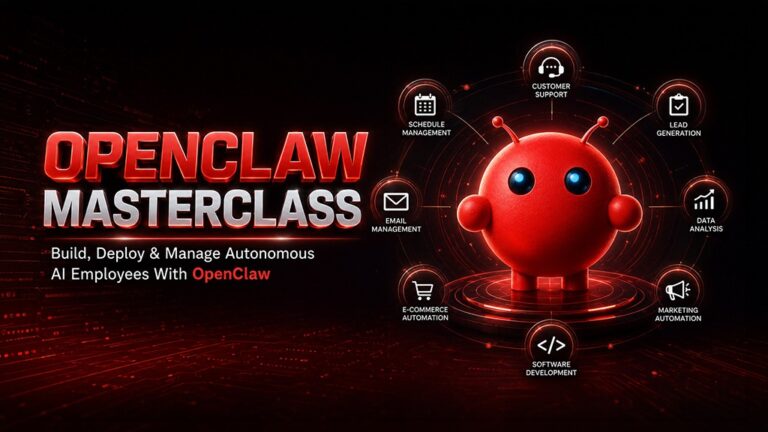
Explore how real AI agent systems are designed and deployed with AI-Agents & Agentic AI Masterclass – 2026
Introduction: From Concepts to Implementation
The conversation around AI agents has rapidly evolved. What was once a conceptual discussion about agentic AI is now shifting toward real-world implementation.
Most content today answers what AI agents are. Far fewer resources explain how to build AI agents, how they function under the hood, or how to turn them into reliable, production-ready systems.
For developers, builders, and technically inclined professionals, the focus has changed.
It’s no longer:
- What are AI agents?
It’s now:
- How do you build AI agents in real-world environments?
- Which frameworks are best suited for different use cases?
- How do you connect AI models, tools, memory, and workflows into a unified system?
- What does a scalable AI agent architecture actually look like?
These are the questions that define the next phase of AI workflow automation.
This guide focuses on the implementation side of agentic AI, breaking down how modern AI workflow systems are designed, structured, and deployed across real use cases.
If you’re looking to move beyond theory and start building, this is where things start to become practical.

Core Architecture of AI Agents
At a technical level, AI agents are not just models—they are orchestrated systems composed of multiple interacting layers.
Understanding this architecture is critical if you want to build AI agents that are scalable, reliable, and capable of handling complex workflows.
A typical AI agent architecture consists of four key components:
1. LLM (Reasoning Engine)
This is the core intelligence layer.
Large Language Models (LLMs) such as GPT, Claude, and Google Gemini are responsible for:
- Interpreting user input
- Reasoning through tasks
- Generating decisions and outputs
However, on their own, LLMs are limited to text-based interactions. They require additional layers to take meaningful action in real-world systems.
2. Tool Layer (Action Layer)
The tool layer extends the capabilities of the AI agent beyond text generation.
This includes integrations with:
- APIs (e.g., Stripe, HubSpot, Gmail)
- Databases (SQL, NoSQL systems)
- External platforms (Slack, Notion, CRMs)
Through this layer, AI agents can interact with real systems, making them viable for AI for business automation and operational workflows.
3. Memory Layer
Memory is what enables persistence and context-awareness in AI workflow systems.
There are typically two types:
- Short-term memory: Maintains context within a session
- Long-term memory: Stores data across sessions (often using vector databases like Pinecone or Weaviate)
This layer allows agents to:
- Recall past interactions
- Maintain continuity across workflows
- Improve responses over time
Without memory, agents behave like stateless chatbots. With memory, they become adaptive systems.
4. Orchestration Layer
The orchestration layer acts as the control system.
It is responsible for:
- Managing workflow logic
- Deciding which tools to use and when
- Handling multi-step execution
- Coordinating between components
Frameworks like LangChain, AutoGen, and CrewAI operate at this layer, enabling developers to define how the agent thinks, acts, and executes tasks.
This layered architecture is what allows agentic AI systems to move beyond simple prompts and handle complex, multi-step AI workflows.
Read More: Building Your First AI Agent: A Step-by-Step Guide with Python
Single-Agent vs Multi-Agent Systems
As you begin to design AI systems, one of the first architectural decisions you’ll face is whether to use a single-agent or multi-agent system.
Each approach has its own advantages, trade-offs, and ideal use cases.
Single-Agent Systems
A single-agent system relies on one centralized agent to handle the entire workflow.
Characteristics:
- Handles tasks independently
- Operates in a linear or semi-structured workflow
- Easier to design, debug, and deploy
Best Use Cases:
- Content generation workflows
- Report automation
- Basic research tasks
- Simple AI automation systems
Because of their simplicity, single-agent systems are often the best starting point when you’re learning to build AI agents.
Multi-Agent Systems
A multi-agent system distributes tasks across multiple specialized agents that collaborate to achieve a goal.
Instead of one agent doing everything, you might have:
- A research agent gathering data
- An execution agent performing actions
- A validation agent reviewing outputs
Characteristics:
- Parallel or collaborative workflows
- Role-based task distribution
- Higher scalability and flexibility
Challenges:
- Coordination between agents
- Managing communication and dependencies
- Increased system complexity
When to Use Multi-Agent Systems
Multi-agent systems are ideal for:
- Complex business workflows
- Large-scale AI workflow automation
- Systems requiring validation and feedback loops
- Advanced AI agent use cases across teams or departments
Frameworks like CrewAI and AutoGen are specifically designed to support these architectures, making it easier to define roles, manage communication, and scale agent-based systems.
Choosing the Right Approach
There’s a tendency to jump straight into multi-agent systems—but that’s often unnecessary.
A better approach is:
- Start with a single-agent system
- Validate the workflow
- Gradually introduce multiple agents where needed
This incremental approach reduces complexity while still allowing you to build powerful, scalable AI workflow systems over time.
Building a Simple AI Agent (Code Example)
To understand how AI agents work in practice, it’s useful to start with a minimal implementation. This example demonstrates how to build a simple AI agent using LangChain, combining an LLM with tool usage.
Below is a simplified Python example:
from langchain.chat_models import ChatOpenAI
from langchain.agents import initialize_agent, Tool

# Define a simple tool
def search_tool(query):
   return f"Searching for: {query}"

tools = [
   Tool(
       name="Search",
       func=search_tool,
       description="Useful for searching information on a topic"
   )
]

# Initialize the LLM
llm = ChatOpenAI(model="gpt-4")

# Create the agent
agent = initialize_agent(
   tools=tools,
   llm=llm,
   agent="zero-shot-react-description",
   verbose=True
)

# Execute a task
response = agent.run("Find the latest AI agent use cases in marketing")
print(response)
What This Code Actually Does
While the code looks simple, it reflects the core principles behind AI agent architecture:
1. LLM as the Reasoning Engine
The language model (GPT-4 in this case) interprets the query and decides what actions to take.
2. Tools as Capability Extensions
The search tool acts as an external capability. In real-world systems, this would be replaced with APIs, databases, or automation tools.
3. Agent Decision-Making
The agent uses a reasoning framework (ReAct pattern) to decide:
- When to call a tool
- What input to pass
- How to use the result
This is what differentiates AI agents from traditional scripts or chatbots.
Moving Beyond the Basic Example
In production-grade AI workflow systems, this setup is extended with:
- Persistent memory (for context retention)
- External APIs (for real-world actions)
- Workflow triggers (cron jobs, event-based execution)
- Error handling and retries
This is where simple prototypes evolve into scalable AI automation systems.

Adding Memory to AI Agents
Memory is a critical component when you want to build AI agents that go beyond single interactions.
Without memory, an agent behaves like a stateless function. With memory, it becomes a context-aware system capable of learning and adapting.
Types of Memory in AI Agents
1. Short-Term Memory (Session Memory)
Short-term memory is used during a single interaction or workflow.
It helps the agent:
- Maintain conversation context
- Track intermediate steps
- Perform multi-step reasoning
Example (conceptual):
chat_history = []
chat_history.append("User prefers concise answers")
2.Long-Term Memory (Persistent Memory)
Long-term memory is stored externally, often in vector databases such as:
- Pinecone
- Weaviate
- FAISS
This allows agents to:
- Recall past interactions
- Store user preferences
- Retrieve relevant context across sessions
Example (conceptual):
memory.store("user_preference", "prefers short summaries")
context = memory.retrieve("user_preference")
Why Memory Matters in AI Workflow Systems
Memory enables:
- Personalization at scale
- Continuity across workflows
- Improved decision-making over time
This is a key building block for advanced agentic AI systems, especially in AI for business automation, where consistency and context are critical.
Tool Integration: Connecting Real Systems
AI agents become truly valuable when they move beyond isolated logic and connect with real-world systems.
This is where AI workflow automation becomes practical.
Common Tool Integrations
Most production AI agents integrate with:
APIs
- Stripe (payments)
- HubSpot (CRM)
- Slack (communication)
- Gmail (email automation)
Databases
- PostgreSQL
- MongoDB
- Vector databases
Automation Platforms
- Zapier
- Make (Integromat)
Example: AI Agent for Lead Management
A typical AI for business automation workflow might look like this:
- A new lead is captured from a form
- The agent enriches the data via an external API
- It sends a personalized email using Gmail API
- Updates the CRM (e.g., HubSpot)
- Flags high-quality leads for human follow-up
This entire process can run autonomously as part of an AI workflow system.
Why Tool Integration Is Critical
Without tools, AI agents are limited to generating outputs.
With tools, they can:
- Take real actions
- Update systems
- Trigger workflows
- Operate across platforms
This is what transforms AI from a content generator into an execution engine.
Orchestration Frameworks to Build AI Agents
Building AI agents from scratch can quickly become complex. This is where orchestration frameworks play a crucial role.
They provide the structure needed to design, manage, and scale agentic AI systems.
1.LangChain
LangChain is one of the most widely used frameworks for building AI agents and AI workflow systems.
Key Strengths:
- Modular architecture
- Strong integrations ecosystem
- Flexible for custom workflows
Best For:
- Developers building custom AI pipelines
- Tool-integrated workflows
- Experimentation and prototyping
2. AutoGen
AutoGen focuses on multi-agent communication and collaboration.
Key Strengths:
- Native support for multi-agent systems
- Conversation-based agent coordination
- Strong for complex task delegation
Best For:
- Multi-agent workflows
- Research and reasoning-heavy systems
- Collaborative AI environments
4. CrewAI
CrewAI introduces a role-based approach to AI agents.
Key Strengths:
- Simple abstraction for agent roles
- Easier orchestration of team-like systems
- Cleaner mental model for workflows
Best For:
- Teams building structured workflows
- Business process automation
- Role-based agent systems
Choosing the Right Framework
There’s no single “best” framework—it depends on your use case:
- Use LangChain for flexibility and integrations
- Use AutoGen for multi-agent collaboration
- Use CrewAI for structured, role-based systems
These frameworks significantly reduce the complexity of building AI agents, allowing you to focus on designing workflows instead of managing low-level infrastructure.
Designing Reliable AI Agent Workflows
Building an AI agent is relatively straightforward today. Building one that works consistently, safely, and predictably in real-world environments is where the real challenge begins.
Reliability is what separates experimental prototypes from production-ready AI workflow automation systems.
When designing AI agents, you’re not just writing logic—you’re designing behavior under uncertainty.
1. Clear Task Definition
Every reliable AI agent starts with a well-defined objective.
Ambiguity in instructions leads to:
- Inconsistent outputs
- Unnecessary tool usage
- Increased failure rates
Instead of vague goals like: Analyze customer data
Define structured objectives: Analyze the last 30 days of customer data, identify churn signals, and output the top 5 actionable insights.
The more precise the task, the more predictable the agent’s behavior.
This becomes especially important in AI for business automation, where incorrect outputs can have operational impact.
2. Controlled Tool Access
One of the biggest mistakes in AI agent design is giving agents unrestricted access to tools.
More tools ≠ better performance.
In fact, excessive tool access often leads to:
- Irrelevant tool calls
- Increased latency
- Higher costs
- Unpredictable execution paths
Best practice:
- Limit tools to only what is necessary
- Clearly define tool descriptions
- Add guardrails for sensitive operations
For example, instead of giving full database access, expose only specific query functions.
This keeps your AI workflow systems efficient, secure, and easier to debug.
3. Feedback Loops and Self-Correction
Modern agentic AI systems perform significantly better when they can evaluate their own outputs.
This is where feedback loops come in.
A simple pattern:
- Generate output
- Evaluate output (using another prompt or agent)
- Refine if needed
Example (conceptual flow):
draft = agent.generate(task)
review = reviewer_agent.evaluate(draft)

if review == "needs_improvement":
    draft = agent.refine(draft)
This approach is widely used in:
- Content generation workflows
- Code generation systems
- Research and reporting agents
Feedback loops increase accuracy, reduce hallucinations, and make AI agents more reliable over time.
4. Human-in-the-Loop (HITL)
Despite rapid progress, fully autonomous systems are not always appropriate—especially in high-stakes environments.
Human-in-the-loop design ensures:
- Critical decisions are reviewed
- Errors are caught early
- Trust in the system increases
Common use cases:
- Financial approvals
- Legal document generation
- High-value sales outreach
A practical pattern:
- Let the agent do 80% of the work
- Route final output for human validation
This hybrid approach is currently the most effective way to deploy production-grade AI agents.
Reliability as a Competitive Advantage
In 2026, the advantage is no longer in building AI agents—it’s in building ones that consistently work.
Reliable AI workflow automation systems:
- Reduce operational risk
- Increase trust across teams
- Scale without constant intervention
This is where thoughtful system design becomes more valuable than raw technical capability.
Common Mistakes When Building AI Agents
As more developers and teams start to build AI agents, certain patterns of failure are becoming increasingly clear.
Avoiding these early can save significant time, cost, and frustration.
Overengineering Too Early
There’s a strong temptation to jump straight into multi-agent systems with complex orchestration.
In reality:
- Most workflows don’t need multiple agents initially
- Complexity increases failure points
A better approach:
- Start with a single-agent system
- Validate the workflow
- Expand only when necessary
Simplicity scales better than complexity.
Ignoring Error Handling
AI agents interact with APIs, tools, and external systems—all of which can fail.
Without proper error handling:
- Workflows break silently
- Debugging becomes difficult
- User experience suffers
At minimum, implement:
- Try/catch logic for tool calls
- Retry mechanisms
- Fallback responses
Example:
try:
    result = tool.run(input)
except Exception:
    result = "Temporary issue, retrying..."
Robust error handling is essential for production AI workflow systems.
Lack of Observability (Logs & Monitoring)
If you can’t see what your agent is doing, you can’t improve it.
Logging should capture:
- Tool calls
- Inputs and outputs
- Decision paths
Modern stacks often include:
- LangSmith (for LangChain tracing)
- Custom logging dashboards
- Monitoring pipelines
Observability transforms AI agents from black boxes into controllable systems.
Treating Agents Like Chatbots
This is a conceptual mistake.
Chatbots:
- Respond to prompts
- Operate in isolation
AI agents:
- Execute workflows
- Interact with systems
- Maintain state and context
If you design agents like chatbots, you’ll never unlock their full potential.
The shift is from conversation → execution.
Skipping Iteration Cycles
The first version of an AI agent is rarely the best one.
High-performing systems are built through:
- Testing
- Refinement
- Continuous iteration
Treat your AI agent like a product—not a script.
Read More: AI Agents vs. Chatbots: What’s the Difference and Why It Matters?
Where AI Agents Are Heading (Technical Perspective)
The evolution of AI agents is accelerating, and the underlying systems are becoming significantly more sophisticated.
Looking ahead, several trends are shaping the future of agentic AI and AI workflow automation.
1. Persistent Memory Architectures
Future AI agents will rely heavily on long-term memory systems:
- Vector databases
- Knowledge graphs
- Hybrid retrieval systems
This will enable:
- Deep personalization
- Long-running workflows
- Context-aware decision-making at scale
2. Autonomous Tool Discovery
Instead of being limited to predefined tools, agents will:
- Discover new APIs
- Evaluate tool usefulness
- Integrate dynamically
This moves AI agents closer to true autonomy.
3. Multi-Agent Collaboration at Scale
We are moving toward systems where:
- Dozens of agents collaborate
- Tasks are distributed dynamically
- Communication happens in structured protocols
This will redefine how complex workflows are executed across teams and organizations.
4. Self-Improving Systems
Future AI agents will:
- Learn from past executions
- Optimize workflows automatically
- Adapt without manual reprogramming
This introduces a feedback-driven evolution loop into AI systems.
A Practical Note
While these trends are powerful, most real-world implementations today are still in earlier stages.
The real opportunity lies in:
- Understanding fundamentals
- Building reliable systems
- Scaling gradually
If you’re looking to go deeper into how these systems are actually designed and deployed in real-world scenarios, you can explore AI-Agents & Agentic AI Masterclass – 2026 as a structured way to bridge theory and implementation.
Conclusion: From Building to Scaling AI Systems
Learning how to build AI agents is quickly becoming a foundational skill—not just for developers, but for anyone working with complex workflows and systems.
But building is only the first step.
The real value lies in:
- Designing reliable systems
- Creating workflows that scale
- Connecting AI to real-world operations
AI agents are not just tools—they are systems that can operate, adapt, and evolve.
And as with any system, the quality of the outcome depends on how well it is designed.
If you’re serious about moving beyond basic implementations and want to understand how production-ready AI workflow systems are built, structured, and scaled, there are now practical paths to do that.
The shift is already happening—from writing prompts to designing intelligent systems.
The sooner you start building, the sooner you start compounding that advantage.
Read More:
- How to Build a RAG System (Step-by-Step Guide)
- How to Secure Your API: Authentication, Rate Limiting, JWT & Modern Best Practices
About the Author